please remove cloudflare from my computer....I never signed up for it.

Please remove cloudflare from my computer. I have been using Firefox for ages and now I'm wondering about going somewhere else....
All Replies (7)
Hi Jeanne,
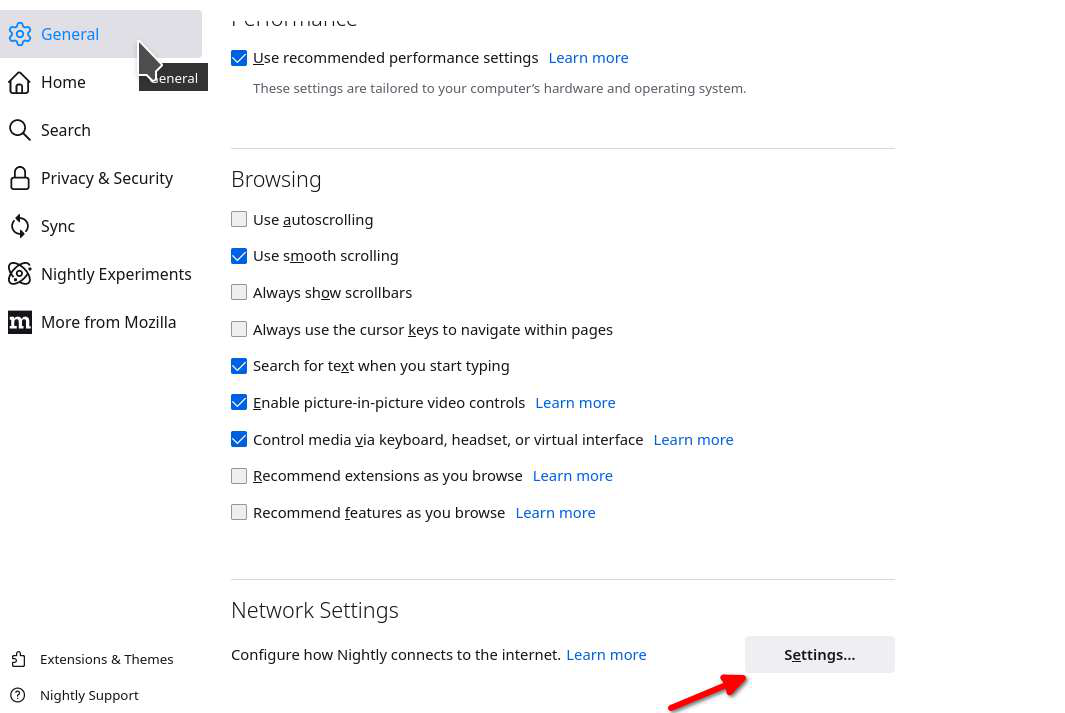
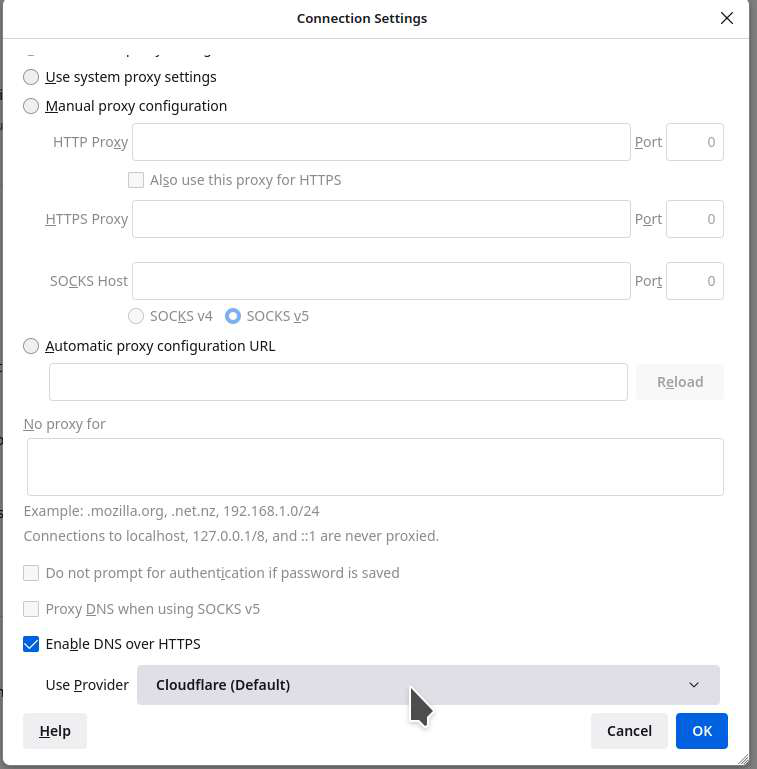
What do you have set here? see screenshots
Also in what way do you think cloudflare is bad ?
Is there a way to remove cloudflare from my computer. I don't have an account with them because I never signed up for it . It may have come with an update from Firefox/Mozilla?
We get Cloudflare bad... can you reply to my question?
James said
Also in what way do you think cloudflare is bad ?
I'll tell you why Cloudflare is bad. For the past 2 weeks, it has been intervening my access to many legitimate web sites.
Now, as of 15 May 2022, it is preventing from going to ANY website. It brings up a 05 May 2022 Wayback Archive web page instead, and I can't go any further.
I've removed Cloudflare's 2 DNS addresses. Little Snitch is still reporting that cloudlfare wants to intercede even my Parallels accounts!
This has gone too far. I can't use Firefox anymore (I'm on 100.2), so I've had to switch over to Google Chrome, Bravo Browser, etc.
This is a real shame, but I can't understand why Mozilla (*of all companies!*) would allow Cloudflare to literally take over and destroy their once-wonderful Browser.
Is this a problem with the Cloudflare DDOS protection service that make CF show a challenging page before redirecting to the actual website ?
Cloudflare is a company that offers network services to websites. Websites can use a service to protect their servers against (DDOS) attacks. If a website is protected by Cloudflare and you see a CF challenging page then there is nothing you can do about this. Cloudflare also has DNS servers like Firefox uses for DNS over HTTPS.
Modified by cor-el

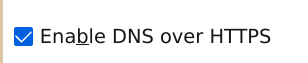
If you want to disable DNS over HTTPS, go to Settings > General > Network Settings (at the very bottom of the page). Click on the button labelled Settings; you will get a pop-up and at the bottom of the pop-up is Enable DNS over HTTPS which you want to unselect (it is selected in the attached screenshot).
Note that it is possible to create exceptions using about:config but it seems you have many exceptions.