


Family Farm neighbors not loading in firefox
I use Firefox for Facebook game called Family Farm. My neighbors will not load and a few other glitches. I know it is Firefox because I had to download Chrome and played on it. Chrome loads my neighbors on Facebook. Also for some reason Firefox is hogging my memory then crashing. It takes a while to crash but still should not be happening. I cleared cache and optimized and everything to maintenance my computer. Any help appreciated.
All Replies (2)

The two issues could be related. I have recently (I hope) solved a memory issue after 5 or 6 weeks of trying one thing and another. These articles may help. https://support.mozilla.org/en-US/kb/firefox-uses-too-much-memory-or-cpu-resources https://support.mozilla.org/en-US/kb/diagnose-firefox-issues-using-troubleshoot-mode

In the address bar, type about:crashes<enter>. Note: If any reports do not have BP- in front of the numbers/letters, click it to submit them.
The crash report is several pages of data. We need the report numbers to see the whole report.
Using your mouse, mark the most recent 7 - 10 Submitted crash reports, and copy them. Now go to the reply box and paste them in.
Please, Do not post a screenshot ! !
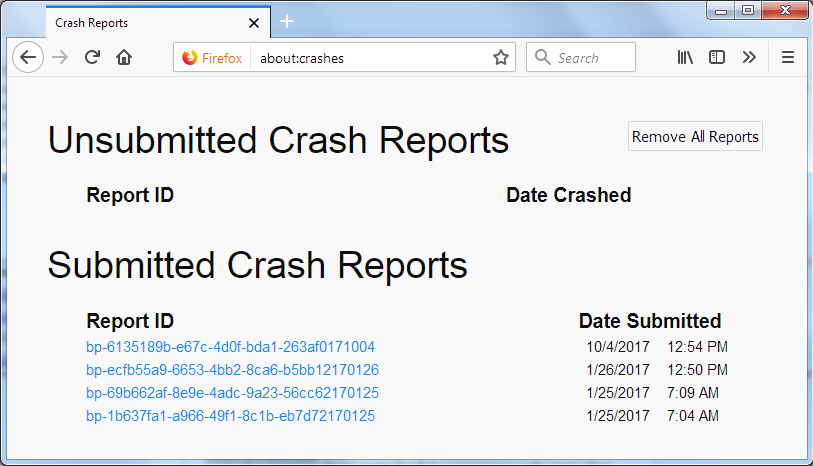
For more help on crash reports, see; https://support.mozilla.org/en-US/kb/firefox-crashes-asking-support