how/why can IMAP folder go missing in TB but it can sync correctly in another mail client.

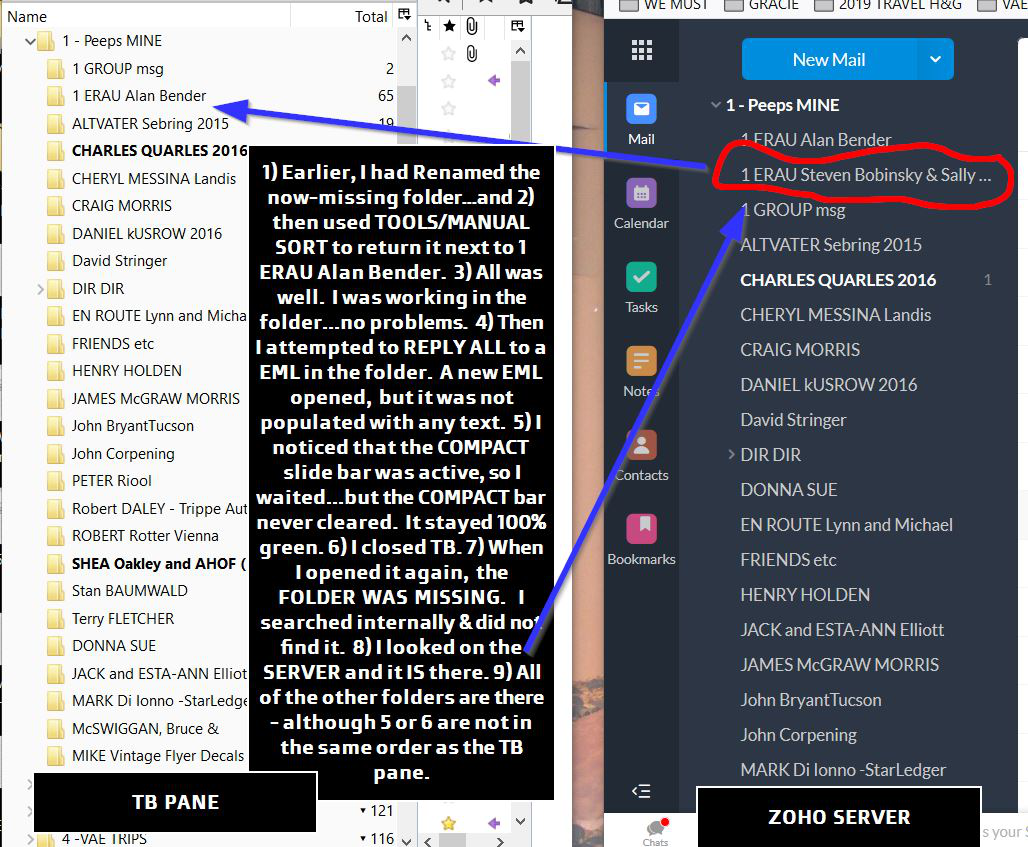
The problem is that an entire folder disappeared from my IMAP Zoho email account in TB one day when I clicked GET MESSAGES (synced it). When the sync was finished, an entire folder containing 70 messages was gone. 1) It remained on the Zoho server. 2) it DID sync correctly into two other mail clients that I tested later...both Mailbird and Windows Mail. So the problem rests with TB. How/why? And how can you fix that?
I submitted this problem recently (last week) to TB Support, but I gave up (and deleted all the email exchanges with Support...I apologize). I had decided to use a different email client -- and tried Mailbird and Outlook, but found them lacking. I really want your help to FIX this MISSING FOLDER issue on TB. I want to stay with TB.
The screen grab attached gives you background on the sequence of events just prior to the folder not syncing.
Thanks.
All Replies (1)
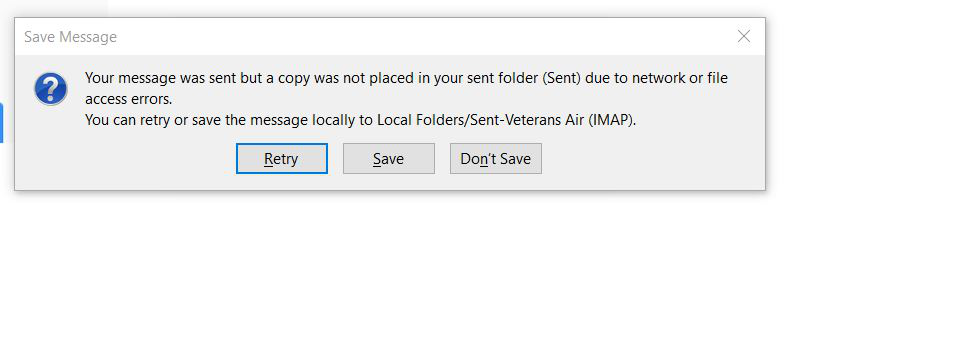
Adding this ERROR in case it is related to the problem I have just described. I get this error frequently now. It started a few weeks ago. And, despite what the error says, a copy of the email IS IN SENT.