


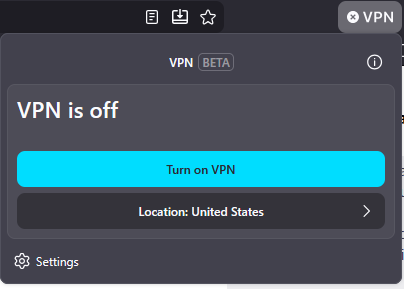
Where can I find how much data I have left on Firefox VPN?

I'm aware that Firefox VPN comes with a 50 GB/month data limit. Having used it recently, I'm not finding anything that indicates how much data I have left for the month, and I haven't found anything pertaining to this under Settings or the FAQ.
الحل المُختار
There is a banner on top of https://support.mozilla.org/en-US/kb/built-in-vpn
Now through August 31, get unlimited bandwidth with more locations in built-in VPN. Head to Connect for more details. [Details}
The unlimited data usage started on June 9th.
All Replies (7)
It's unlimited for the summer.
TyDraniu said
It's unlimited for the summer.
Oh, that's really nice of the team! Is it normally listed in the menu otherwise?
الحل المُختار
There is a banner on top of https://support.mozilla.org/en-US/kb/built-in-vpn
Now through August 31, get unlimited bandwidth with more locations in built-in VPN. Head to Connect for more details. [Details}
The unlimited data usage started on June 9th.

The question is not answered. I would still like to see how much data I've used because the unlimited data will likely not last forever.
msknightkb6iig said
The question is not answered. I would still like to see how much data I've used because the unlimited data will likely not last forever.
My reply above yours answers the question though. From the Connect thread I linked to
Unlimited bandwidth and expanded locations are available only for a limited time. The summer VPN offer runs through August 31. Starting September 1, the built-in VPN will return to 50 GB per month, and a set of 5 locations. Similar to the summer upgrade, this change will happen automatically.
Basically it is not going to show you usage any data until Sept 1st and on.
Modified by James
If you want to continue to have unlimited data usage with a VPN then Mozilla has their own standalone subscription based Mozilla VPN app. https://vpn.mozilla.org
Your remaining usage will be shown in the vpn panel after the summer promo.