how to add short-cut to home page?

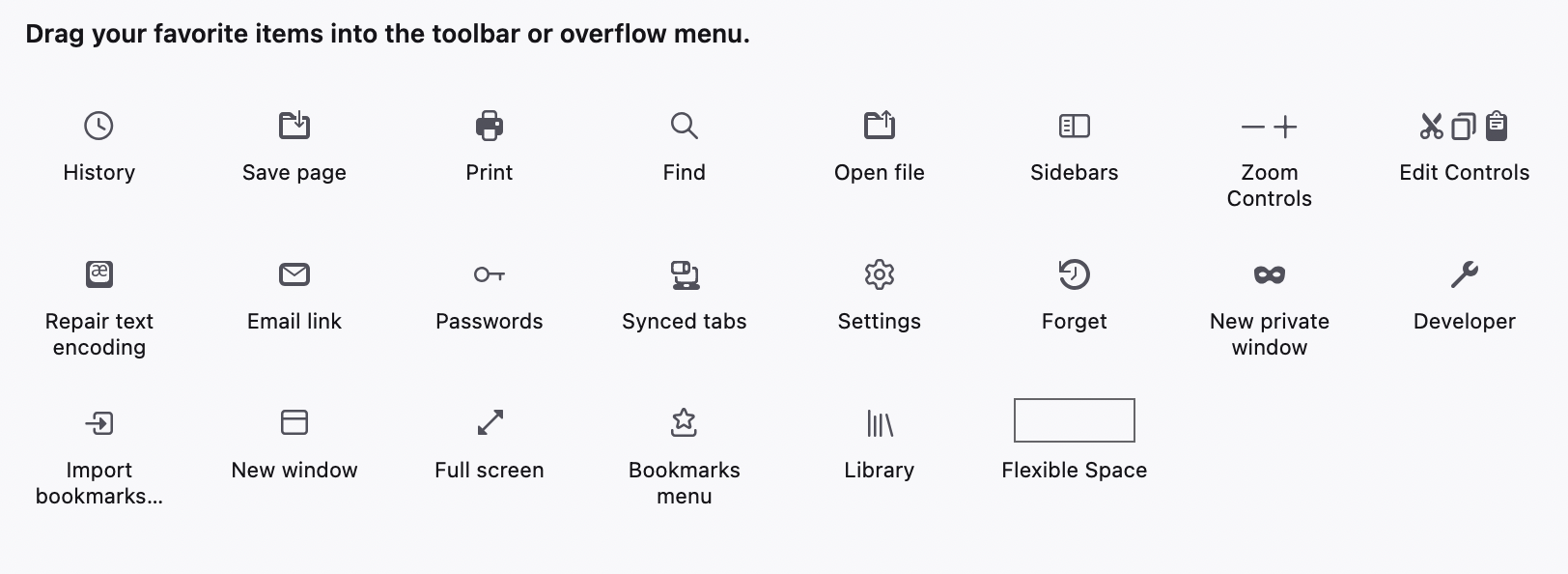
No answers to how to do this, even googling. The best I get is to click on the 3-vertical-dots icon next to the intended address's url field. No such icon exists, nor it to be found in "Customize Tools"
Macbook Air, M1 — 12.6.8 Firefox 129.0.2
All Replies (3)
The Library button and the Home button are no longer present by default on the Navigation Toolbar, you need to drag them out of the Customize palette to the toolbar.
See also:
The Firefox Home page has about:home as its URL, the new tab page has about:newtab as its URL.
The library doesn't allow me to add short-cuts. It simply allows me to recall a previous url.
I do have a nice, personal home page. I just want to add a short0-cut at will, rather than waiting for Firefox to figure out it's a regular destination of mine and then add it as a short-cut to the homepage.