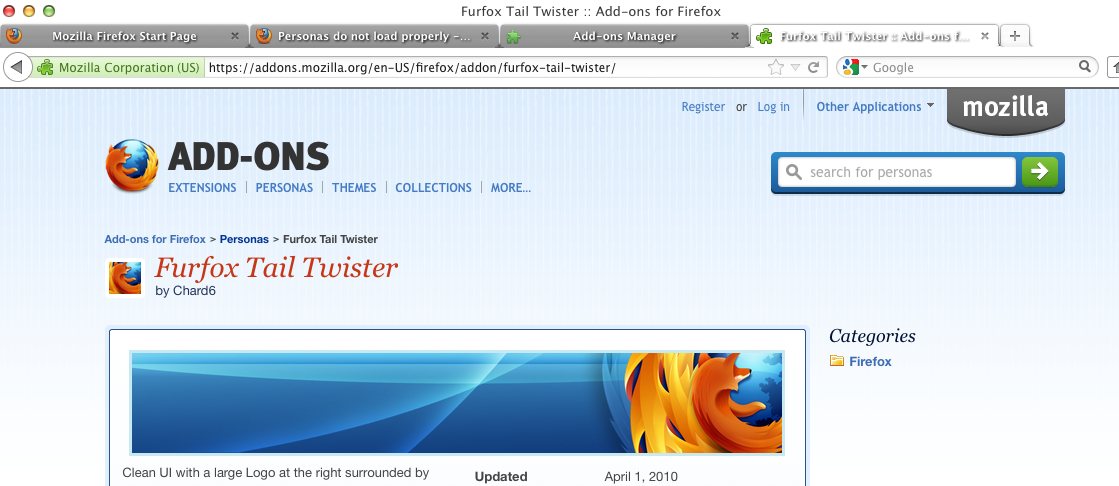
Personas do not load properly - I can see some color changes, but it looks nothing like it is supposed to.

I've used personas on my MacBook Pro and they worked fine. Now I am trying to load on my new Mac Pro. Only add-ons are Firebug and Web Developer!
When loading a persona, the browser changes colors, but looks nothing like the persona being selected.
All Replies (2)
Try to disable hardware acceleration.
- Firefox > Preferences > Advanced > General > Browsing: "Use hardware acceleration when available"
Start Firefox in Use Troubleshoot Mode in Firefox to check if one of the extensions or if hardware acceleration is causing the problem (switch to the DEFAULT theme: Firefox/Tools > Add-ons > Appearance/Themes).
- Don't make any changes on the Safe mode start window.
- https://support.mozilla.org/kb/Safe+Mode
Thank you kindly for the reply. I disabled the hardware acceleration and then restarted Firefox in Safe Mode. I did not see the problem go away. The attached shows a screenshot of the persona that works fine on my MacBook Pro with the same OS. In the screenshot #2, it shows how the persona shows on the browser when the theme is loaded.