


Windows 10 reached EOS (end of support) on October 14, 2025. If you are on Windows 10, see this article.

Search Support

Avoid support scams. We will never ask you to call or text a phone number or share personal information. Please report suspicious activity using the “Report Abuse” option.

Learn More
Open

Firefox Home shows only 8 shortcuts and hides the Add button

daniel.paw

Firefox Home shows only 8 shortcuts and hides the Add button despite being set to 4 rows

Environment: - Windows - Firefox 157.0 (64-bit) - The same issue occurred in Firefox 156.0.1 before updating. - Built-in Firefox Home is selected for the homepage and new tabs.

Steps to reproduce in my current profile: 1. Enable Shortcuts in Firefox Home settings. 2. Set the number of shortcut rows to 4. 3. Add shortcuts using the "+" button. 4. Once 8 shortcuts have been added, the "+" button disappears. 5. Open another new tab or restart Firefox.

Actual result: Only one row containing 8 shortcuts is displayed. There is no "+" button to add a ninth shortcut, although the settings still show 4 rows.

Expected result: Firefox should allow additional shortcuts in the configured rows and keep an option to add more shortcuts until the available slots are filled.

Checks and troubleshooting: - Confirmed that browser.newtabpage.activity-stream.topSitesRows is set to 4. - The issue also occurred in Troubleshoot Mode. - Temporarily enabling sponsored shortcuts did not help. - Updating from Firefox 156.0.1 to 157.0 did not help. - Testing browser.newtabpage.activity-stream.nova.enabled set to false did not help.

Additional context: During earlier troubleshooting, browser.newtabpage.pinned was manually edited to add a ninth shortcut. After restarting Firefox, the previous shortcuts disappeared except for YouTube. I then rebuilt the shortcuts using the normal "+" button. The same problem returned as soon as I reached 8 shortcuts. The issue therefore existed before and after that manual edit.

I have not tested with a separate, fresh Firefox profile. I do not know which Firefox version first introduced the issue.
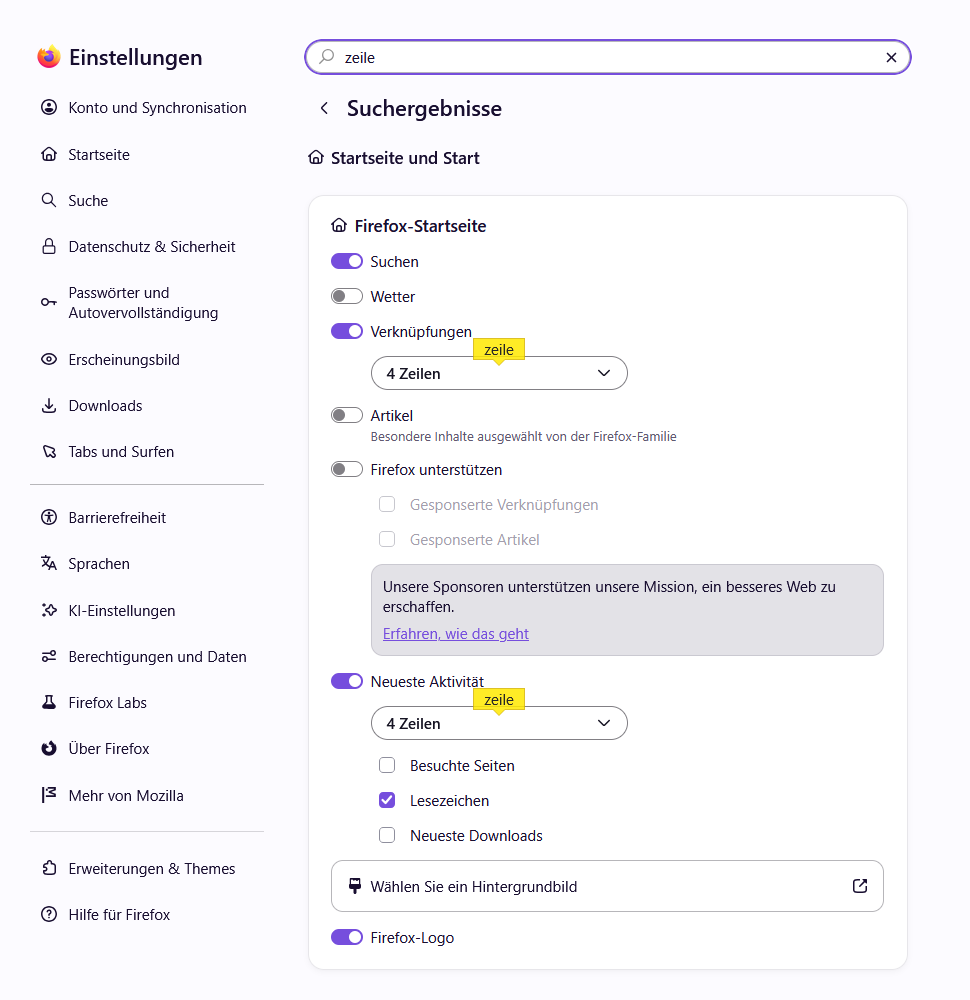
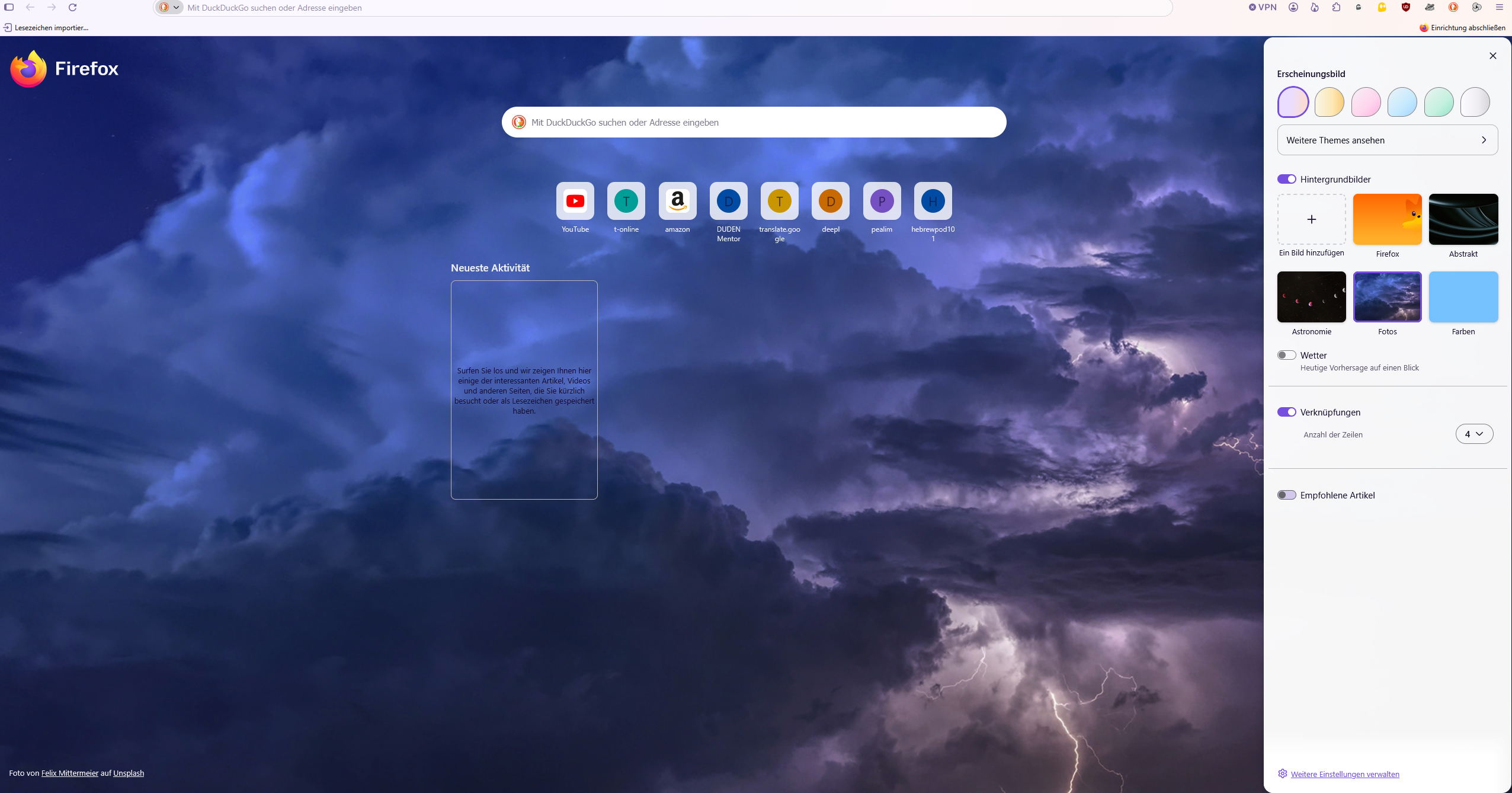
Firefox Home shows only 8 shortcuts and hides the Add button despite being set to 4 rows Environment: - Windows - Firefox 157.0 (64-bit) - The same issue occurred in Firefox 156.0.1 before updating. - Built-in Firefox Home is selected for the homepage and new tabs. Steps to reproduce in my current profile: 1. Enable Shortcuts in Firefox Home settings. 2. Set the number of shortcut rows to 4. 3. Add shortcuts using the "+" button. 4. Once 8 shortcuts have been added, the "+" button disappears. 5. Open another new tab or restart Firefox. Actual result: Only one row containing 8 shortcuts is displayed. There is no "+" button to add a ninth shortcut, although the settings still show 4 rows. Expected result: Firefox should allow additional shortcuts in the configured rows and keep an option to add more shortcuts until the available slots are filled. Checks and troubleshooting: - Confirmed that browser.newtabpage.activity-stream.topSitesRows is set to 4. - The issue also occurred in Troubleshoot Mode. - Temporarily enabling sponsored shortcuts did not help. - Updating from Firefox 156.0.1 to 157.0 did not help. - Testing browser.newtabpage.activity-stream.nova.enabled set to false did not help. Additional context: During earlier troubleshooting, browser.newtabpage.pinned was manually edited to add a ninth shortcut. After restarting Firefox, the previous shortcuts disappeared except for YouTube. I then rebuilt the shortcuts using the normal "+" button. The same problem returned as soon as I reached 8 shortcuts. The issue therefore existed before and after that manual edit. I have not tested with a separate, fresh Firefox profile. I do not know which Firefox version first introduced the issue.
Aangehegde skermkiekies

All Replies (1)

This sounds like a Firefox Home bug rather than a setting issue, especially since it also happens in Troubleshoot Mode. I’d test a fresh Firefox profile next. If the "+" button still disappears after 8 shortcuts there, that gives Mozilla a much cleaner reproducible bug report.

Vra 'n vraag

You must log in to your account to reply to posts. Please start a new question, if you do not have an account yet.