


Unable to select a new town on weathersa.co.za new website but it works on Chrome Android, Firefox Android says Web server is down

Weathersa.co.za recently launched a new website. There is a function to select towns for a forecast. The select function is not working on Firefox Windows. It seems that Privacy Badger may have issues with the site on Windows. If I turn all ad and track blockers off the site works correctly on Firefox Android. I cannot get it to work properly on Windows. Has anyone else has this problem, Suggestions to resolve this please
All Replies (8)
Oops! Just trying to check and get a Host error, will check again in a while.
Also your link in insecure [http] maybe as you only typed the domain . . .
UPDATE with [https] Not found
OK https://www.weathersa.co.za/ . . . works
Now to try . . .
Yeap selecting a different location doesn't work but then I don't have any cookies allowed for the site, let alone [Allow all cookies] and I block popups.
Gewysig op deur amoun
Is it supposed to work like this?
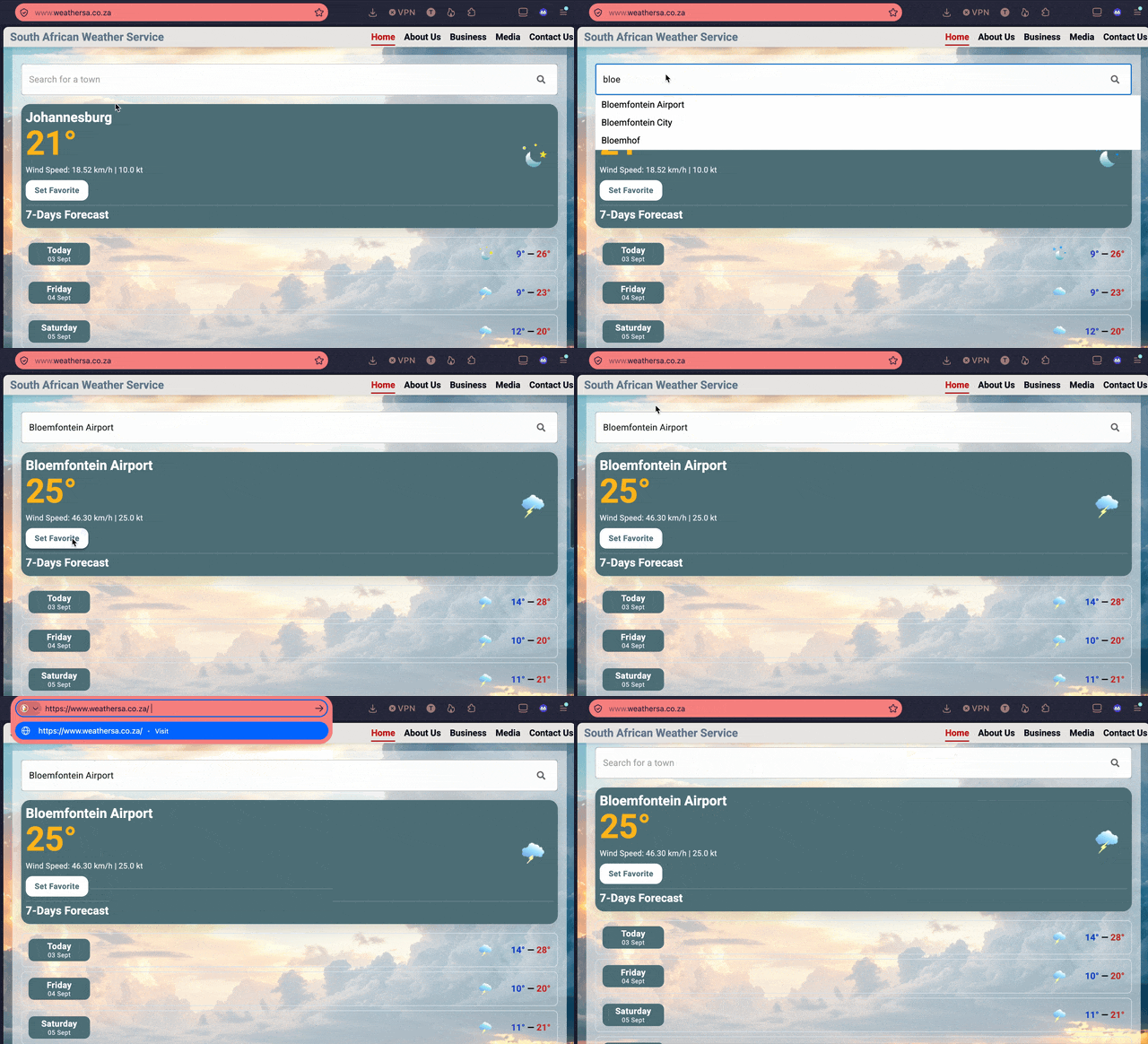
Yes that is correct. But although I can type in the name of a town it does not select it even it shows as a potential match. What I find strange is that I can now select correctly on Firefox on Android (after I updated from Play store) I still cannot select from Windows Firefox and this is regardless of whether ad and pop up blockers have been disable or not. This makes me believe that the problem is with Firefox Windows and not with the extensions. Any suggestions?.
@jbr So what OS were you using :)
As mentioned before I get the same as the OP on my Win 11 Yes that is correct. But although I can type in the name of a town it does not select it even it shows as a potential match
Windows 11
Hi les
That was a question for jbr as they seem to have it working :)
Windows 10, 140esr; macOS 15, 155 release (don't have anything newer to test) — all fresh clean installs.
If you restart into Troubleshoot Mode (from Help menu) that eliminates any extensions interfering, does it behave the same?
Still get the same problem using Troubleshoot mode