


Background mysterious behaviour

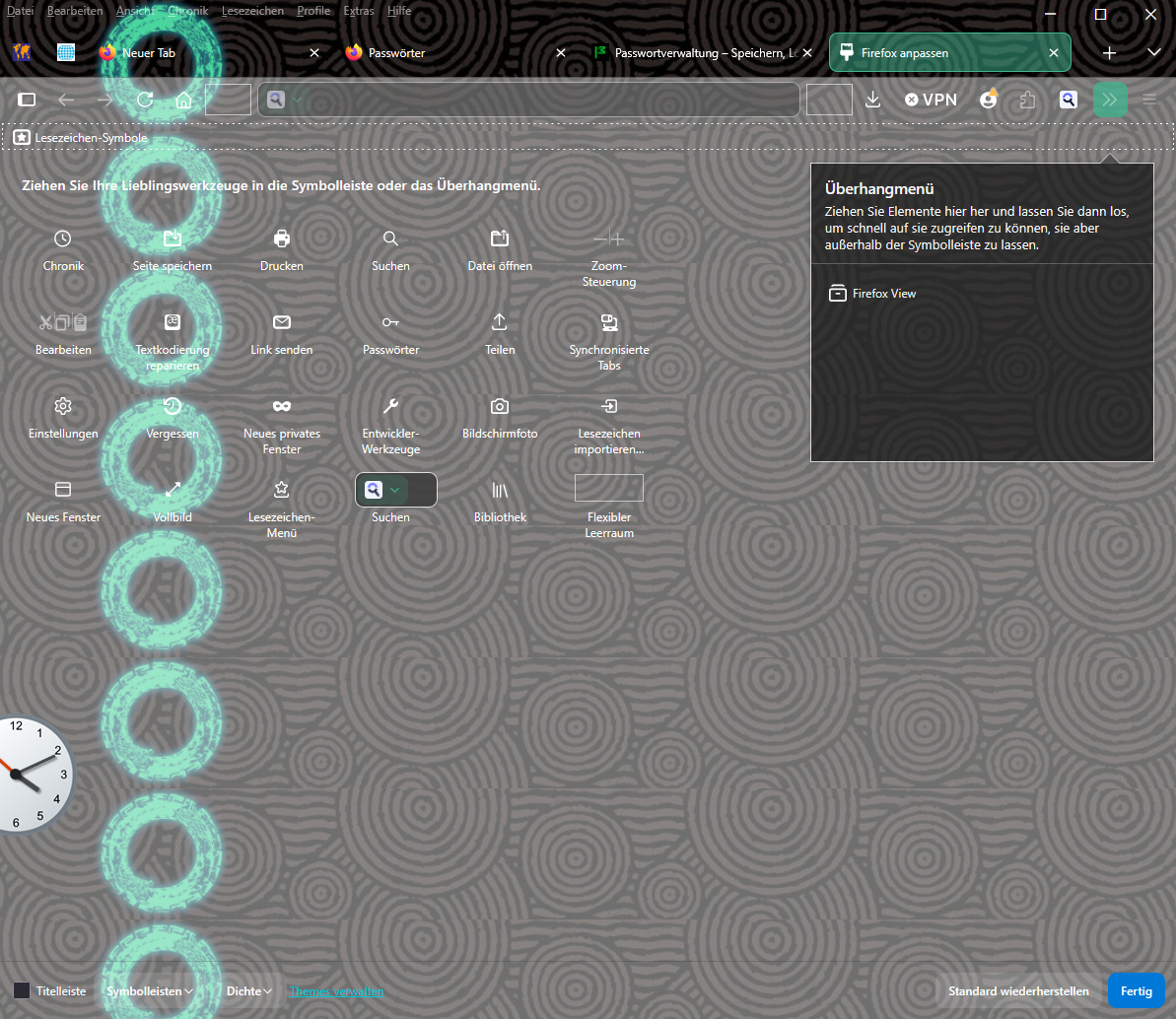
My FF Browser introduced a vertical row of rings which I want to get rid off. Im using W10 and FF Version 151.0.4 (64-Bit). Rings are stable, updates show them again. Any Help???
Moderator note: Moved from the Firefox for Android forum to the Firefox Desktop forum.
Gewysig op deur Denys
Gekose oplossing
It might be not. Generally, it should be enough to disable your theme(s). You can disable all your add-ons one by one and see which of them (or a combination) causes the issue.
For more details, see Troubleshoot extensions, themes and hardware acceleration issues to solve common Firefox problems.
All Replies (5)
Hi,
It looks very much like a third-party theme... If you run Firefox in Troubleshoot Mode, will the issue persist?
Deny,
tnx fer reply! In Troubleshoot Mode the problem is not visible.
I fear new FF start from scratch is necessary ...
Gekose oplossing
It might be not. Generally, it should be enough to disable your theme(s). You can disable all your add-ons one by one and see which of them (or a combination) causes the issue.
For more details, see Troubleshoot extensions, themes and hardware acceleration issues to solve common Firefox problems.
Deny,
the proble is gone after deactivating "Zelda Totk Black Circle Pattern" No idea how that was activated. Thanks for the help!
Thank you for sharing this! Was it https://addons.mozilla.org/firefox/addon/totk-black-circle-pattern/ that caused the issue? If so, I'd appreciate it if you could answer a couple of follow-up questions (given that the theme is recommended):
- Did you see the circles on all the tabs (not just the Customize Toolbar page)?
- When did you notice the issue (whatever exactly it is)?
- What was it like before? (I assume you used the same theme before without any issues)