


Sign into VPN

I love that you ask us to be nice! I have one bumper sticker on my car and it says: Just Be Nice.
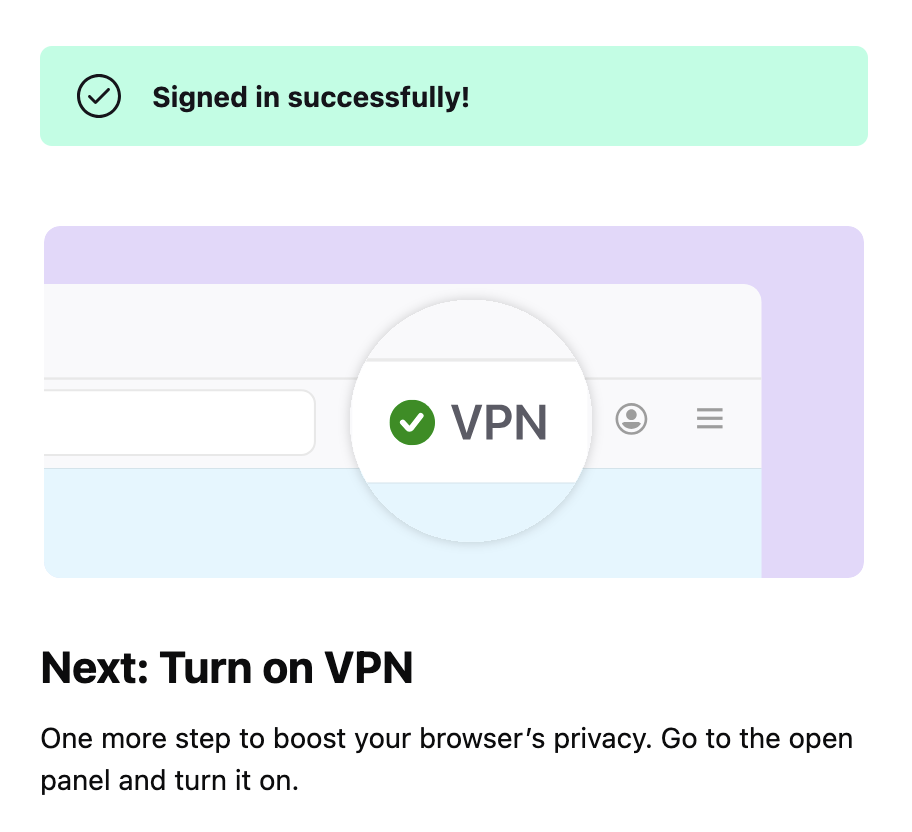
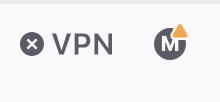
I'm stuck signing into VPN. My email address is shown when I click on VPN in the menu bar but there's no on/off toggle. I click Get Started, it says "Signed in Successfully! Next: Turn on VPN" — but there's no place to do this. It says "Go to the open panel" – what is an open panel? There's an x in a dark circle next to the VPN in the menu bar. It feels like a continuous loop and I'm getting nowhere – that I can tell.
Thanks for your help!
Gekose oplossing
Hi, this yellow rectangle on your account icon is suspicious. It shouldn't be there. Is there any error message? It doesn't look like you're successfully signed in.
Lees dié antwoord in konteks 👍 0All Replies (1)
Gekose oplossing
Hi, this yellow rectangle on your account icon is suspicious. It shouldn't be there. Is there any error message? It doesn't look like you're successfully signed in.