


Numbers not appearing on some websites.

Hi,
On some websites (e.g. archlinux.org) most numbers are not rendered. See attached screenshots showing the same page on Firefox and on Konqueror.
In my font settings, I do allow pages to change fonts. Some pages (e.g. this one) do change the fonts and appear well. However, if I disable the feature, then they also break.
I'm using: firefox 145.0.2 (64-bit) archlinux plasma-desktop 6.5.3 wayland 1.24.0
Any idea?


Gekose oplossing
Spectacle is a better screenshot tool. I have no issue with the numbers. see screenshot
Did you try with Firefox in Troubleshoot Mode? https://support.mozilla.org/en-US/kb/diagnose-firefox-issues-using-troubleshoot-mode#search
Did you try a different user account to see if you have the same issue?
Try downloading Firefox from Mozilla. Download, unzip, and run firefox-bin from the folder and see if you have the same issue. https://www.mozilla.org/en-US/firefox/all/#product-desktop-release
Operating System: openSUSE Tumbleweed 20251127 KDE Plasma Version: 6.5.3 KDE Frameworks Version: 6.20.0 Qt Version: 6.10.1 Kernel Version: 6.17.9-1-default (64-bit) Graphics Platform: X11 Processors: 12 × Intel® Core™ i7-9850H CPU @ 2.60GHz Memory: 128 GiB of RAM (125.1 GiB usable) Graphics Processor: Intel® UHD Graphics 630 Manufacturer: HP Product Name: HP ZBook 17 G6
Lees dié antwoord in konteks 👍 1All Replies (3)
Gekose oplossing
Spectacle is a better screenshot tool. I have no issue with the numbers. see screenshot
Did you try with Firefox in Troubleshoot Mode? https://support.mozilla.org/en-US/kb/diagnose-firefox-issues-using-troubleshoot-mode#search
Did you try a different user account to see if you have the same issue?
Try downloading Firefox from Mozilla. Download, unzip, and run firefox-bin from the folder and see if you have the same issue. https://www.mozilla.org/en-US/firefox/all/#product-desktop-release
Operating System: openSUSE Tumbleweed 20251127 KDE Plasma Version: 6.5.3 KDE Frameworks Version: 6.20.0 Qt Version: 6.10.1 Kernel Version: 6.17.9-1-default (64-bit) Graphics Platform: X11 Processors: 12 × Intel® Core™ i7-9850H CPU @ 2.60GHz Memory: 128 GiB of RAM (125.1 GiB usable) Graphics Processor: Intel® UHD Graphics 630 Manufacturer: HP Product Name: HP ZBook 17 G6
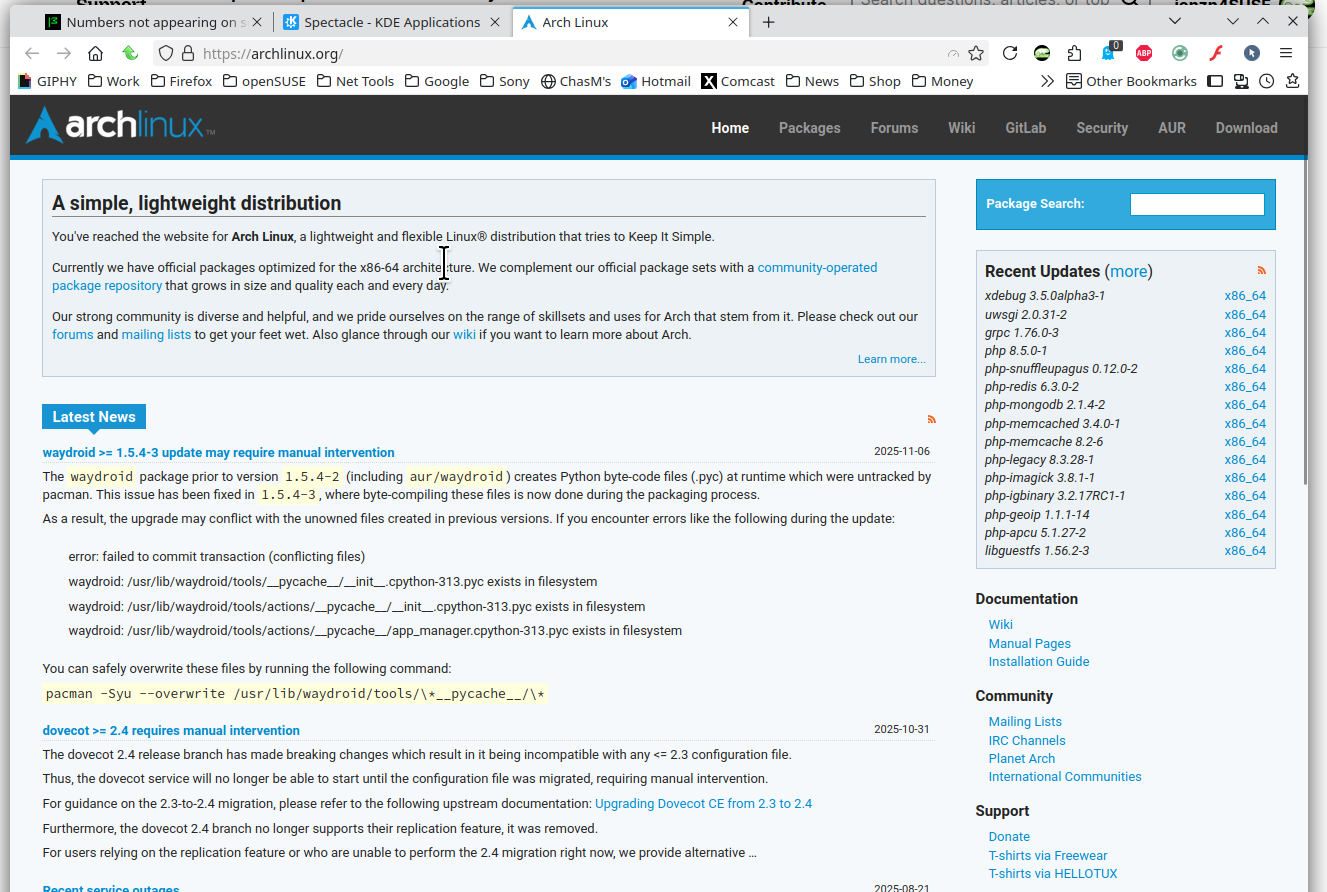
>> I have no issue with the numbers. I'm not surprised this is one of these "works on my computer" problem.
>> Did you try with Firefox in Troubleshoot Mode? Yes, and I had the same problem.
>> Did you try a different user account to see if you have the same issue? I did, after your advice, and I still got the same problem.
>> Try downloading Firefox from Mozilla. Download, unzip, and run firefox-bin from the folder and see if you have the same issue. I did, after your advice, and... It works!
>> Spectacle is a better screenshot tool. That's exacly what I used for my screenshots. ;-)
I'm not 100% happy with the solution since I'd prefer using the package from my distro but, it is what it is. (It could be worse, if I had to use another browser.) I guess it's a problem with the archlinux package and I'll reach out the packagers.
In any case, @jonzn4SUSE thank you very much for your help.
Leaving an update. After discussing in archlinux forums, they realised that the problem was my default sans serif font. It was Twemoji Mozilla but when I changed to Noto Sans, then everything went back to normal.