


Unable to send emails

I have been using Thunderbird as my main email account for many years. It's installed on my old PC, a laptop and I recently added it to my mobile. A few weeks ago I installed Thunderbird on a new PC. Today was the first time I tried to send a message from this new PC and I get an error every time. The error reads: Sending of the message failed. An error occurred when sending mail: Outgoing server (SMTP) error. The server responded: shw-obgw-4003a.ext.cloudfilter.net cmsmtp 209.234.253.73 blocked. AUP#DNS As far as I can tell, Thunderbird is set up on the PC the same way as on the laptop, which has no problem sending emails. I have no idea what's wrong....
Gekose oplossing
try using your full email address in both server settings instead of just baturky
Lees dié antwoord in konteks 👍 0All Replies (6)
How did you set up on new PC? can you post a screenshot of the complete error message? screenshots of incoming server settings pane and one of SMTP server settings pane may also help. thank you
I downloaded and installed the Thunderbird app. I didn't have to do anything else in the setup, it just automatically got the info from my profile I guess?
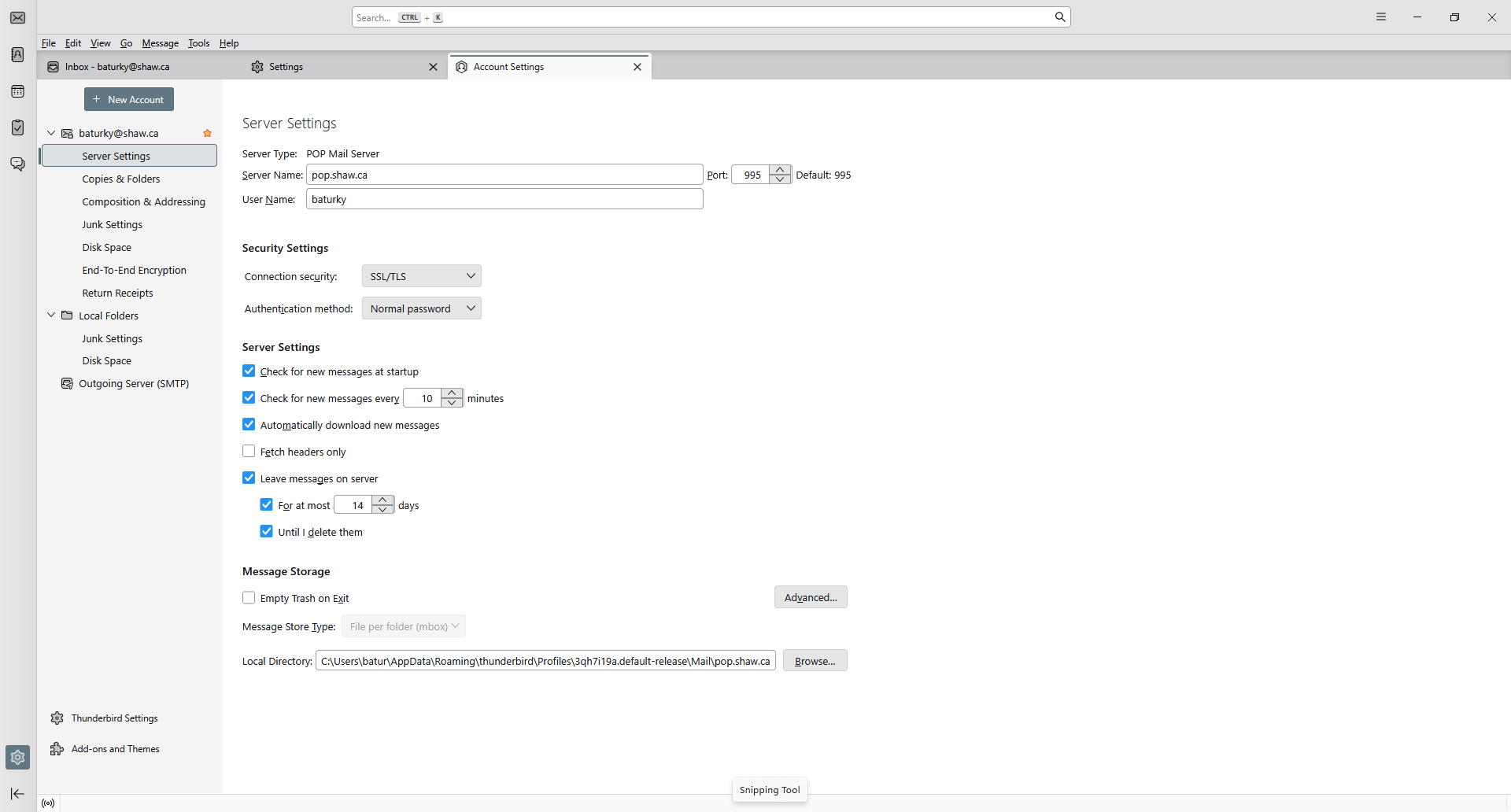
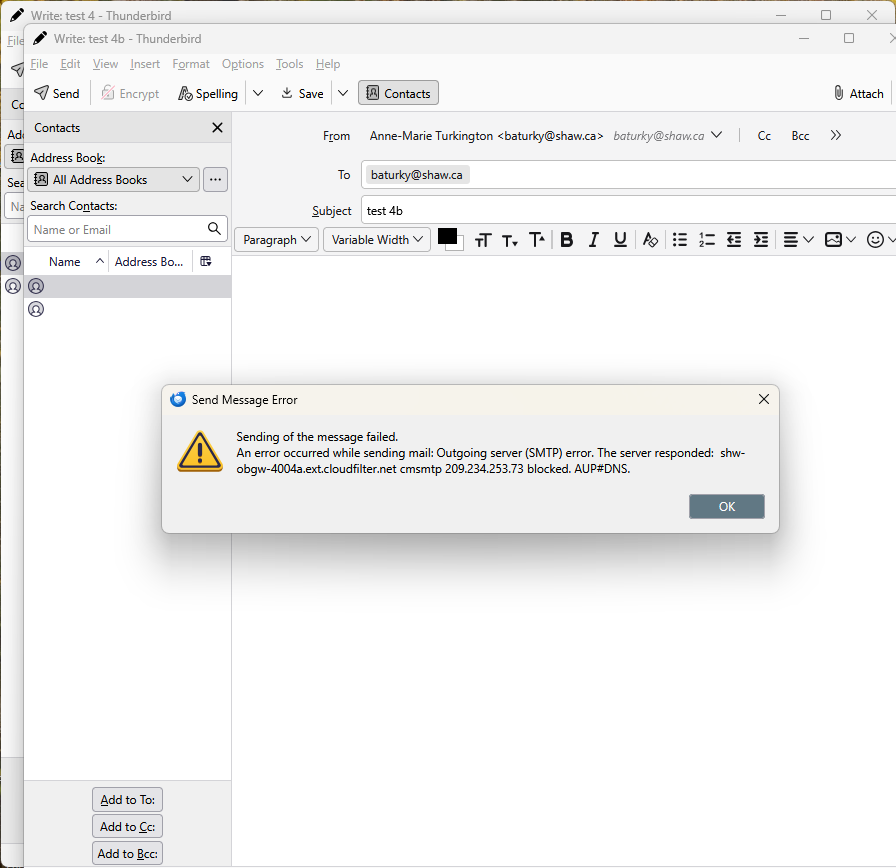
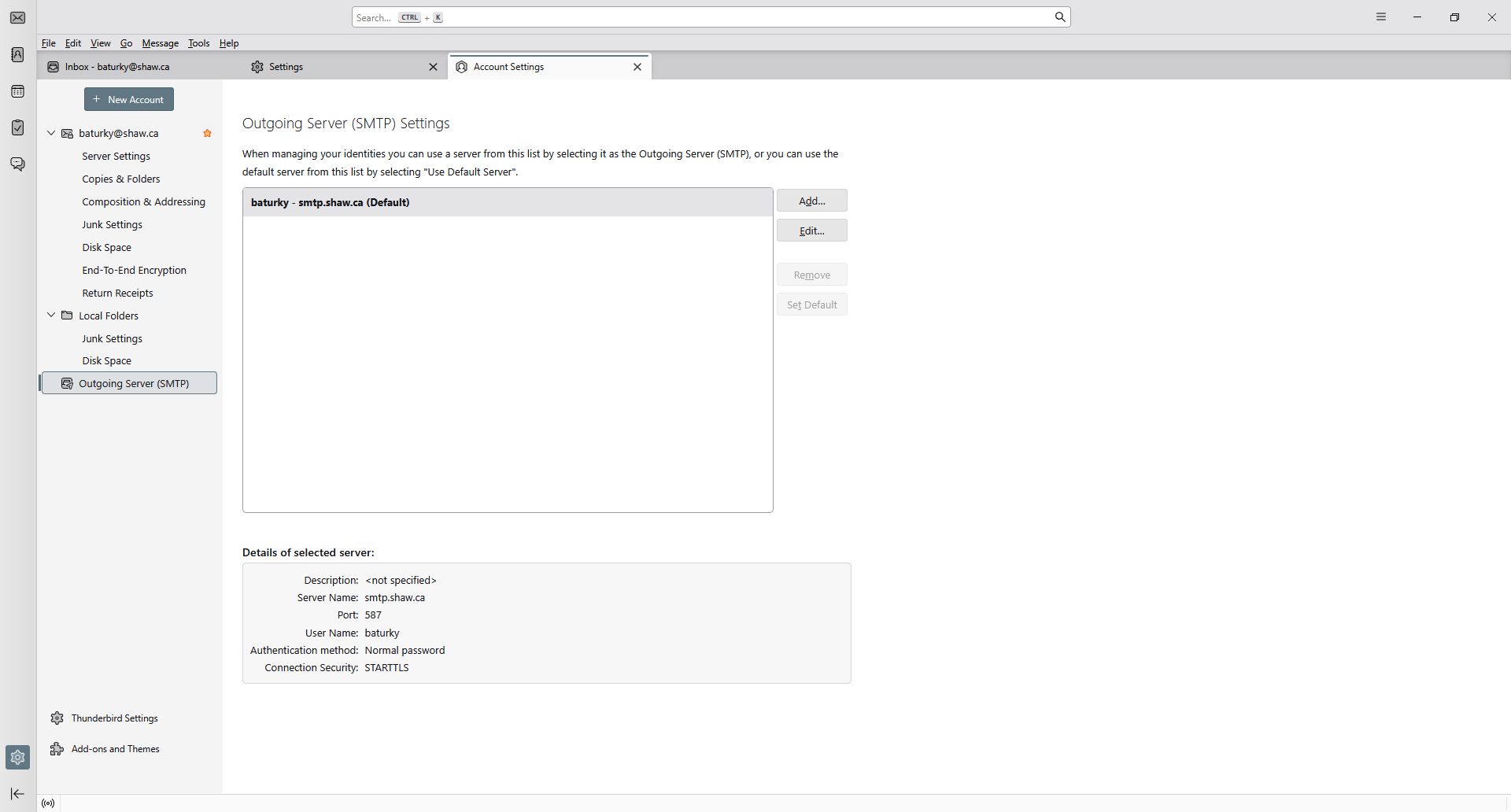
Gekose oplossing
try using your full email address in both server settings instead of just baturky
Thanks! I just assumed, since I was able to receive and read messages, that everything was set up properly. It's fixed and working now. I appreciate your help on this. Thanks again.
For future reference, the recommended outgoing mail server is mail.shaw.ca, 587, STARTTLS, normal password, User Name = part of address before the @:
https://www.rogers.com/support/internet/shaw-email/pop-and-imap-email-server-settings
I made the changes you recommended, then closed down the app, started it up again and sent an email. No problems (i.e. I didn't make any mistakes when I made the changes). Thanks for your help.