


login failed enter new password

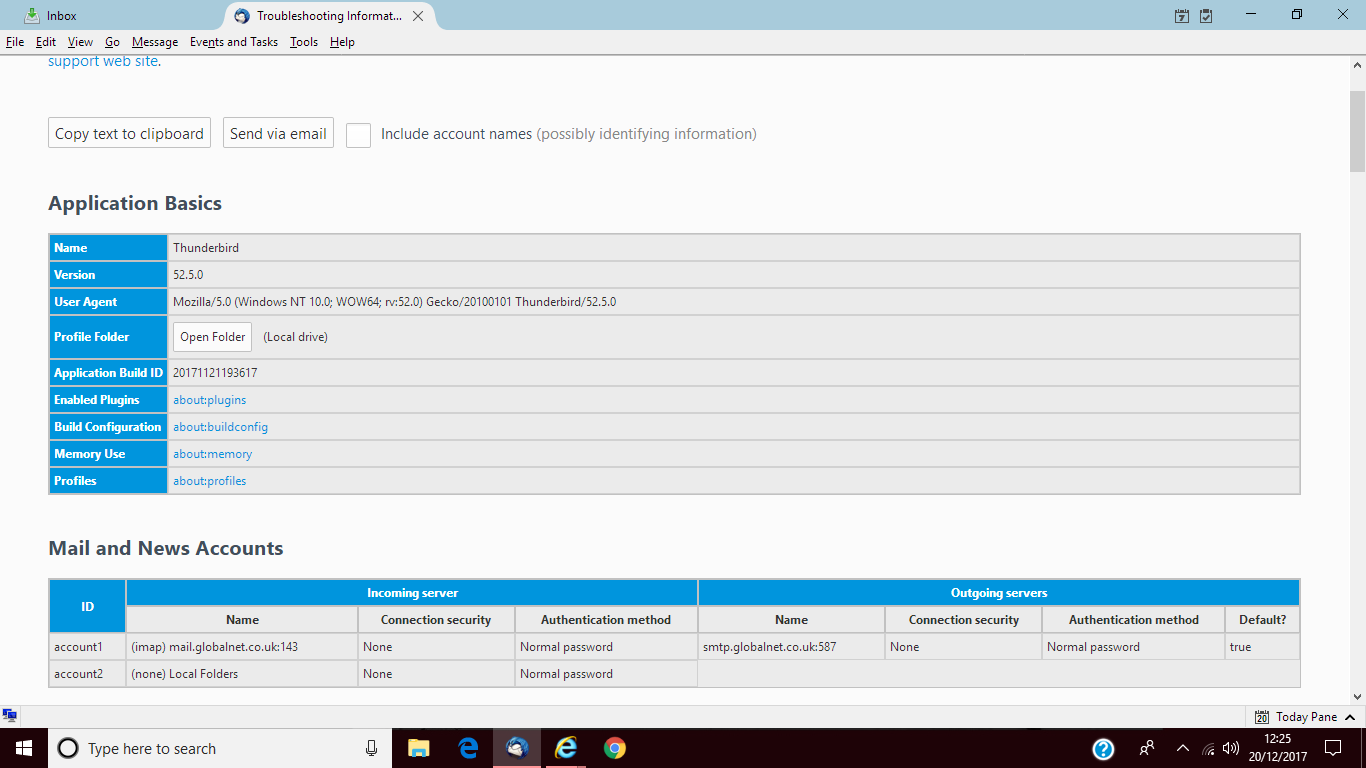
A few days ago, I found I was able to receive emails but unable to send using Thunderbird version 52.5. I was prompted that “Login to server smtp.globalnet.co.uk failed” and was invited to enter new password which I did and used password manager to remember the password as requested. Each time I do this I am returned to the enter new password message. At the time I was dashing to an appointment and intended to investigate later. However, on my return and trying once more to send and following the same messages I was able to send mails and have done until today when I was faced with the same situation. I made attempts to send and receiving the same messages then gave up. A short while passed after which I tried again and Eureka the mail sent, subsequent attempts have met with the failure messages. To my knowledge I haven’t made any alterations to settings. I hope someone is able to offer me an answer as to why the issue is caused and how I may prevent more occasions . I have added a screenshot which may help. David
All Replies (5)
Thank you for your prompt reply. I did as you suggested deleted the one password, I entered the password when requested but the message didn't send. I checked password again and nothing had been saved. David
thank you once again I have today managed to send some emails. I have passed on your comments to PlusNet who are investigating and will report back. David
Update I have successfully sent a number of emails. My ISP has promised to report their findings following their investigations. I await with baited breath. Thank you for your help It is very much appreciated. David
My ISP has spent some time with me both online chat and a remote session where we tried various setting changes, sadly all to no avail using TB. I am always able to send mails via webmail, Outlook and via a new Gmail account which I have installed, however there are still occasions where TB refuses to send mail for me. I don't know where to look next.
I am still suffering the problem and have had quite a few conversations with my ISP who are adamant that Thunderbird is the cause. I have to say that I do not agree with them. Having used TB without trouble for a number of years and wish to prove them wrong. Can you suggest anything which could help me. I now use gmail to send as you advised. It is so frustrating that my two long time email facilities suddenly became incompatible I am grateful for all your help Regards David