


Open
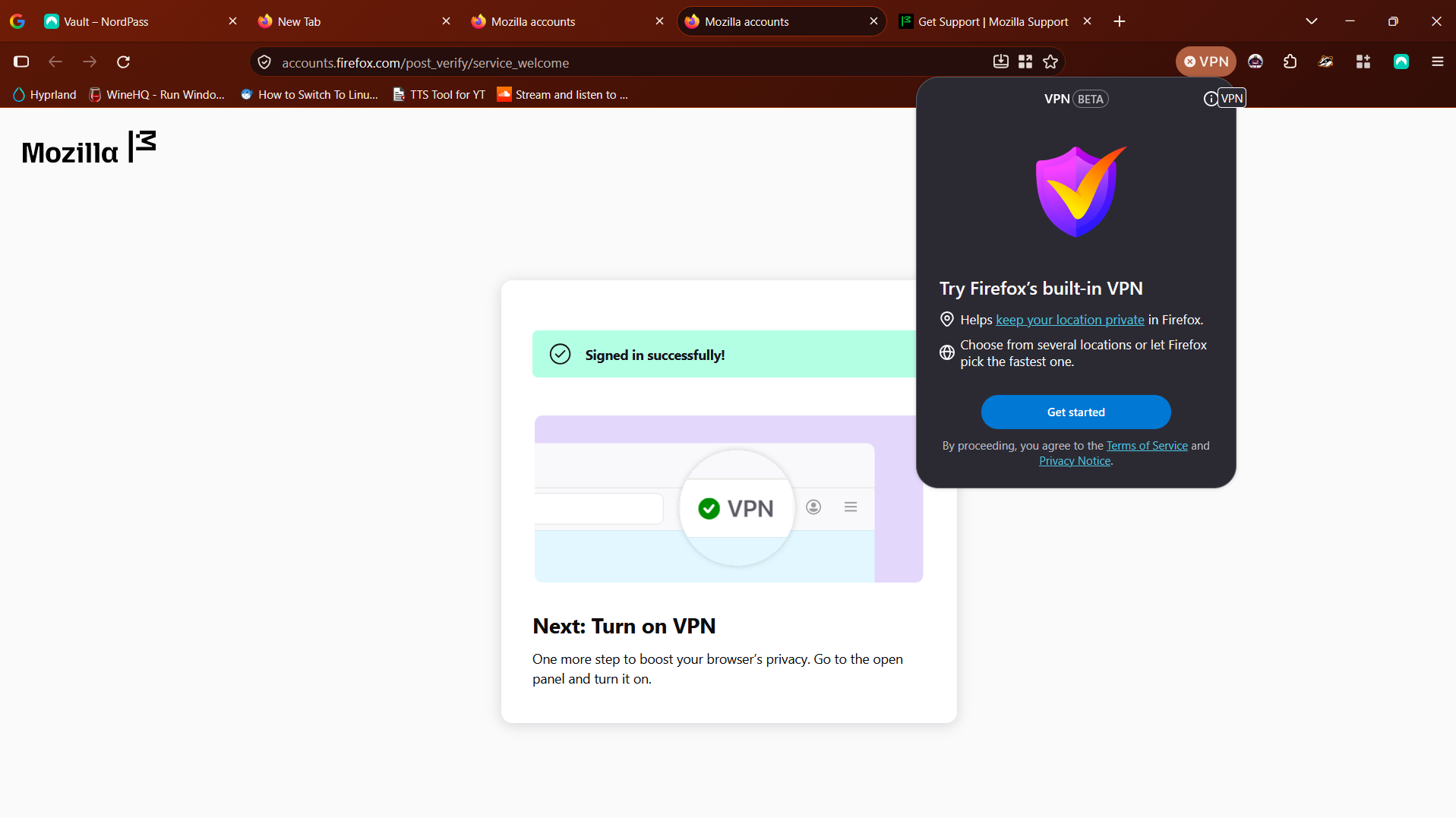
The turn on VPN option doesn't show after signing in. it still shows "Get Started"
I tried to activate the in-built VPN, so I clicked "Get Started", signed in with the Mozilla Account I have, and the VPN pop-up showed up again, but unlike in the support page's tutorial, I was met with the "Get Started" option again. Maybe this error exists because I didn't create an account from scratch then and there? (in the tutorial, account creation was a step).
PS: Why the Linux switch in the attached image? Pewdiepie... I never got to it though...
I tried to '''activate the in-built VPN''', so I '''clicked "Get Started"''', '''signed in''' with the Mozilla Account I have, and the '''VPN pop-up showed up again''', but unlike in the support page's tutorial, I was '''met with the "Get Started" option again'''. Maybe this error exists because I didn't create an account from scratch then and there? (in the tutorial, account creation was a step).
PS: Why the Linux switch in the attached image? Pewdiepie... I never got to it though...
All Replies (1)
Hi there, there was a fix about this in the latest dot release. Could you update your Firefox and see if the issue remains?