No longer see list of possible email addresses when I start typing a name in TO field when using Thunderbird on my kindle fire hd. Her 21.1

Until recently when using Thunderbird on my pc, android and Kindle fire HD when I start typing in a name in the TO field I see a list of possible email addresses. Still works on win11 pc, android phone but no longer on my kindle fire hd her 21.1
All Replies (3)

The app looks up email addresses from you Android contacts app. Check you have granted Thunderbird for Android permission to read your contacts. Navigate to Android settings > apps > Thunderbird > permissions.
Thanks. Already checked that and Thunderbird had permission to read contacts.
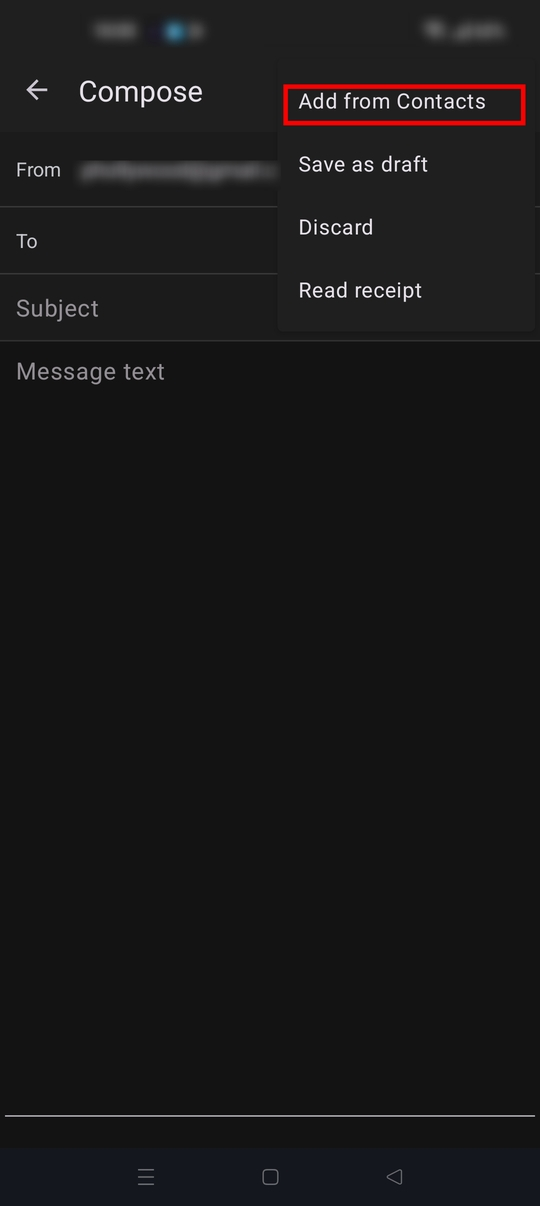
Does the contact name or email your typing in the to: field exist in your phone contacts list? On the message compose screen, tap the three dot menu and select add from contacts.
It will show you all your contacts that have an email address associated with them. Those are the ones the app will find when typing in the to: field.
Permission is the only item required for contacts to display. No other setting are required.