


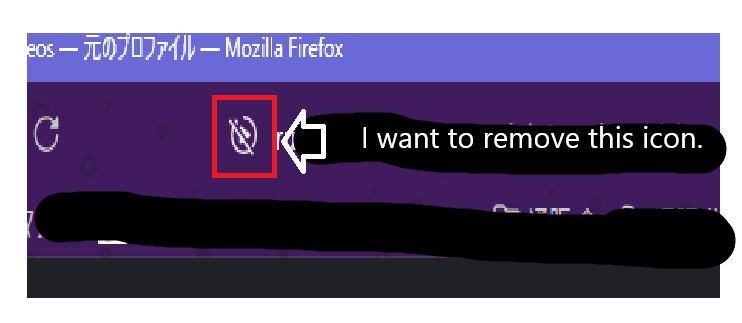
I want to remove the "AutoPlay" icon from the Firefox address bar.
Hello. I'd like to remove the "AutoPlay" icon from the Firefox address bar. Could you please tell me how?
Hello.
I'd like to remove the "AutoPlay" icon from the Firefox address bar. Could you please tell me how?
Isisombululo esikhethiwe
Hello Agent virtuel. I was able to hide it using the "userChrome.css" file you provided. Thank you very much. Thank you also for the information at "https://firefox-source-docs.mozilla.org/devtools-user/browser_toolbox/index.html".
Funda le mpendulo ngokuhambisana nalesi sihloko 👍 0All Replies (2)
Hello
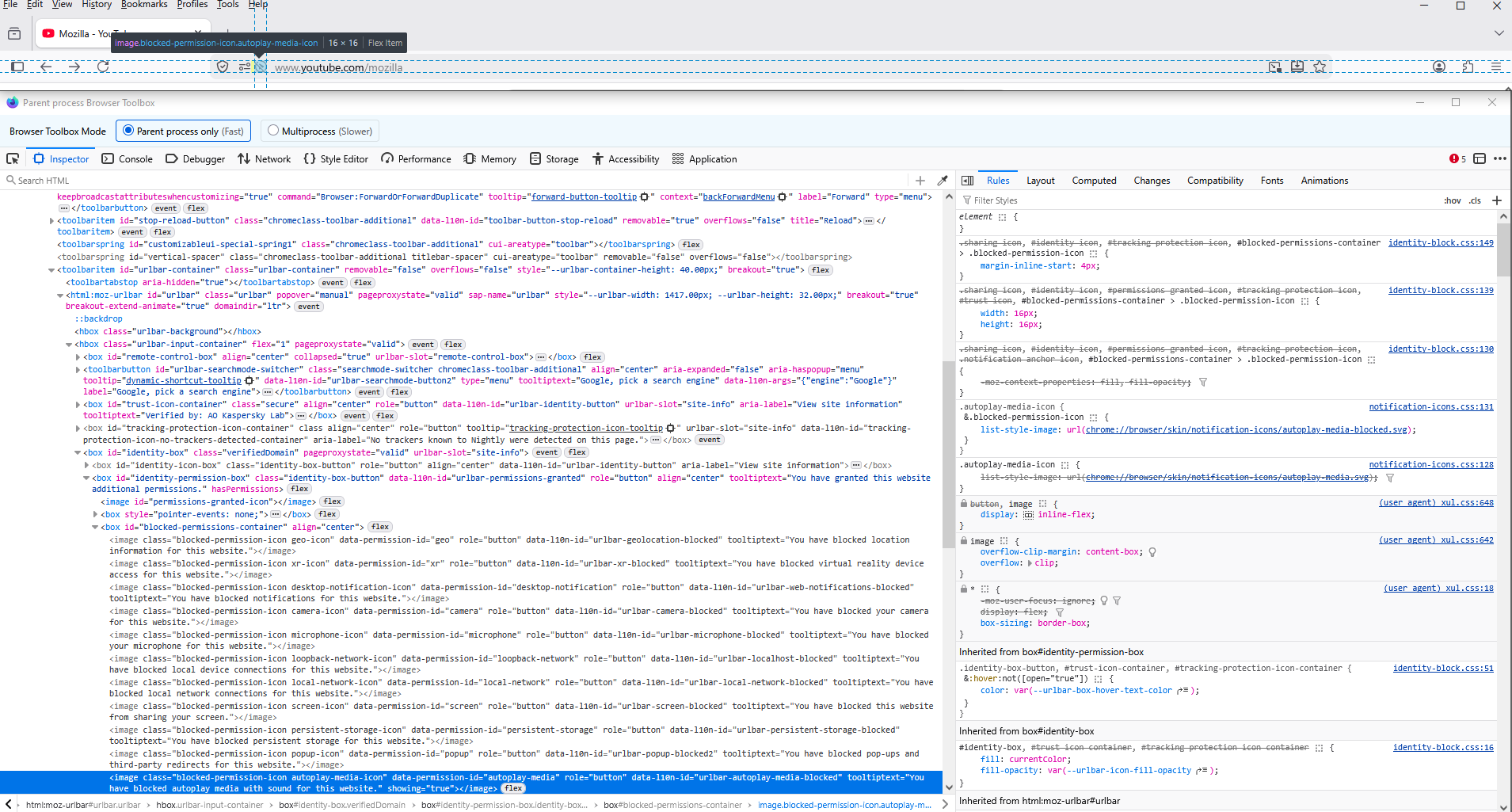
You can try an code userChrome.css
[data-l10n-id="urlbar-autoplay-media-blocked"]{display:none!important;}
With the help of Browser Toolbox https://firefox-source-docs.mozilla.org/devtools-user/browser_toolbox/index.html
Isisombululo Esikhethiwe
Hello Agent virtuel. I was able to hide it using the "userChrome.css" file you provided. Thank you very much. Thank you also for the information at "https://firefox-source-docs.mozilla.org/devtools-user/browser_toolbox/index.html".