


Home Page "favicons" mostly stuck on generic after fresh Win 11 install.

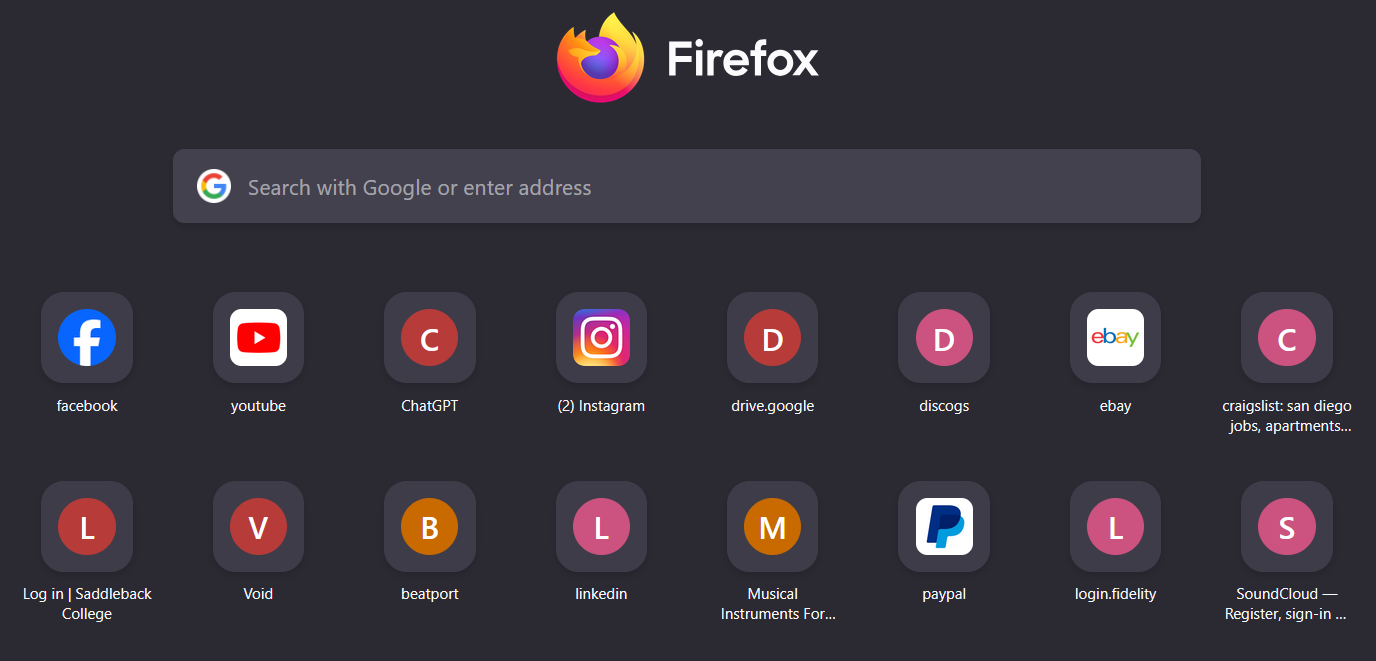
I installed Firefox on a fresh Win 11 install, and most of the the favicons are still generic on the Home Page several days later. Facebook, Ebay and Youtube are the only ones that appear consistently, sometimes other will display, but then be gone again the next time the app is launched. All other links just have the generic letter icons.
I tried deleting the 3 favicon files in the Profiles folder, but it did nothing. I've tried manually re-adding the links, still nothing. I removed the "S" from "https;//" and still nothing. The favicons all show up on my other machines which use Firefox on the same user account, so it is not a problem with the websites themselves.
Not sure if its related, but upon installing Firefox on this machine, it made Firefox on my Mac desktop absolutely freak out. I had to make a significant number of changes over the course of hours to fix everything, so many relating to favicons alone that I don't know what actually fixed it.
What else can I do to try and get these working? Why does Firefox apparently struggle with this particular feature across multiple OSes?
Thanks.
All Replies (4)
c4p said
Try to open every bookmark or shortcut to refresh their favicon?
I've tried that numerous times, no luck.
Anyone? Or do I just need to accept this feature is permanently broken?

Hi, I've been fighting with a similar and very frustrating problem for about 3 month now and tried all the things you listed above, as well as everything possible in connection with clearing the Firefox-caches and all available add-ons there were.
I've also tried to use the tipp "about:support in the address bar and press Verify integrity in the Places database" that came through the mozilla support, but that did not help either...
I even did the "nuclear option" to delete not only the favicons.sqlite that was the first step - but all three files: favicons.sqlite-shm, favicons.sqlite-wal, favicons.sqlite with the very tedious and timeconsuming restoring of all favicons to every single bookmark I have...
Only to find it didn't solve my initial problem.
At first it was the new WordPress-Favicon that didn't want to appear in my bookmark-folders any more - today after some extensive cleanup-work in some totally disconnected bookmark-folders the single favicon to my personal miraheze-Wiki disappeared, but strangely not completely...
Throughout the many different approaches to the reccurring problem I found out, that on way to repair the missing/wrong favicons is through editing the HTML-export-file of the bookmark-administration. If you have a version with a working/correct-version of the bookmark (from an older backup) you can compare the two bookmark-definitions with special attention to ICON_URI= and ICON= Exchanging the not working parts with the working version and reimporting the thus repaired HTML-file helped me.
But - as this problem keeps happening to me and with the setup today, where not only the ICON-path seemed to be in need of adjusting, but there where parts of and even whole ICON_URI= and ICON=-Definitions missing out of the Bookmark-Definition, I think the problem might be lying with the size of the bookmark-cache or -memory-allotement (sorry - if the terms are not really correct here, I am out of my comfort zone now), but I have a lot of bookmarks (the export-html-file is 3.627 kb large and 2742 lines long) --- and somehow Firefox seems to have these Problems when a lot of new edits / updates / cleanups insides the bookmars appear. So - now I am hoping that there are some of you, that can take this information and possibly work out the reason behind the problem and towards a real solution!
BTW: I am working with Windows 11 Pro, 25H2, 26200.6899 (freshly installed on 04.09.2025 after some serious Windows-Update-Problems) on a Lenovo Legion Notebook, 12th Gen Intel(R) Core(TM) i5-12500H (2.50 GHz), with 16 GB RAM.
My Firefox is 144.0.2 - if helpful and wanted, I'll sent in the error-inspection-data, but I think that would be rather too much here at the moment...
Hopefully expectant Kate