


Firefox refusing to open after pc being on for a while

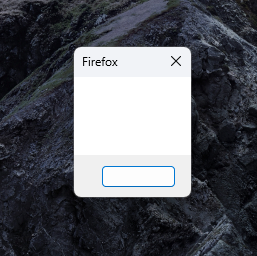
After my pc has been on for a while, seemingly random duration, Im not able to open firefox anymore. For example if clicking on a link in discord, or if I close the browser and want to open it again. I've tried refreshing and reinstalling but that didn't help.
All Replies (4)
HI Alex
We're sorry to hear that your Firefox seems to be crashing when you open it. Please perform the following steps to give us a crash report ID that helps us find out more about the cause of the crash.
- On the keyboard, press [Windows]
 + [R]. This should bring up a Run box that contains a text field.
- In that text field, type %APPDATA% and press Enter. An explorer window should open.
- From that explorer window, double-click on the Mozilla folder, then double-click on Firefox and then on Crash reports. Double-click on submitted.
- Now, you should see a list of files that contain reports. Go to View > Arrange Icons by > Modified to get the most recent files at the top of the window.
- Open the most recent 5 files with a text editor and copy the IDs.
- Paste each ID with bp- into the reply window on the forums.
Thanks in advance!
You can find more information and troubleshooting steps in the Troubleshoot Firefox crashes (closing or quitting unexpectedly) article.
Thanks for your reply, I don't have a submitted folder in the crash report folder though. Firefox isn't actually crashing, its just that if I close the program, I can't open it again without a restart.
Also if I go to about:crashes it says no crash reports have been submitted
Hi Alex
If that is the case, it may be an extension that may be the issue. Have a look at the following link and see if any the steps here help.
https://support.mozilla.org/en-US/kb/firefox-keeps-crashing-startup
Please do come back ehre and let us know how you get on.
Brad