


Join us to show up for other Firefox users 🦊. Earn fun badges and Mozilla swag vouchers! Find out more: https://mzl.la/askafox150

Windows 10 reached EOS (end of support) on October 14, 2025. If you are on Windows 10, see this article.

Search Support

Avoid support scams. We will never ask you to call or text a phone number or share personal information. Please report suspicious activity using the “Report Abuse” option.

Learn More

Lolu chungechunge lwabekwa kunqolobane. Uyacelwa ubuze umbuzo omusha uma udinga usizo.

deleted my favorites

  • 1 baphendule
  • 0 zinale nkinga
  • 97 views
  • Igcine ukuphendulwa ngu SuMo Bot
  • Okugcinwe kunqolobane

i WAS BROWSING AND GOING THROUGH SOME OF MY FIREFOX FAVORITES AND I highlighted a FEW (NOT JUST ONE!) and clicked the delete button on accident. Is there any way of getting them back? I havent backed up a copy of them recently eitherr. Now Im all bumbed out!! :-(

i WAS BROWSING AND GOING THROUGH SOME OF MY FIREFOX FAVORITES AND I highlighted a FEW (NOT JUST ONE!) and clicked the delete button on accident. Is there any way of getting them back? I havent backed up a copy of them recently eitherr. Now Im all bumbed out!! :-(

All Replies (1)

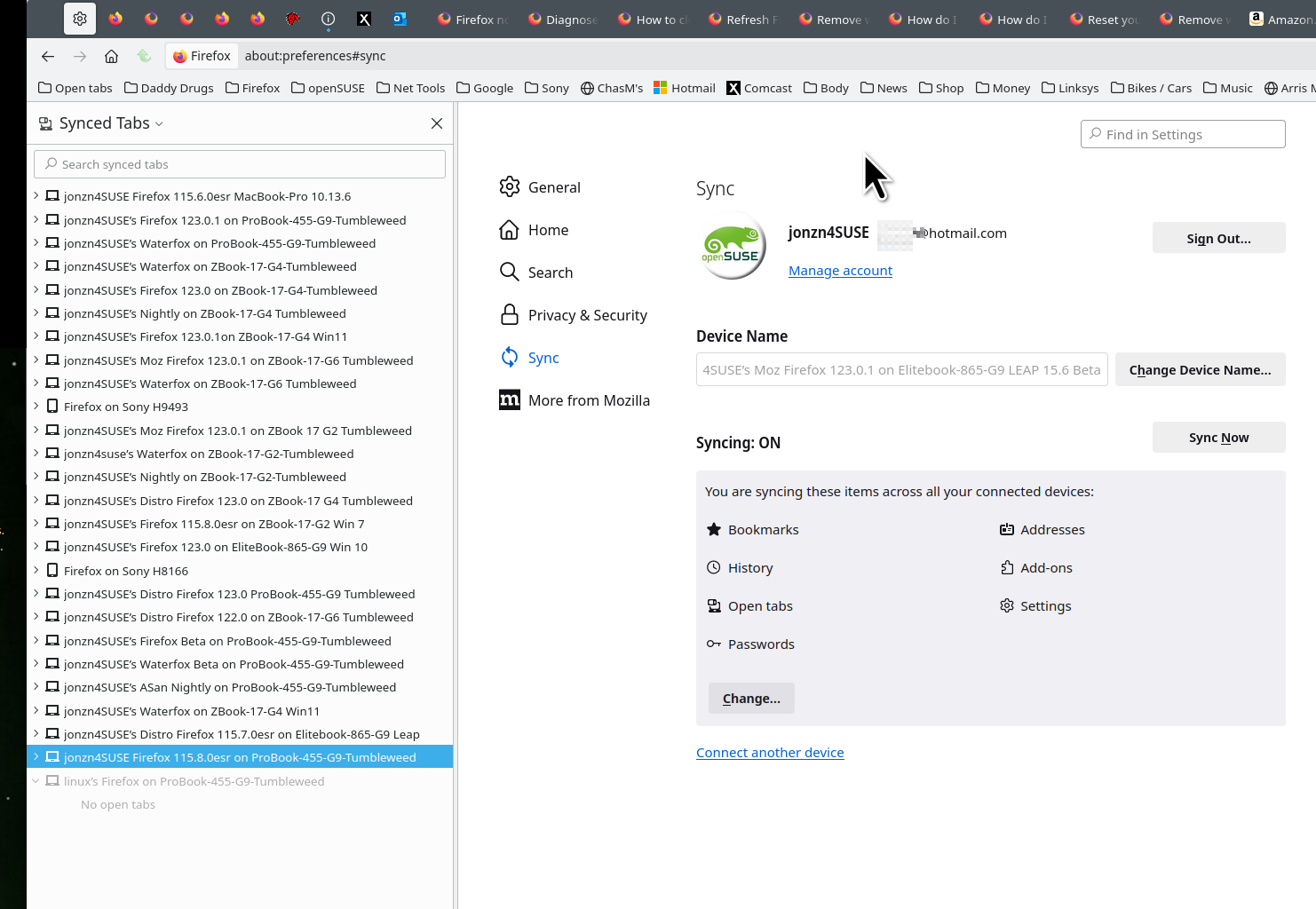
For future reference, it's a good idea to have your data on more than 1 device if you're not doing backups. see screenshot I've never used the Restore Bookmark option, but it should help you. see screenshot
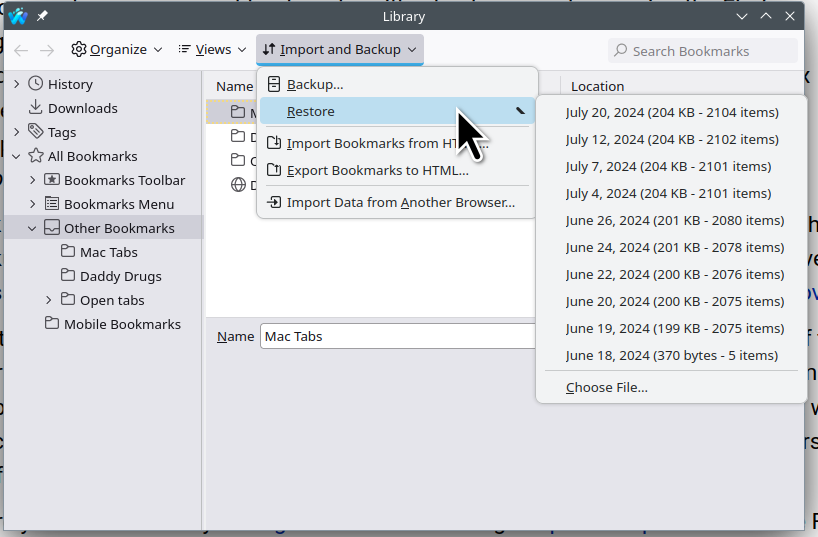
https://kb.mozillazine.org/Backing_up_and_restoring_bookmarks_-_Firefox#Restoring_bookmarks_from_backup

https://support.mozilla.org/en-US/kb/recover-lost-or-missing-bookmarks#w_my-bookmarks-have-disappeared

Okulungisiwe ngu jonzn4SUSE