


failed to connect via oauth

after upgrading to Thunderbird 60.2.1, connecting to gmail returns the message "Failed to connect via oauth: 2147500036". Messages are downloaded after clicking OK two times in response to the message. I am using oauth2 in my gmail settings, and it used to work flawlessly before the update. When restarting Thunderbird, gmail presents the login window and the 2-factor authentication page. I check "Don't ask again on this computer", but the 2-step window comes up again when restarting Thunderbird. This did not happen before the update. Is there a link to a roll-back version?
Isisombululo esikhethiwe
SOLVED: removing the "Gmail Buttons" addon eliminates the problem.
Funda le mpendulo ngokuhambisana nalesi sihloko 👍 0All Replies (6)
https://archive.mozilla.org/pub/thunderbird/releases/60.0/
I don't understand why this would be failing, but we did change the code related to oauth. So can you file a bug report please at https://bugzilla.mozilla.org/enter_bug.cgi and reference this support posting?
What is your current status?
The problem is still there. I have Thunderbird on two computers and both have the same problem. I have upgraded to the latest beta on one of the two computers, since the changelog showed changes to the oauth code, but that did not solve the problem. Thunderbird is barely useful for me now, since every few hours it asks me to log in again into Google, and I must navigate through the two warning messages described in the first posting to read a message.

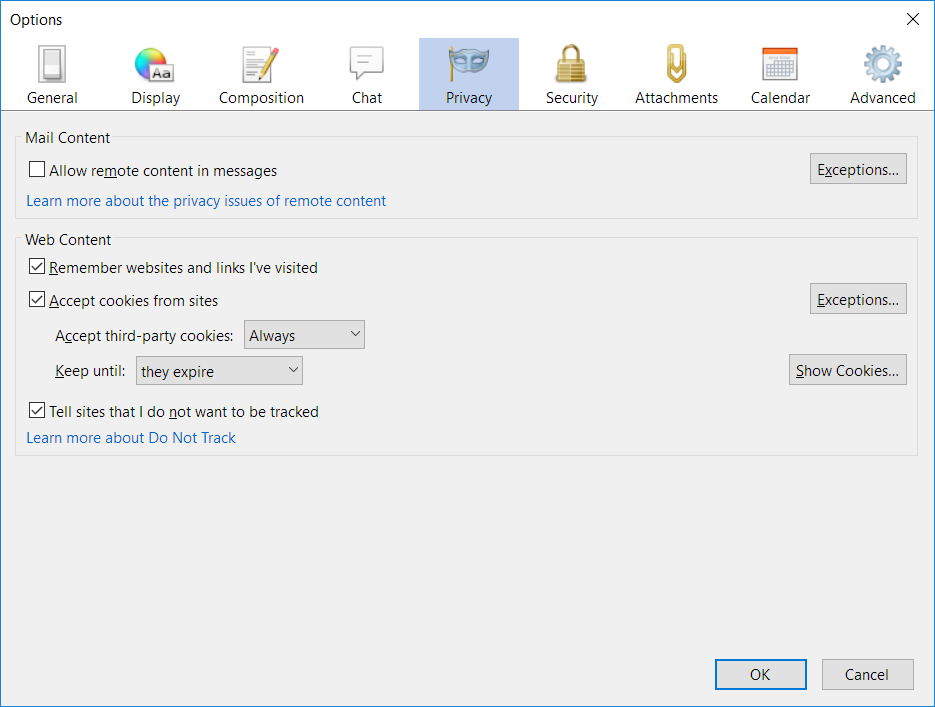
Try to allow cookies for https://accounts.google.com in Thunderbird.
I am already allowing all cookies (see attached screenshot for settings). However I just tried explicitly allowing google as suggested, but the problem is still there.
Isisombululo Esikhethiwe
SOLVED: removing the "Gmail Buttons" addon eliminates the problem.