


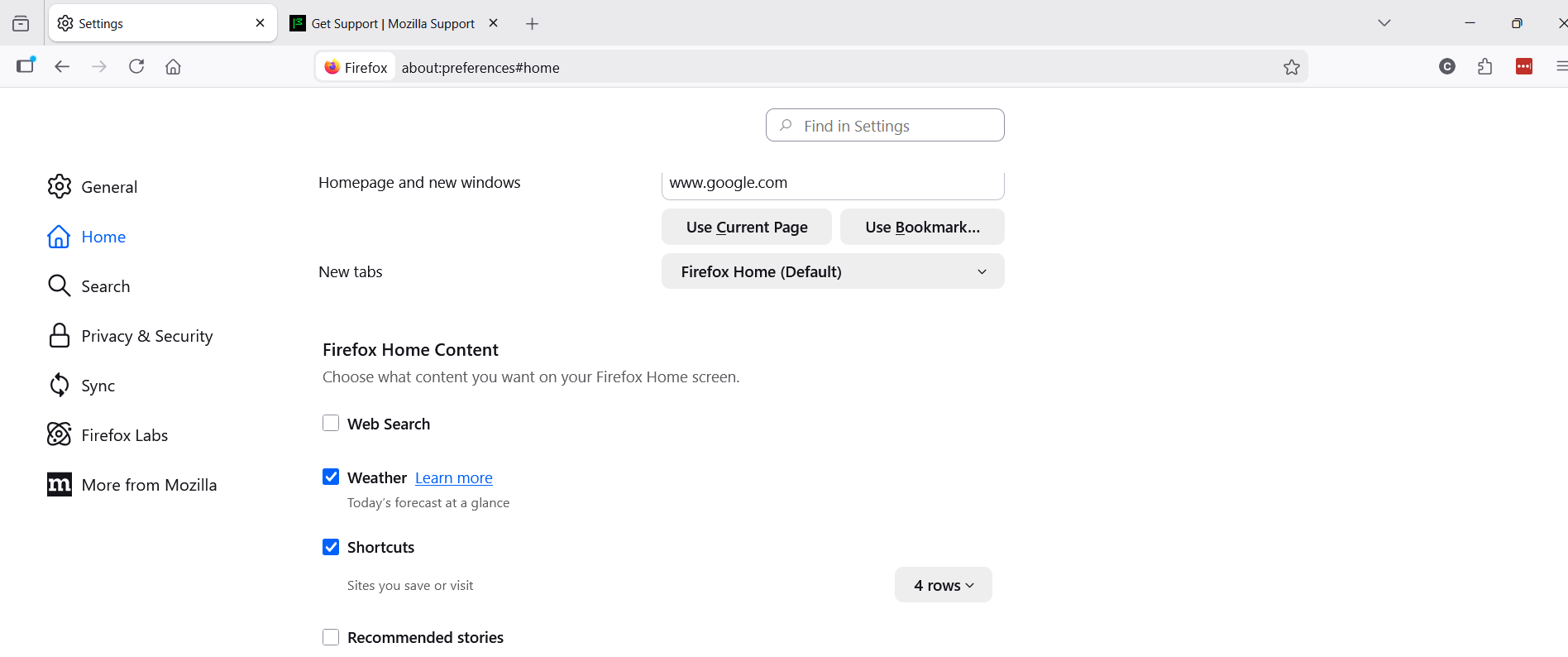
settings/home/firefoxhomecontent/shortcuts

I would like to propose a change to this section of you browser:
settings/home/firefox home content/shortcuts - the option includes both sites I visit and sites I save.
Is there a way to chose only sites I save? I do not want my browsing history mixed in with the shortcuts I choose to save on my home screen. I have been using firefox on all of my computers and other devices for a long time. I recently had to delete all of my passwords from firefox password manager for a more secure application due to your changes in privacy policy. I need to resolve this setting as well, so that my shortcuts (those I have pinned to my home screen) are not interfered with by browsing history. It does not make sense why I have to choose either both or neither.
Moderator note: This question has been edited to correct the formatting.
由 Denys 於 修改
所有回覆 (1)
Hi,
The people who answer questions here, for the most part, are other users volunteering their time (like me), not Mozilla employees or developers.
If you want to leave feedback for developers, you can go to the Firefox Help menu and select Share ideas and feedback…. Alternatively, you can use this link. Your feedback is collected by a team that reads it and gathers data on the most common issues.
You can also file a bug report or feature request. See File a bug report or feature request for Mozilla products for details.