


Windows 10 reached EOS (end of support) on October 14, 2025. If you are on Windows 10, see this article.

搜尋 Mozilla 技術支援網站

防止技術支援詐騙。我們絕對不會要求您撥打電話或發送簡訊,或是提供個人資訊。請用「回報濫用」功能回報可疑的行為。

了解更多

Assistance Required: Disabling Picture-in-Picture Feature

  • 3 回覆
  • 0 有這個問題
  • 45 次檢視
  • 最近回覆由 TyDraniu

Good afternon,

I am writing to request assistance in disabling the Picture-in-Picture (PiP) feature on my browser. Despite my best efforts over the past few days to disable this option through the settings, it continues to activate when I listen to music on YouTube.

Each time I navigate away from the YouTube tab, the Picture-in-Picture window appears and persists across all my other tabs, which is quite distracting and impedes my ability to work.

Closing the PiP window pauses the music, which is not ideal for my experience.

I am looking for guidance on how to effectively deactivate this feature, as the settings adjustments I have made do not seem to take effect.

Any help you can provide to resolve this issue would be greatly appreciated.

Thank you for your attention to this matter.

Good afternon, I am writing to request assistance in disabling the Picture-in-Picture (PiP) feature on my browser. Despite my best efforts over the past few days to disable this option through the settings, it continues to activate when I listen to music on YouTube. Each time I navigate away from the YouTube tab, the Picture-in-Picture window appears and persists across all my other tabs, which is quite distracting and impedes my ability to work. Closing the PiP window pauses the music, which is not ideal for my experience. I am looking for guidance on how to effectively deactivate this feature, as the settings adjustments I have made do not seem to take effect. Any help you can provide to resolve this issue would be greatly appreciated. Thank you for your attention to this matter.

所有回覆 (3)

info9299 said

Thank you for your attention to this matter.

Go to Settings and turn off Keep playing videos in Picture-in-Picture when switching tabs.

Thank you for not invading Greenland.
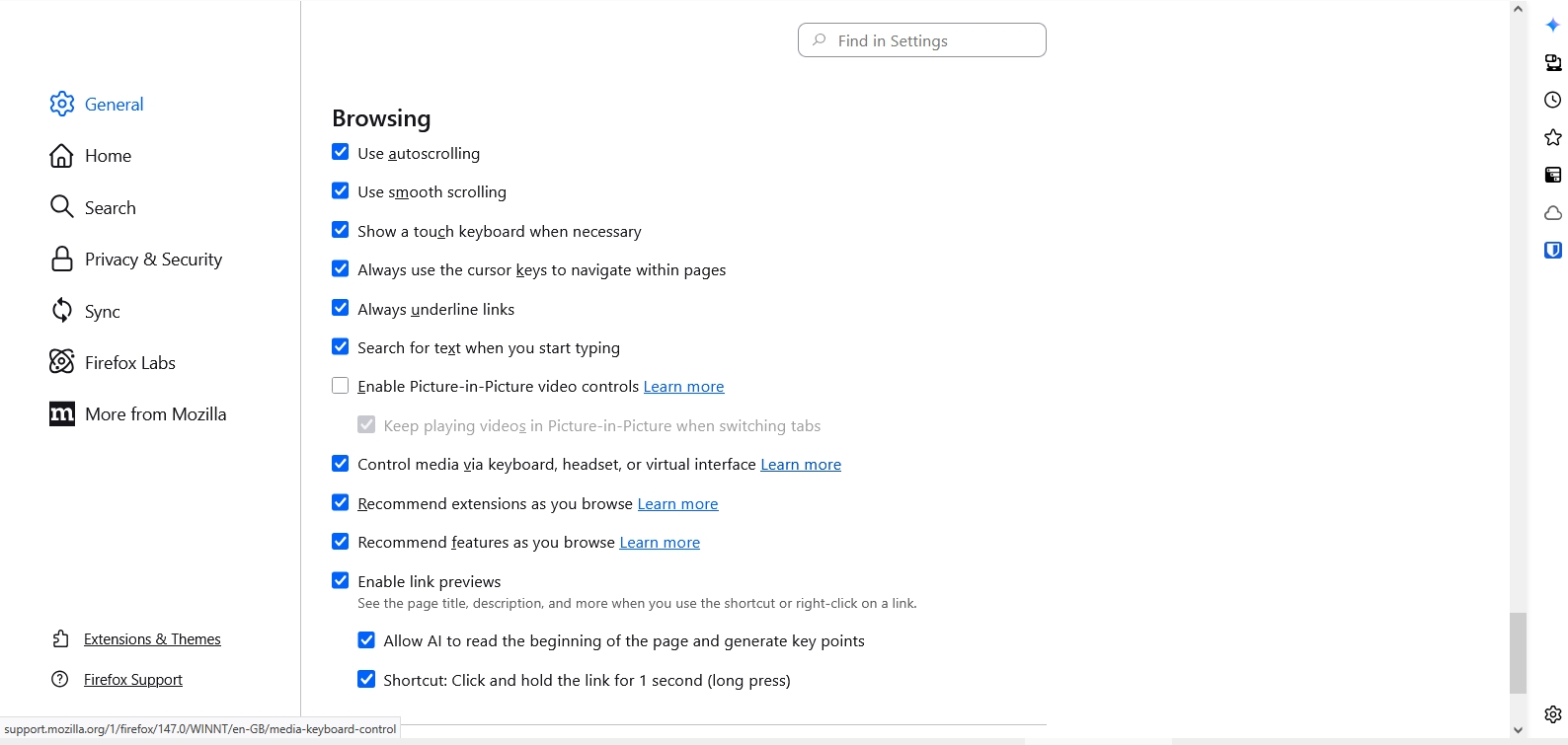
Done this already and its not working. has no effect whatsoever.

But it's enabled right now. Turn on an option above it, you'll be able to deactivate this one.

問個問題

如果您還沒有帳號,您必須先登入帳號 來回覆文章。還沒有帳號的話,只能發問新問題