Fire fox will not fully load, nor operate after update

Greetings Ya'll,
I have to apologize if this is a double post, but I came back to the forum, & wanted to see if there were any responses, but i could only find my post listed under "My Profile"/"My Questions".
My original post was made Dec. 19-2025
=======================================
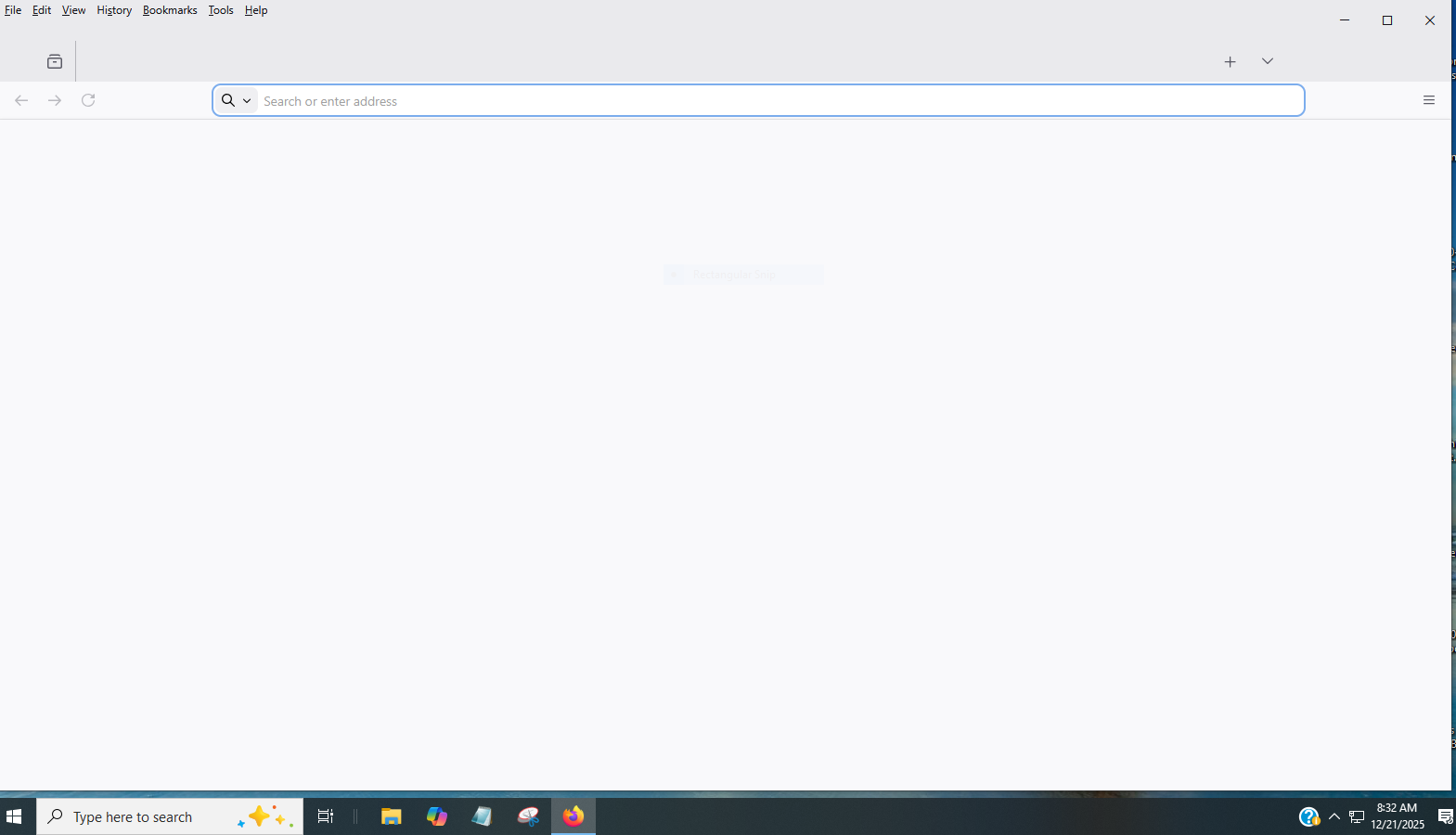
Early this morning as I went to use the Firefox browser, on My Desktop, I got an update, & then firefox opened, somewhat.
The homepage did not fill in with favorites, suggestions, etc, and in fact all that did load was the Search bar, but not one of my usual website buttons. The "edit", "help", etc. buttons at the upper left hand corner did load, but that is all. Not one of the buttons work, nor can I close out the Firefox page, by tapping the "X" in the upper right hand corner.
The only way that I could close out the "Firefox Page" was by going through the "Control/Alt/Delete" & then "Signing Out", which would initiate a "Re-start". Once I signed in, I could return to the Desktop, where everything works.
I use Firefox as my Browser on my Android phone, & at this moment, I've not had any problems using Firefox on my Cell Phone.
The only way that I could get to the Mozilla Website was by using the Microsoft Edge Browser, which is not giving me any problems as far as accessing the Internet!
How can I correct this problem, & go back to the Firefox Browser?
所有回覆 (2)
I've just checked my Firefox "properties". Under the "Details" Tab, it states that it was "Modified" 9-17-2024.
Correct me if I'm wrong but shouldn't the update 0f Dec. 19-2025 be listed there?
The attached image is all that I see, when I open Firefox.
The "Buttons" up at the upper Left-hand corner, will open to their sub articles, but clicking them does nothing. And I cannot close out Firefox by clicking the "X" in the upper right hand corner.
I finally learned that I could close Firefox, via the icon in the lower tool bar.
The Firefox Browser, flat out, is not Working!
Again, the only way that I can get here, in the Firefox Forum is via Micosoft Edge