


Sidebar comes with waste space after update
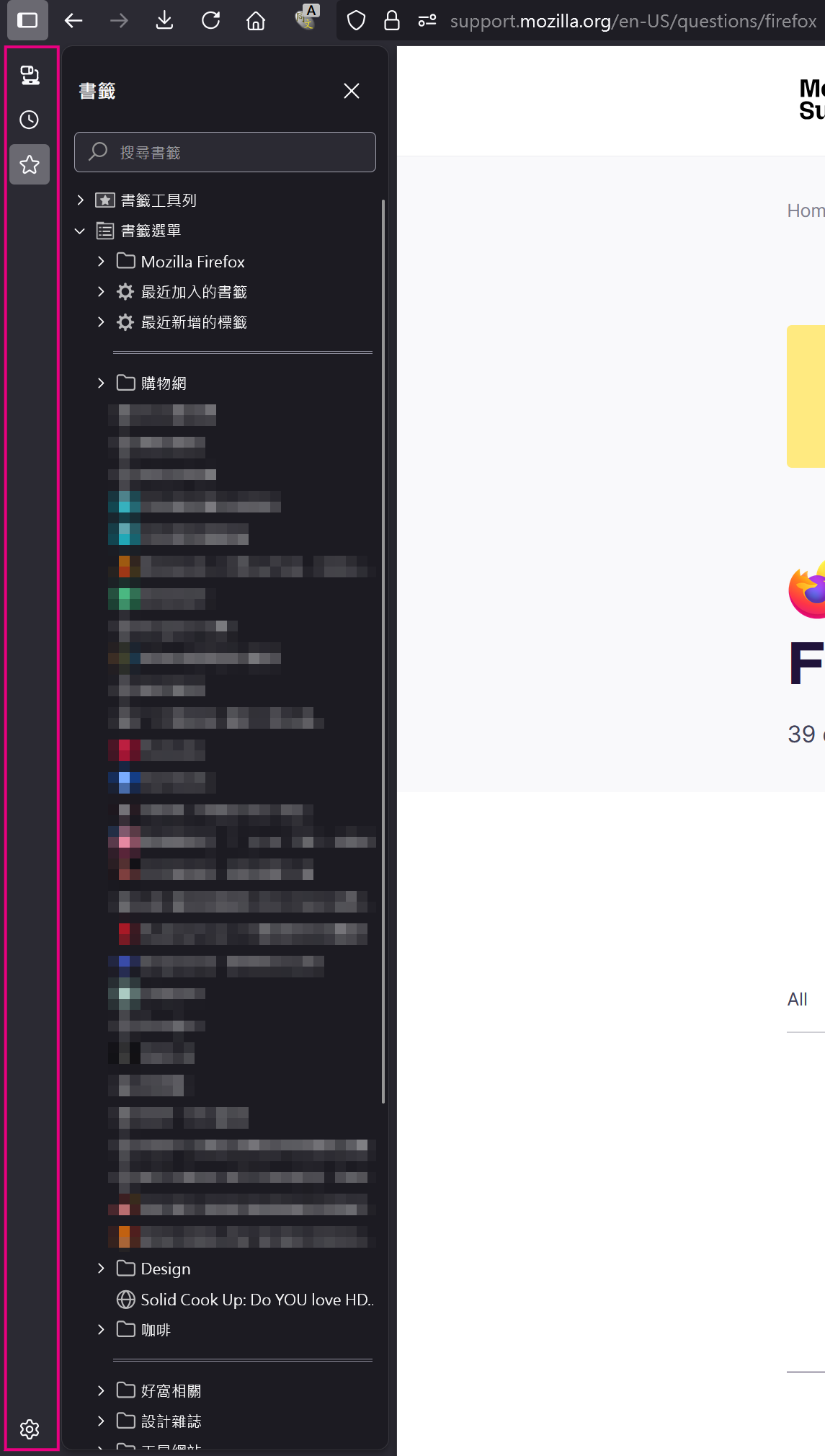
After update to 141.0.3(64bit), sidebar comes with waste space, as pink area in attached image.
It didn't shows in these years I'm using FF, I want to remove it but keep sidebar exist, like it was before. Where can I adjust it ?
If it's needed to be exist, why not put it on top of Sidebar ?
所有回覆 (3)

Your image shows nothing abnormal...
選擇的解決方法
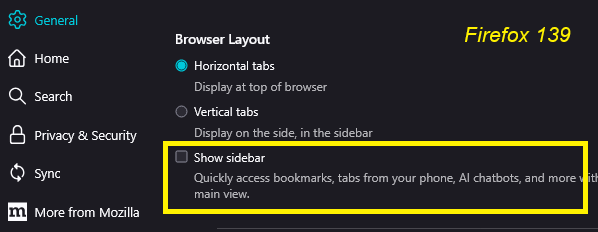
Hi rose_roo, there is a new sidebar design which accommodates some new sidebars. If you don't need vertical tabs in the sidebar (you plan to keep using tabs along the top), you can disable the new design and return to the classic using this method:
- Open the Settings page to the General panel
- Scroll down to the Browser Layout section
- un-check the box for "Show sidebar"
The sidebars toolbar button and the classic Ctrl+B and Ctrl+H shortcuts should still work normally.
Ref.
jscher2000 - Support Volunteer said
Hi rose_roo, there is a new sidebar design which accommodates some new sidebars. If you don't need vertical tabs in the sidebar (you plan to keep using tabs along the top), you can disable the new design and return to the classic using this method:
- Open the Settings page to the General panel
- Scroll down to the Browser Layout section
- un-check the box for "Show sidebar"
The sidebars toolbar button and the classic Ctrl+B and Ctrl+H shortcuts should still work normally.
Ref.
SO TRUE, it helped me a LOT, really thanks~💖
Just wondering why it been named as "Show sidebar" (confused...), it should be named "Show sidebar tab" or "Show sidebar index"...