


identity.fxaccounts.enabled=false is grayed out, can't login into my account to sync the bookmarks, etc

Hello, I did a lot of search and followed all these advises: https://support.mozilla.org/en-US/questions/1229615 https://winaero.com/remove-your-browser-is-being-managed-by-your-organization-from-firefox/
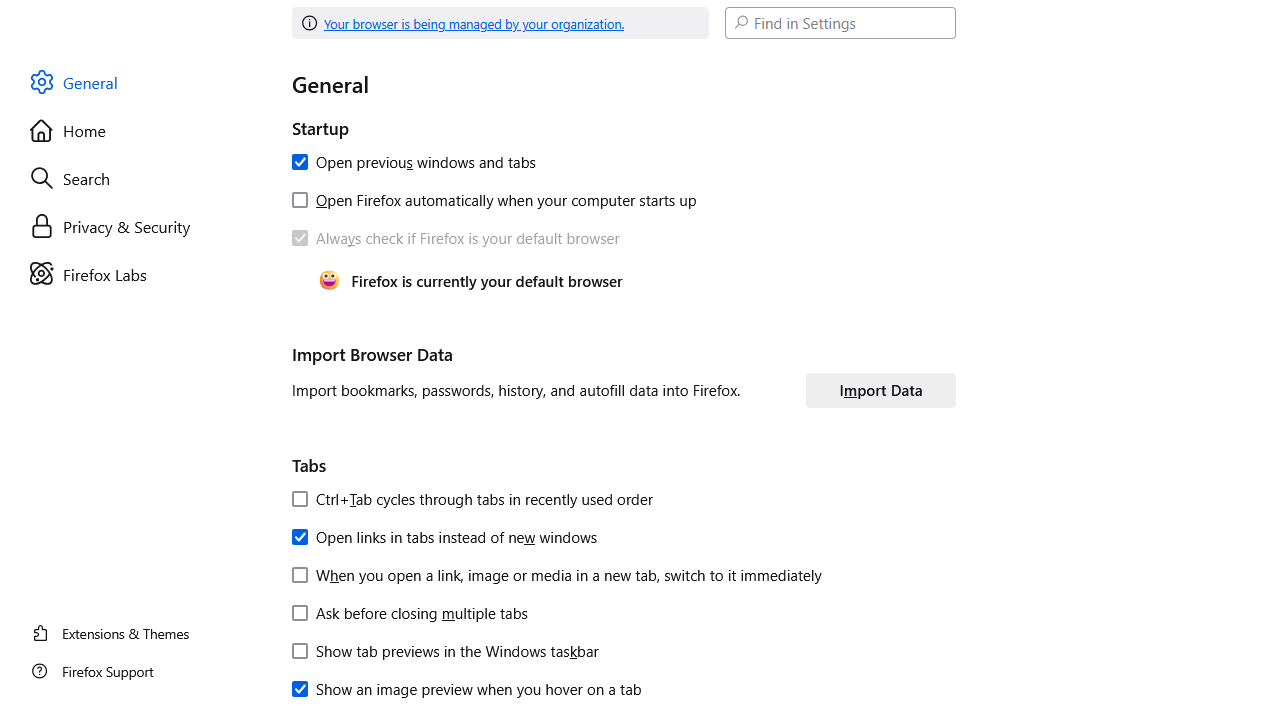
1. I have not entry "DisableFirefoxAccounts" in "HKEY_CURRENT_USER\Software\Policies\Mozilla\Firefox". 2. I have no policies.json file in firefox directory. 3. I have a message "Your browser is being managed by your organization." in "Settings" (about:preferences). 4. In "about:policies" I have DisableFirefoxAccounts=TRUE. 5. in "about:config" identity.fxaccounts.enabled=false and grayed out.
Please help me to turn on the sync of bookmarks. All these listed issues obviously have something to do with it.

所有回覆 (1)
Interesting, I have a same message "Your browser is being managed by your organization" for Microsoft Edge too. Looks like it has something to do with version of windows, which I just installed, it's a light version of windows 11. I don't have antivirus installed yet. I am administrator on the computer. But when I wanted to install antivirus, it refused to get installed, stating that I am not administrator and like I have to change some kind of policy. I did run it "as administrator" and program did got installed. I tried to reinstall the Firefox specifically selecting in menu "as administrator" and the issue still persist.
Looks like some kind of windows setting is messing with it...
由 Martink444 ABC 於 修改
選擇的解決方法
I found the solution. I followed these instructions. There was something wrong with my Windows policy. https://answers.microsoft.com/en-us/windows/forum/all/some-settings-are-managed-by-your-organization-in/77a0aac2-c977-489e-869f-00755d0b7dc9
But it would be good to display more information about why sync is disabled or why login is disabled. It's simply not there. I spent about 5 hours looking for solution.
由 Martink444 ABC 於 修改