


"open previous windows and tabs" issue

I've tried almost EVERYTHING offered to enable restore the "open previous windows and tabs" function ... to no avail. Very frustrating since I usually leave important tabs open for work. HELP!
所有回覆 (2)
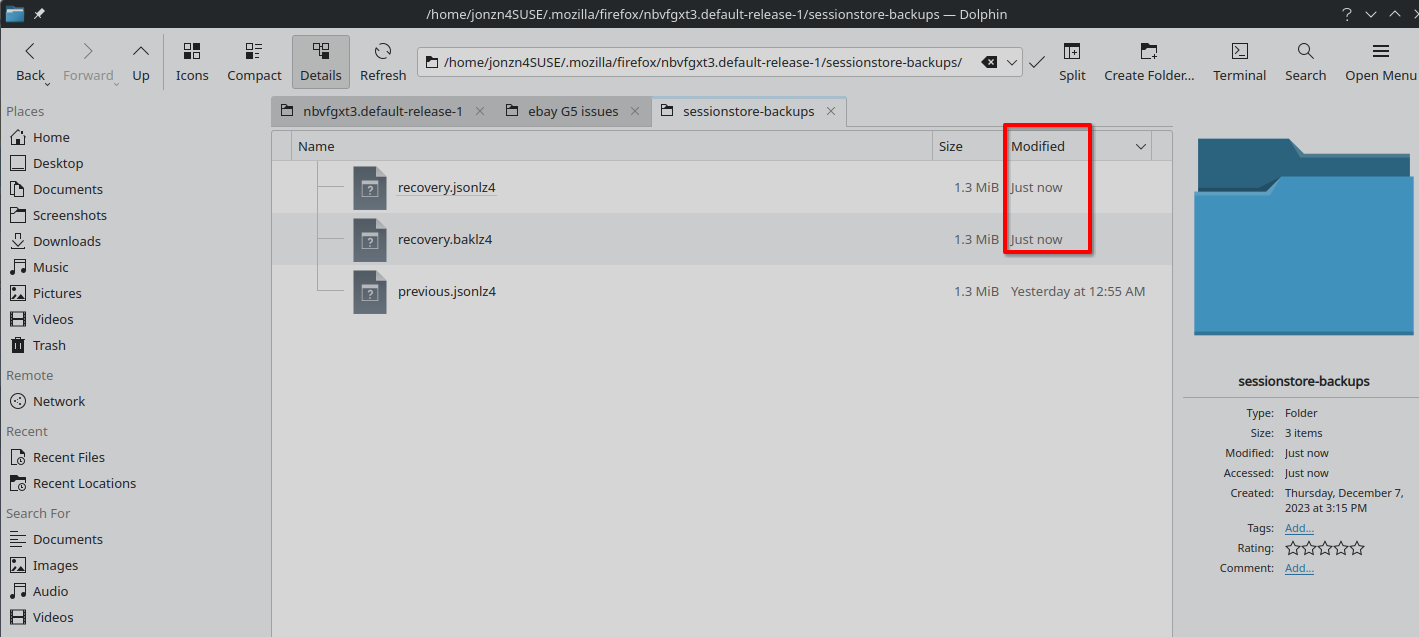
Go to your profile folder, look for a folder name "sessionstore-backups". Go in there and post a screenshot of the files in the folder. I assume you have been using Firefox since you lost your session and you may be out of luck. If you don't restore the files right after losing the session, the files are over written by your following session data. Here's a screenshot of mine and you can see that the files were recently updated because I'm using the browser. see screenshot
The "Open previous windows and tabs" setting is disabled if you are in private browsing mode aka "Never Remember History".
If it is still failing to restore your tabs in normal mode, try disabling your extensions.