


White Border at Bottom of Browser

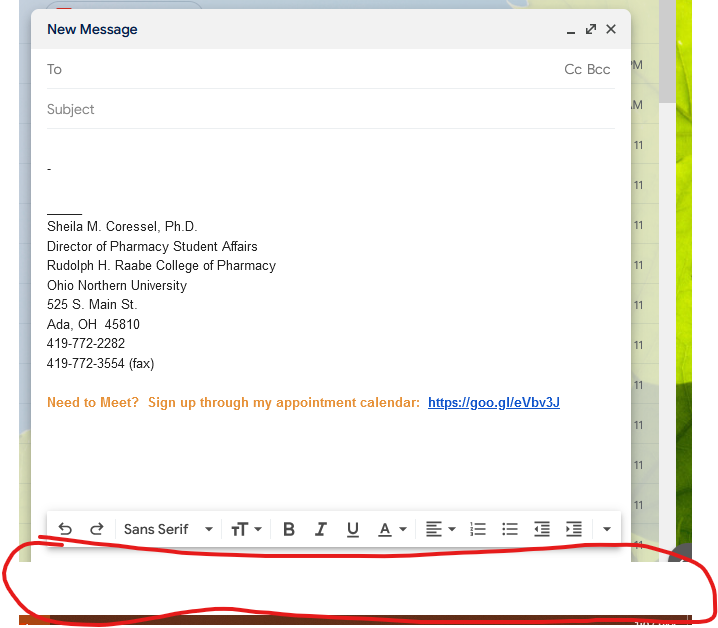
Firefox just updated and now there's a significant white border at the bottom of the browser. This interferes with websites that cannot scroll to get to the information hidden. What happened?! Fix this!
所有回覆 (3)
Hi Sheila, that isn't normal.
Does this only appear only on your Gmail window (I think that's Gmail)?
If you click in the address bar of your Gmail window, hold down the Shift key and press Enter to re-launch the address in a new window, does the new window have the same issue?
Could you tell us what version you were running before the problem update. One place to check for that would be the "Update History" button on the Troubleshooting Information page (Use the Troubleshooting Information page to help fix Firefox issues):

In my example, the previous version was 103.0.1.
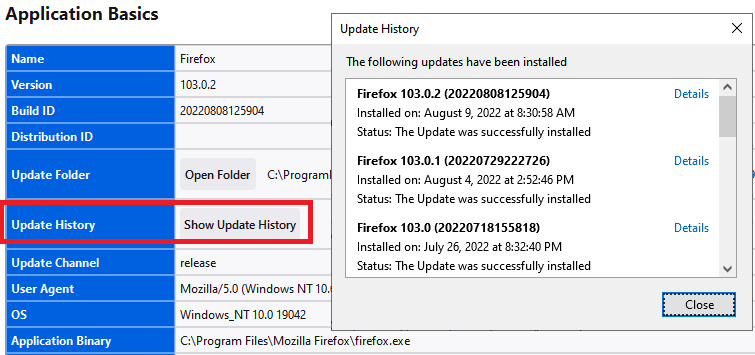
No--it's on all screens, not just Gmail. I just showed Gmail because it was the easiest to show the border (you can see the "send" button. Attached is the screenshot of the update, which was last week. However, this morning, when I turned on my computer, a new Firefox short was added to my desktop (I don't keep a shortcut for Firefox on my desktop). That's why I thought there was an update today. Then, I kept noticing the very faint white border on the webpages. I really noticed it when I went to compose an email. I don't remember it being there before.
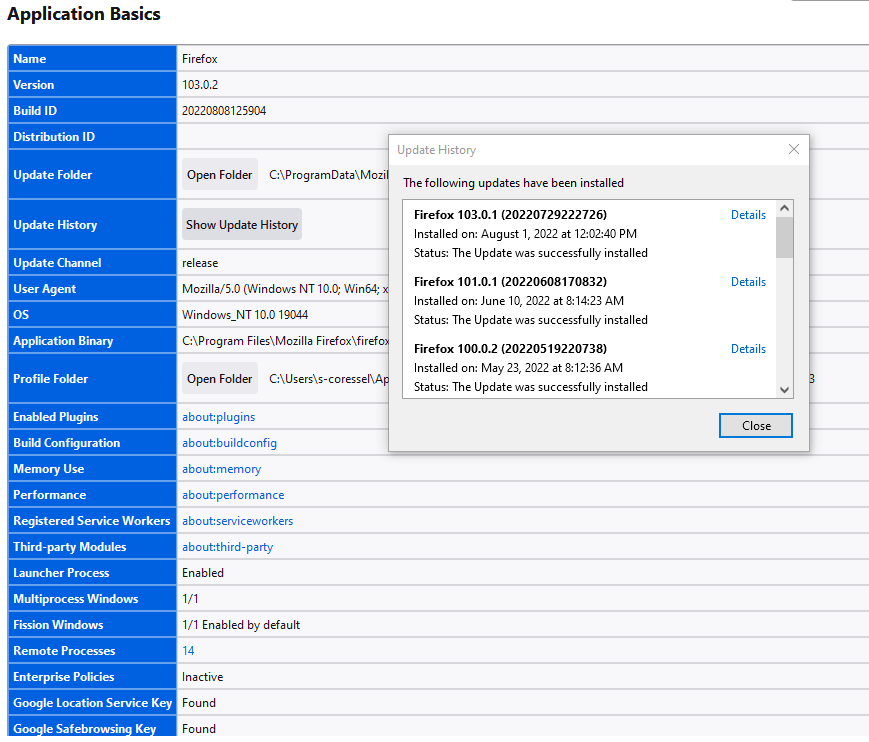
It looks like Firefox's update list is incomplete for some reason. If you haven't had this problem during the first 10 days of August, then it sounds like it definitely is associated with the very latest update. But the list of changes doesn't sound related:
https://www.mozilla.org/firefox/103.0.2/releasenotes/
As it appears to be a graphical glitch, you could test whether disabling Firefox from using hardware acceleration resolves it. That is a potential workaround for incompatibilities between Firefox and your graphics card/chipset driver software. This article describes where to make that change: Firefox's performance settings. This will take effect the next time you exit Firefox and start it up again. Any difference?
Since hardware acceleration improves the appearance of fonts and animations, you may want to check whether graphics card/chipset driver updates are available for your system. This article suggests safe ways to do that: Upgrade your graphics drivers to use hardware acceleration and WebGL.