


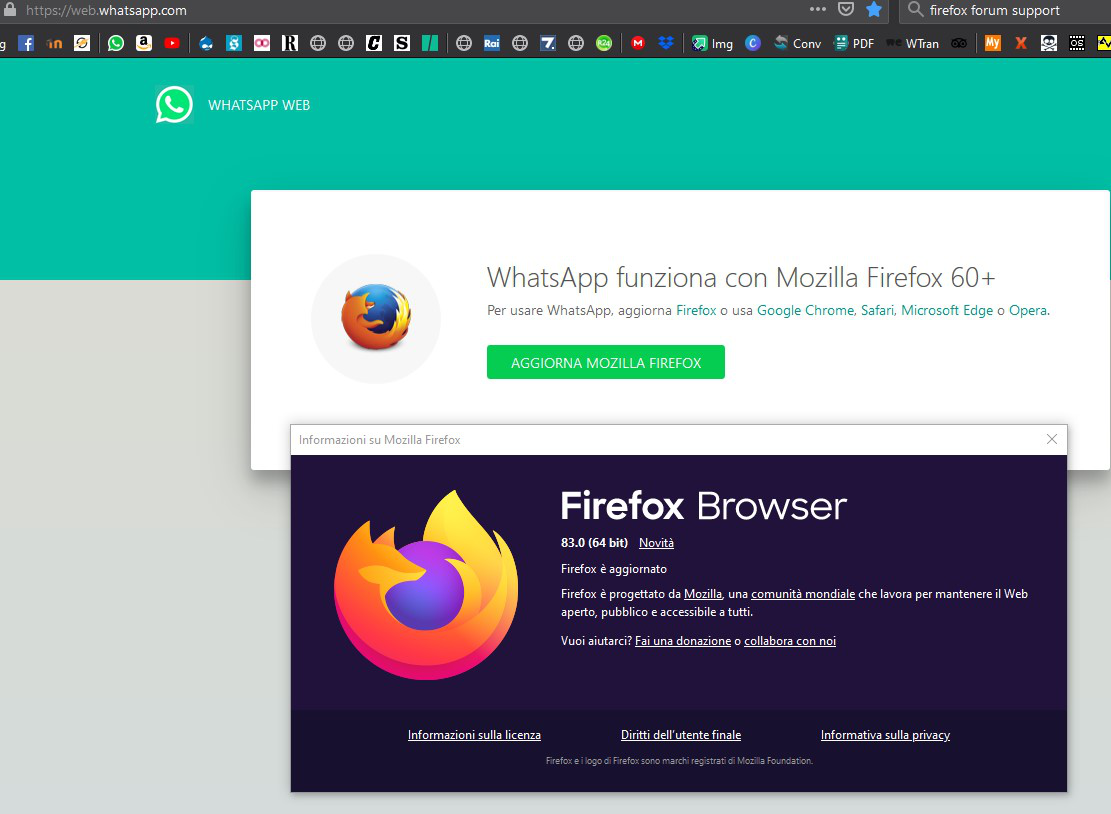
whatsapp web asks update Firefox, but I have firefox in the last version...

how to make whatsappweb going on firefox. 3 days ago was going whitout problem
被選擇的解決方法
hello, can you try to replicate this behaviour when you launch firefox in safe mode once? if not, maybe an addon that's changing your useragent information is interfering here...
Troubleshoot extensions, themes and hardware acceleration issues to solve common Firefox problems
從原來的回覆中察看解決方案 👍 2所有回覆 (1)
Looks you have some software (malware) that wants to modify Firefox and gives you the Firefox 61.0 user agent. You can reset this pref by clicking the trashcan icon at the end of this line.
You can check for problems with preferences if this doesn't stay.
You can delete possible user.js and numbered prefs-##.js files and rename/remove the prefs.js file to reset all prefs to the default value including prefs set via user.js and prefs that are no longer supported in current Firefox releases.
You can use the button on the "Help -> Troubleshooting Information" (about:support) page to go to the current Firefox profile folder or use the about:profiles page.
- Help -> Troubleshooting Information -> Profile Folder/Directory:
Windows: Open Folder; Linux: Open Directory; Mac: Show in Finder - https://support.mozilla.org/en-US/kb/profiles-where-firefox-stores-user-data
You can do a malware scan just to be sure.
You can also check for the presence of files in some locations that can be used to configure Firefox.