


Can't install latest version of add-on

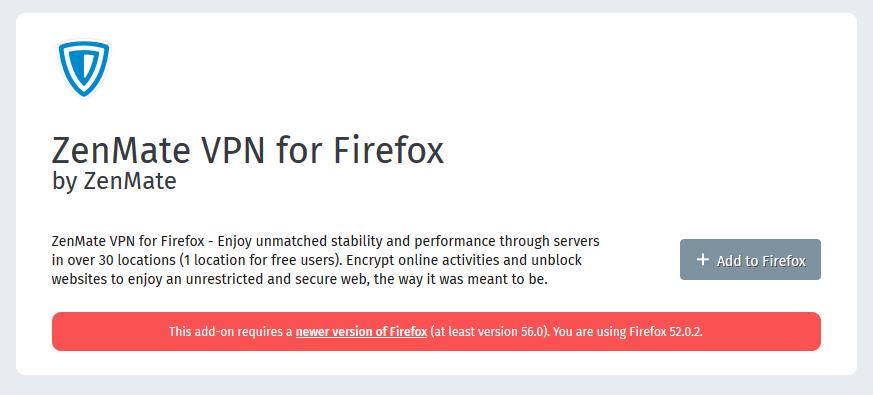
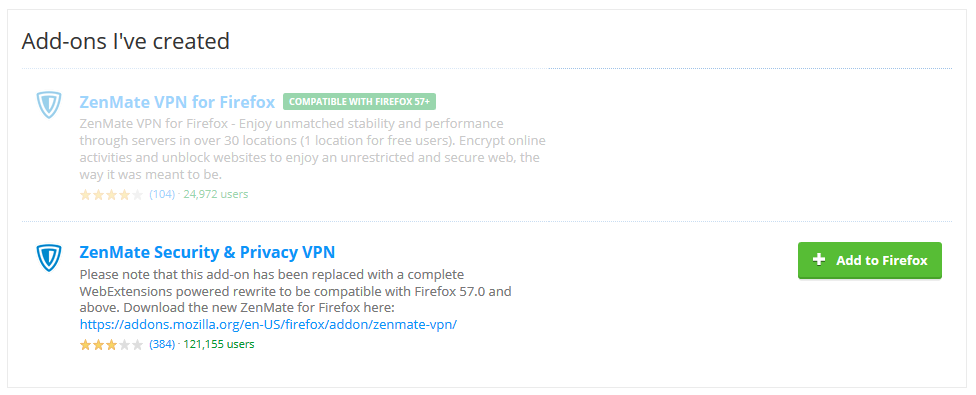
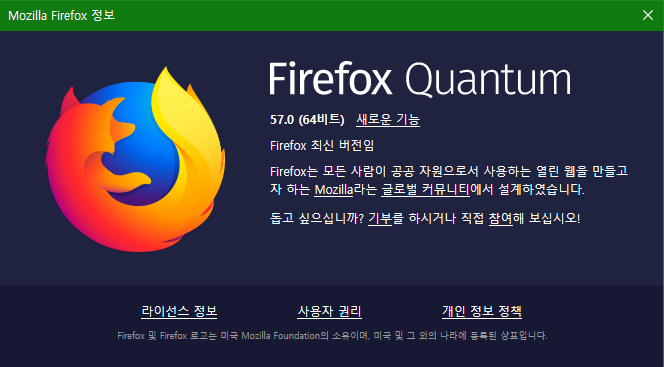
Hello? I can't install Zenmate VPN add-on(https://addons.mozilla.org/ko/firefox/addon/zenmate-vpn/) though my Firefox is up to date(ver. 57.0). This version of add-on requires at least Firefox ver. 56.0 or later. When I go to this webpage(https://addons.mozilla.org/en-US/firefox/user/zenmate/), I only can choose the older version of add-on. But when I try to install the older version, the error 'This version of add-on is not compatible with your Firefox' emerges. I don't understand why I can't install it.
被選擇的解決方法
Then go ahead with my previous suggestion to uninstall, cleanup and reinstall.
從原來的回覆中察看解決方案 👍 0所有回覆 (12)
Hi Jerryhan,
Sorry you were having issues. Since Firefox is now using a new engine all of the add-ons needed to go to web extensions. BUT you are in luck! Go to this link for the installer. https://addons.mozilla.org/en-US/firefox/addon/zenmate-vpn/
If I can be of any more assistance please let me know!
jerryhan1206 said
Hello? I can't install Zenmate VPN add-on(https://addons.mozilla.org/ko/firefox/addon/zenmate-vpn/) though my Firefox is up to date(ver. 57.0). This version of add-on requires at least Firefox ver. 56.0 or later. When I go to this webpage(https://addons.mozilla.org/en-US/firefox/user/zenmate/), I only can choose the older version of add-on. But when I try to install the older version, the error 'This version of add-on is not compatible with your Firefox' emerges. I don't understand why I can't install it.
由 safemanusa 於 修改
I went to the link you sent(https://addons.mozilla.org/en-US/firefox/addon/zenmate-vpn/), but I still couldn't install it.
Hi JerryHan1206,
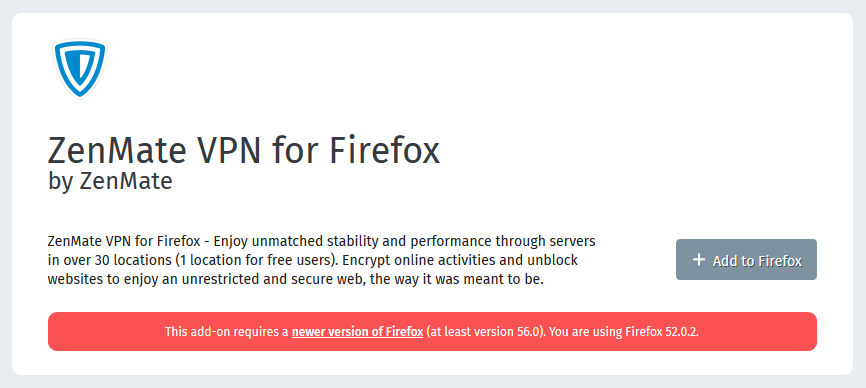
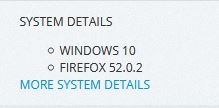
Your system reports that you are still using Firefox 52. See screen capture from your system that I can see.
Solution
Please uninstall Firefox. Then Delete the Mozilla Firefox Folders in C:\Program Files and C:\Program Files(x86) Then restart system. Then run Windows Disk Cleanup. Then run it again and click the button that says Cleanup System Files. Note: your Firefox Profile is saved.
You can get Firefox 57 Final Release from here : fileforum.betanews.com/detail/Mozilla-Firefox-for-Windows/1032985422/1
Please let us know if this solved your issue or if need further assistance.
jerryhan1206 said
I went to the link you sent(https://addons.mozilla.org/en-US/firefox/addon/zenmate-vpn/), but I still couldn't install it.
由 cor-el 於 修改
Did you turn on this preference: privacy.resistFingerprinting ? That will cause Firefox to report itself to websites as Firefox 52.
If it's not that, please see whether this article helps: How to reset the default user agent on Firefox.
Thanks for your help!
jscher2000 said
Did you turn on this preference: privacy.resistFingerprinting ? That will cause Firefox to report itself to websites as Firefox 52. If it's not that, please see whether this article helps: How to reset the default user agent on Firefox.
Thanks for your replying. But I didn't know about that preference. Could you tell me where I can find it?
由 jerryhan1206 於 修改
jerryhan1206
To change setting for 'privacy.resistFingerprinting'
Type About:Config in URL Search for privacy.resistFingerprinting Double click to change from True to False
由 safemanusa 於 修改
I found that its value was False
safemanusa saidThanks for your help! jerryhan1206 To change setting for 'privacy.resistFingerprinting' Type About:Config in URL Search for privacy.resistFingerprinting Double click to change from True to False jscher2000 saidDid you turn on this preference: privacy.resistFingerprinting ? That will cause Firefox to report itself to websites as Firefox 52. If it's not that, please see whether this article helps: How to reset the default user agent on Firefox.
選擇的解決方法
Then go ahead with my previous suggestion to uninstall, cleanup and reinstall.
Don't forget to also check the user agent: How to reset the default user agent on Firefox.
Thanks for your all reply! I finally solved this problem. Thank you very much! :)
Glad to hear it!