


CHANGE IN FORMAT OF EMAILS

I had a sticky caps lock so I tapped it several times and as you can see my emails changed to bigger size with less information on them. How do I fix this to go back to the original format?
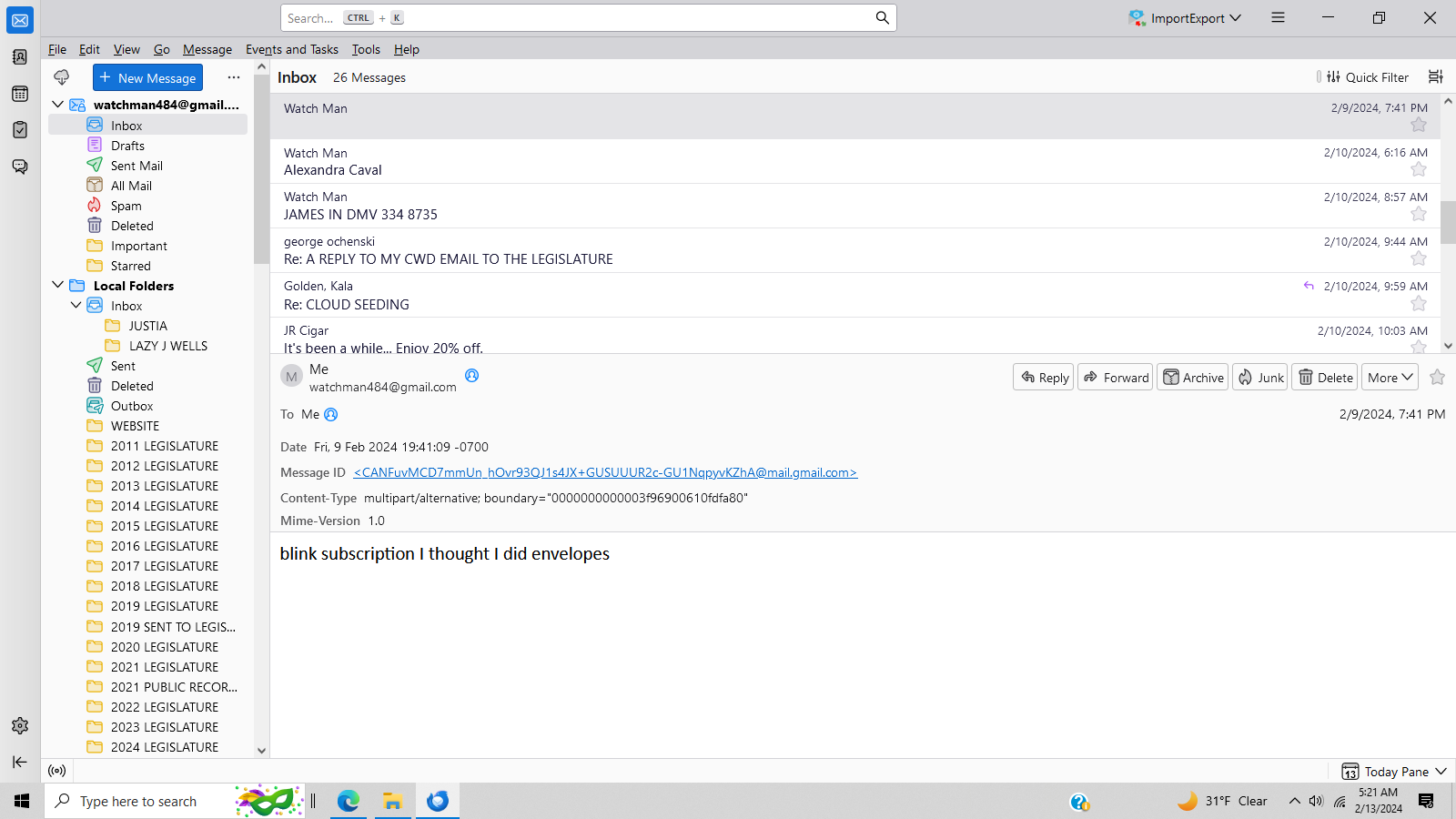
All Replies (6)
I suggest trying the View>Font Size to see if that will fix it.
Didn't fix it but thanks for the attempt.
Maybe the hamburger menu in upper right (three horizontal lines). Click that and there is a Density option and a Font Size option to set actual font size.
I guess I'm just going to have to live with it as hamburger density didn't work. Thanks
Puzzling. This 'should' be easy. Is it just the message content, or is it everything? if it's just the message content, I suggest looking at settings>general and reviewing the font size for a desired size and also to review settings>composition to verify that the HTML setting is to 'medium' for font size. Did the font size change for other applications, or just Thunderbird?
tried everything I guess you'd have to be here with your expertise. thanks anyway...adapt and survive