

Le thread ibilondoloziwe.
Nceda ubuze umbuzo omtsha ukuba ufuna uncedo.

Solved
Ezilondoloziweyo
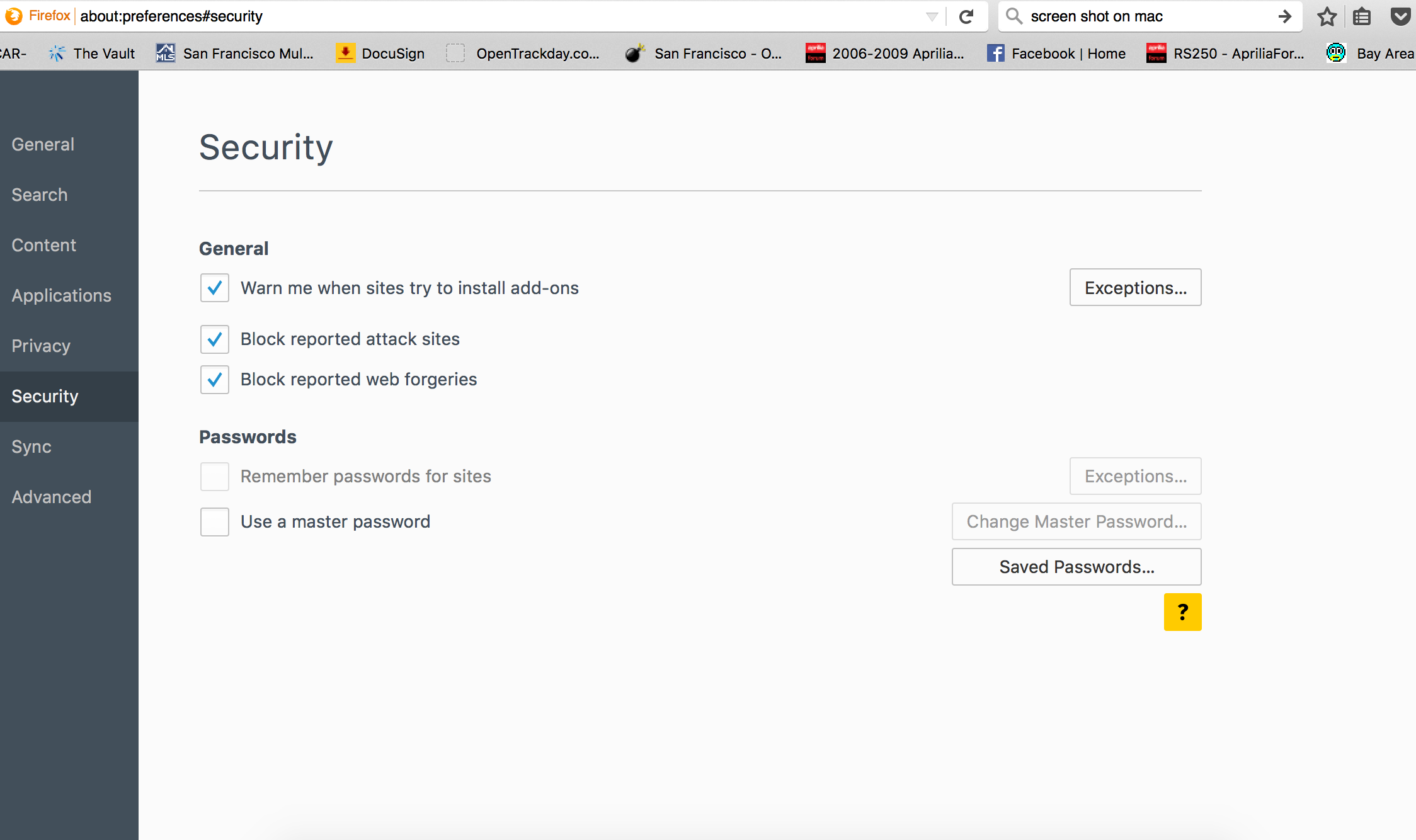
My control center does not let me "Remember Passwords for Sites" the option is grey color instead of black and will not let me click on it??

My control center does not let me "Remember Passwords for Sites" the option is grey color instead of black and will not let me click on it??
It also will not let me select "Exceptions" or "Change Master Password"
thanks
My control center does not let me "Remember Passwords for Sites" the option is grey color instead of black and will not let me click on it??
It also will not let me select "Exceptions" or "Change Master Password"
thanks
All Replies (1)
Isisombululo esiKhethiweyo
You can check that you do not run Firefox in permanent Private Browsing mode (Never remember history).
- Firefox > Preferences > Privacy > Firefox will: "Use custom settings for history"
- Deselect: [ ] "Always use Private Browsing mode"