Firefox goes white

I had this problem: https://support.mozilla.org/en-US/questions/1118780
I figured out the problem to this.
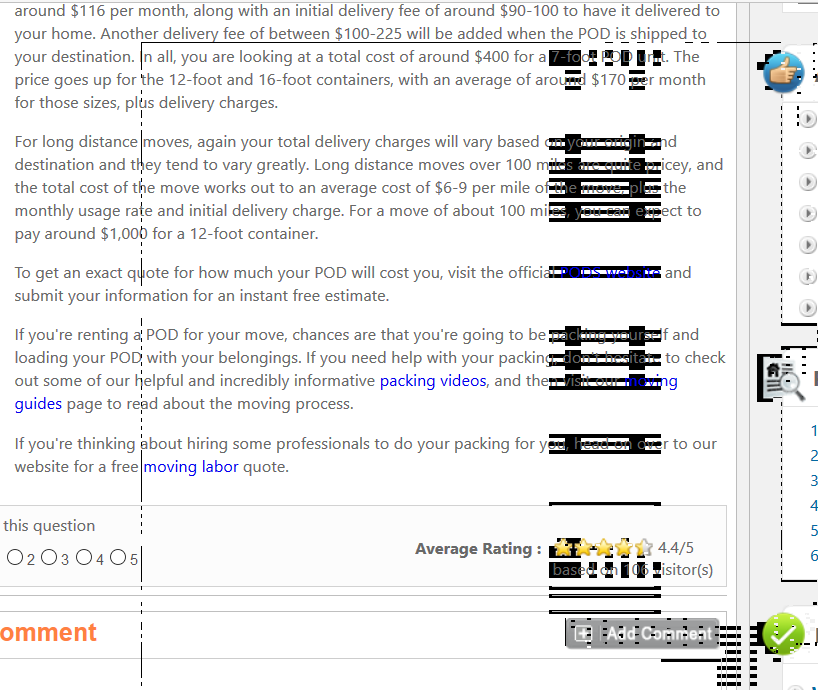
When I uncheck the 'Use hardware acceleration when available' box, I no longer see the little rectangles. However, this causes a new problem.
When I have this box checked, my screen goes white. I have to move my mouse all around and scroll on the page, to get it back to normal.
This happens when I leave Firefox and go to a new window with another program. I leave Firefox and go to the other window and when I come back, everything is all white. As I move my mouse around, I get little black squares until I scroll the page.
I have already checked and all my drivers are up to date. Firefox is updated. My computer is only a couple months old. Running Windows 10 that came with the computer.
Any idea how to stop this?
I have a choice of white screen or little rectangles. I am about ready to dump Firefox because this is getting ridiculous. I shouldn't have to choice one error over the other.
All Replies (10)

Start Firefox in Safe Mode {web Link} by holding down the <Shift>
(Mac=Options) key, and then starting Firefox.
A small dialog should appear. Click Start In Safe Mode (not Refresh).
Is the problem still there?
FredMcD said
Start Firefox in Safe Mode {web Link} by holding down the <Shift>
(Mac=Options) key, and then starting Firefox. A small dialog should appear. Click Start In Safe Mode (not Refresh). Is the problem still there?
Yes, I have started in safe mode already and it is still there. I also disabled all my addons.
BTW, thanks for helping me :)
If you have already tried these, please do it again. If you have problems with current Shockwave Flash plugin versions then check this:
- see if there are updates for your graphics drivers
https://support.mozilla.org/kb/upgrade-graphics-drivers-use-hardware-acceleration
- disable protected mode in the Flash plugin (Flash 11.3+ on Windows Vista and later)
https://forums.adobe.com/message/4468493#TemporaryWorkaround
- disable hardware acceleration in the Flash plugin
https://forums.adobe.com/thread/891337 See also:
Start your Computer in safe mode with networking. Then start Firefox. Try Safe websites. Is the problem still there?
FredMcD said
https://forums.adobe.com/message/4468493#TemporaryWorkaround
- disable protected mode in the Flash plugin (Flash 11.3+ on Windows Vista and later)
I did the others things listed but I am lost of how to do this part of it. Sorry.
I attached a screenie of what happens when I leave Firefox then come back to it. The tabs and address bar turn white but I couldn't get that in the screenie. Once I scrolled and moved my mouse around, the page was back to normal.
Type about:addons<enter> in the address bar to open the Add-ons Manager. Hot key; <Control>(Mac=<Command>) <Shift> A)
On the left side of the page, select Plugins. Find Shockwave Flash, and press the Options button. Uncheck Enable Adobe Flash Protected Mode.
FredMcD said
Type about:addons<enter> in the address bar to open the Add-ons Manager. Hot key; <Control>(Mac=<Command>) <Shift> A) On the left side of the page, select Plugins. Find Shockwave Flash, and press the Options button. Uncheck Enable Adobe Flash Protected Mode.
Did it and it didn't help. :(
Type about:preferences#advanced<Enter> in the address bar. Under Advanced, Select General. Look for and turn off Use Hardware Acceleration.
Type about:addons<enter> in the address bar to open the Add-ons Manager. Hot key; <Control>(Mac=<Command>) <Shift> A)
On the left side of the page, select Appearance. Then select Default.
Now restart Firefox.
FredMcD said
Type about:preferences#advanced<Enter> in the address bar. Under Advanced, Select General. Look for and turn off Use Hardware Acceleration. Type about:addons<enter> in the address bar to open the Add-ons Manager. Hot key; <Control>(Mac=<Command>) <Shift> A) On the left side of the page, select Appearance. Then select Default. Now restart Firefox.
This works to get the white screen and little black blocks to work but it also turns other things into little rectangles with numbers in them.
This take me back to my main problem. I either get to see the icons/links on pages and I get the white screen and black boxes or I get little rectangles with numbers in them and the white screen and black boxes are gone. :(
I've called the big guys to help you. Good luck.
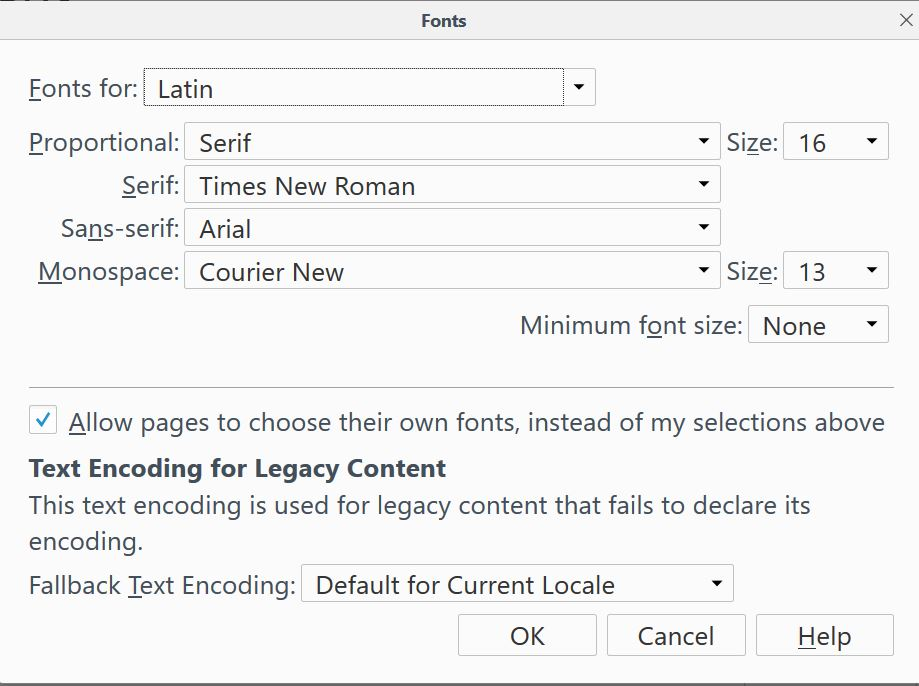
Type about:preferences#content<enter> in the address bar. Across from fonts and colors, press the Advanced button. On the bottom, turn on Allow Web Sites To Choose Their Own.
Fonts Information - Detected via Flash http://browserspy.dk/fonts-flash.php?detail=1
Mac You can check for corrupted and duplicate fonts and other font issues: http://www.thexlab.com/faqs/multipleappsquit.html - Font Book 2.0 Help: Checking for damaged fonts http://www.creativetechs.com/iq/garbled_fonts_troubleshooting_guide.html
'On the bottom, turn on Allow Web Sites To Choose Their Own.'
This was already checked.