


Email set to descend (newest on top) and same for email threads, not working.

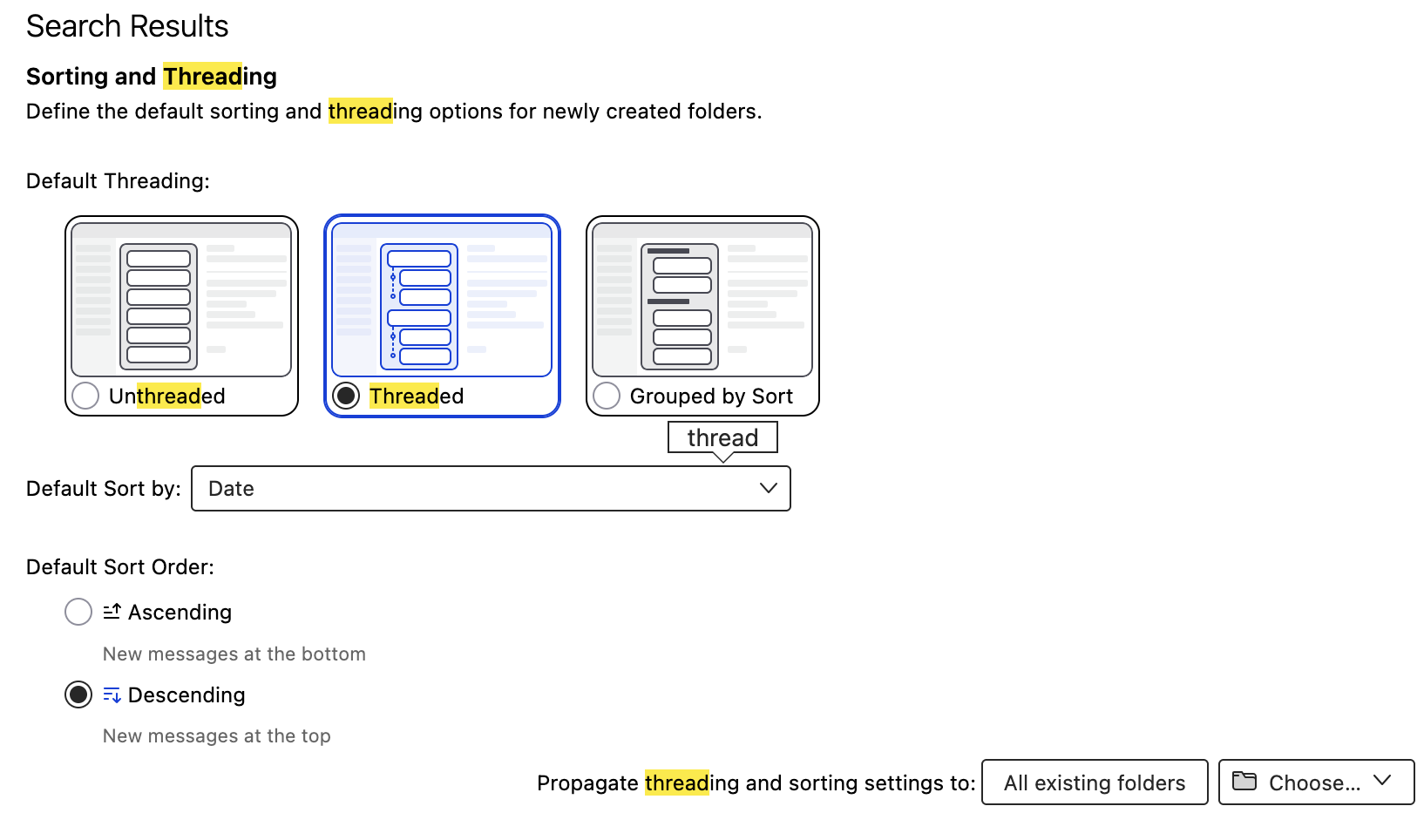
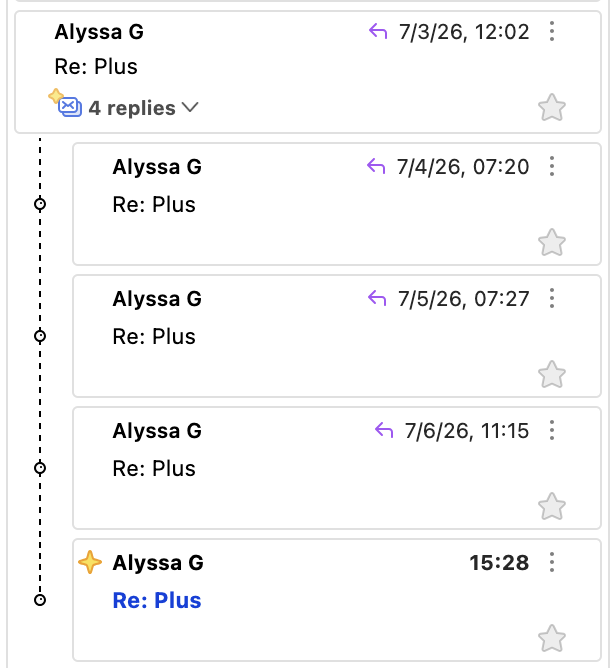
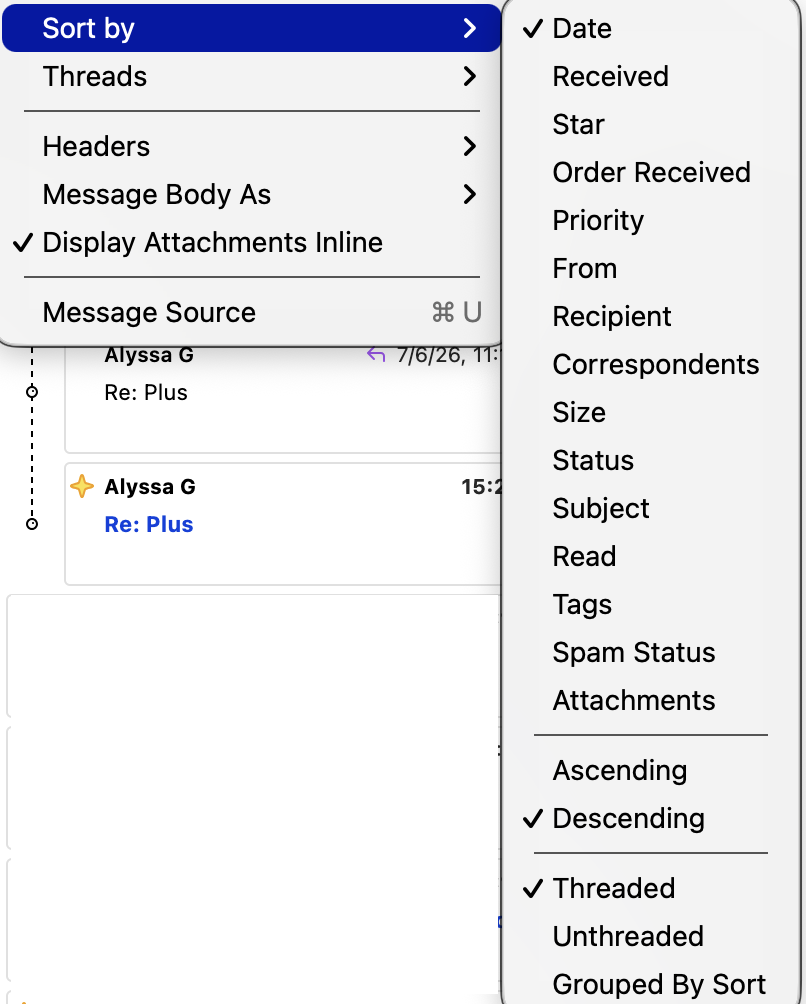
I already have View > Sort by > Date is selected, View > Sort by > Descending selected, and thread sorting set in settings. See screenshots. Threads sorting so newest is at the bottom, they should be at the top. General emails are sorting properly, newest at the top.
Tất cả các câu trả lời (6)

In Threaded view, Date Sort only sorts the threads. Within a thread, the messages are always shown proceeding from the root of the thread "tree" to the branches, that is, in ascending order. I know of no way to change this behavior.
Lin said
In Threaded view, Date Sort only sorts the threads. Within a thread, the messages are always shown proceeding from the root of the thread "tree" to the branches, that is, in ascending order. I know of no way to change this behavior.
That's too bad, the root is at the top, branches at the bottom. Upside down tree.
The way it is makes sense to me, but I can see how you and others would prefer it the other way. Here's a previous discussion of the issue. Sounds like it's not going to change any time soon:
https://support.mozilla.org/en-US/questions/1513149
If you'd like voice support for this feature, you can mention it here:

Threaded is a sort order. It is not logical or possible to use threaded and also sort messages in a different order. (As Lin says, sorting threads is different from sorting messages.) This is not a limitation of Thunderbird. Threads works best and show their value in table view, not cards view, which you are using.
I dont understand how it's logical because the sorting order for threads is the reverse of emails outside of threads. I want the newest on top because if they're at the bottom, they will hide and I don't see them. Reversing the order adds to confusion.
And in case my description of the problem wasn't clear, emails in my inbox are newest at the top. But in the threads, newest are at the bottom. I would like them to be the same: newest at the top.
Some people confuse threads with conversations and they expect threads simply to group the messages in a conversation. That is not all that threading does.
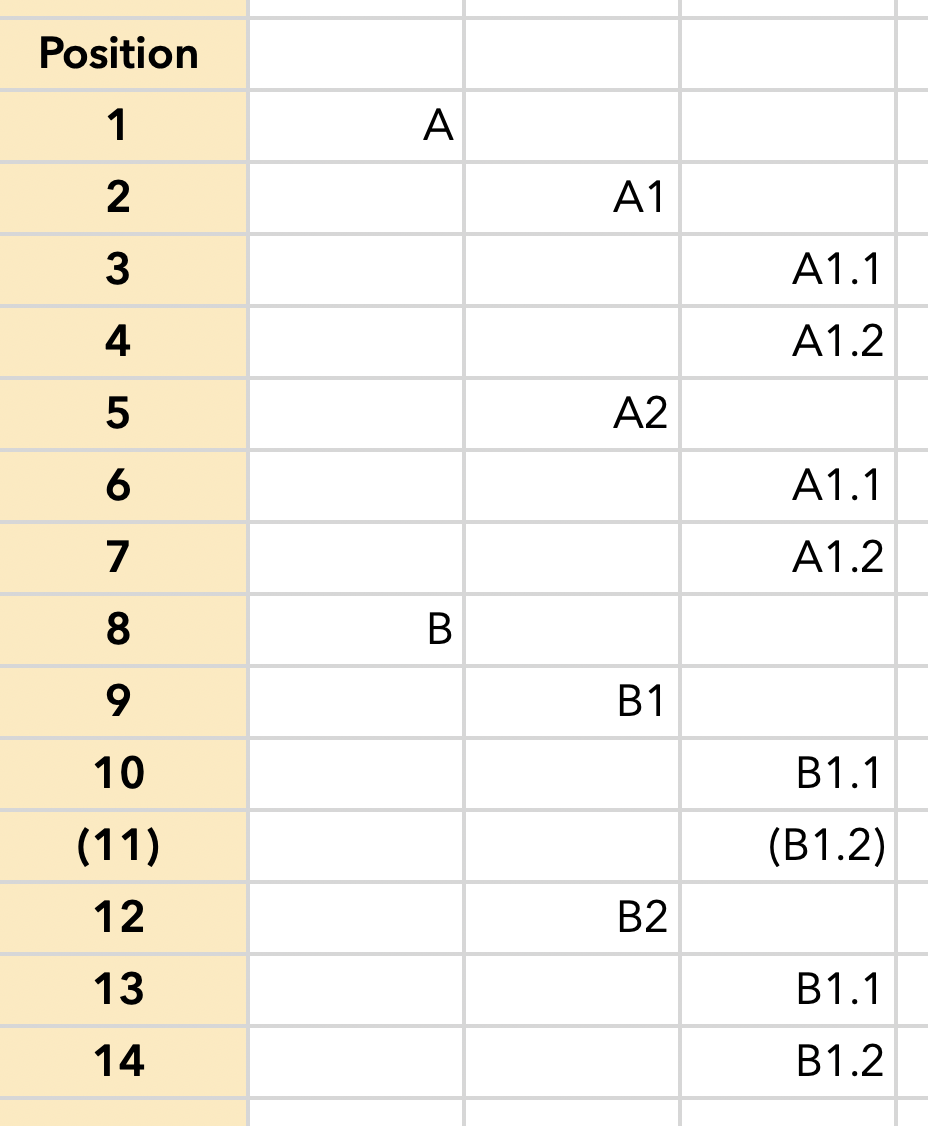
Threading is a chronological, hierarchical sort order. See my screen image. Message A arrived, then two responses to it. Each response to the responses to Message A also received two responses. Same for Message B. It received two responses. Each of those responses received two responses.
Imagine that all the messages except B1.2 have arrived. Now Message B1.2 comes in, responding to Message B1, which responded to Message B.
The whole point of threading is to present B1.2 at its place in the chronological hierarchy. So it must go into position #11.
It is not possible to show Message B1.2 in its position relative to other messages and put it at the top of the thread. That is what is illogical. This point would be clearer in table view than in cards view, which you are using.
If what you want is just a grouping of messages in a conversation, you may find that Thunderbird's conversations view gives you that. It is being re-developed because, I believe, it is incomplete and buggy, but it may have some value to you anyway. The add-on "Thunderbird Conversations" may also work well for you. I don't know. I have not used it. it seems to be popular.
https://support.mozilla.org/en-US/kb/message-threading-thunderbird
Được chỉnh sửa bởi Rick vào