


Brother MFC-J6940DW Attach to Email using Thunderbird no longer working

We have been using the Brother MFC-J6940DW iPrint&Scan Attach to email successfully with Thunderbird. It creates a new email and attaches the scanned item to it. Recently it stopped working. Nothing happens and there is no error message. We have run all Windows updates. We have uninstalled and reinstalled the Brother drivers, uninstalled and reinstalled Thunderbird, downgraded Thunderbird to v 143 and 140 from current 144 version. We have confirmed Thunderbird is default mail app and verified in registry that Mozilla Thunderbird is default in HKEY_CURRENT_USER|Software\Clients\mail > (Default) value = Mozilla Thunderbird and HKEY_LOCAL_MACHINEISOFTWARE\Clients\Mail > (Default) Value = Mozilla Thunderbird. We have made sure the Firewall talks nice to the Brother Utilities and the ports are ok for Public and Private. Brother tech support says as long as we can do a normal scan that it must be Thunderbird or Windows. Does anyone have any thoughts or other troubleshooting ideas? Thanks in advance. -- Sue
Tất cả các câu trả lời (8)
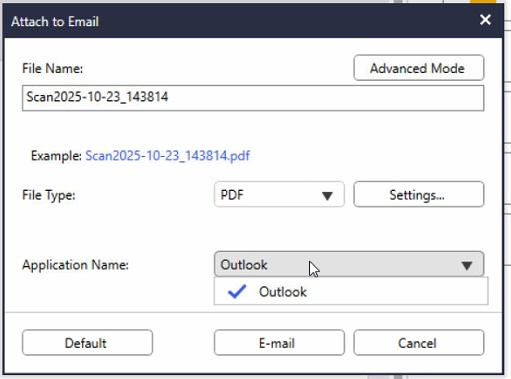
Is the Brother app 32 or 64 bit? Is TB 32 or 64 bit? Both will run in Windows 64 bit, but they might not connect if they have different bitness. Also, can you select TB in your picture?
TB is 64bit. Windows 64bit. According to Brother, by using their download and selecting win11 it should have 64bit. I will check. In pic it shows that Outlook is only option in dropdown. Thanks.
If the Brother app is 64-bit, try setting TB as the default by Settings/General/System Integration, Check Now... and also in Windows Settings.
Thanks. I’ve already set TB as default in those areas and it does not open TB when using Attach to email.
There have long been issues connecting TB with scanners and 3rd-party apps:
https://support.mozilla.org/en-US/questions/1307664
https://support.mozilla.org/en-US/questions/1489051
Having Outlook installed is often a source of problems. Before trying more complex steps, I suggest you try the method in the first link, i.e. running the installer and restarting Windows.
sfhowes, thank you for the information. It took a bit for my client to get back to me. I've tried the 32bit install process without any luck. I double checked the regedit for the default mail client and I have Mozilla Thunderbird listed. I also tried uninstalling Outlook since it's not used on this computer. Each time the Brother Attach to Email only shows Outlook. Thunderbird is not an option in the pulldown menu. If you have any other ideas, I would appreciate it. Thank you -- Sue
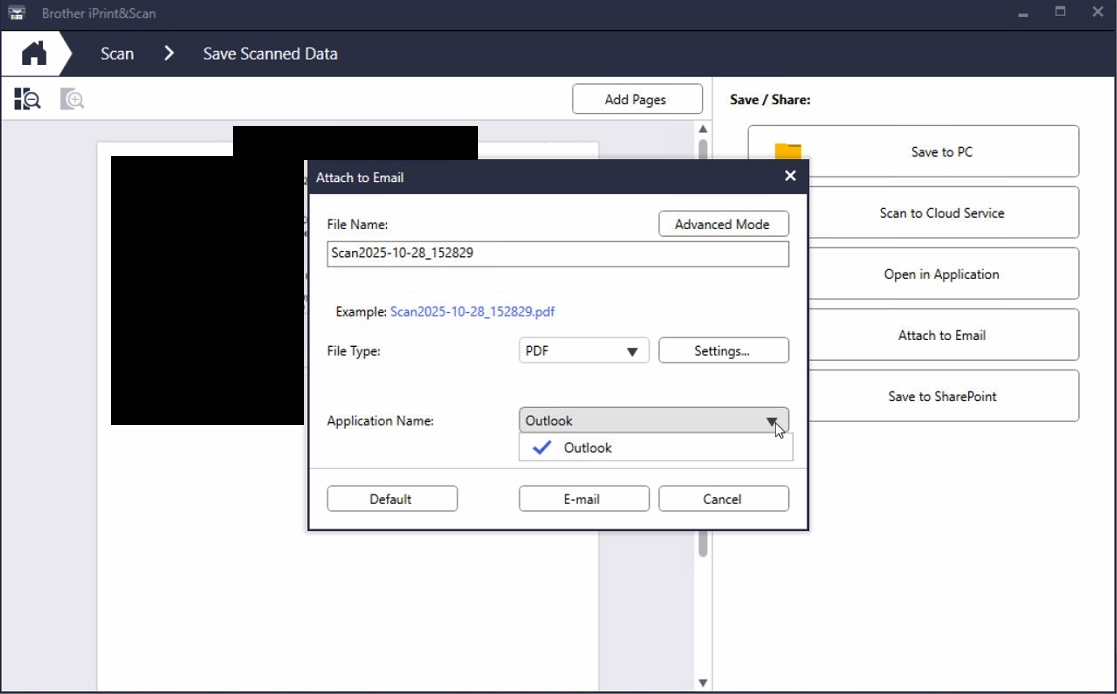
If Outlook is the only choice even when Outlook isn't installed, there might be no way to set TB:
https://www.reddit.com/r/printers/comments/1kd6fui/brother_iprintscan_wont_allow_me_to_pick/
It seems the method suggested above worked in the past:
https://support.mozilla.org/bm/questions/1309344
What happens if you click Default in your picture?
Thanks sfhowes. At some point this broke. Probably when we upgraded him to Win11. I've seen both of those posts and tried each with no luck. I did try clicking Default. Nothing happens or changes. At this point I've got my client working around this by scanning to file and then attaching. He's not happy, but at least it works. At this point I feel a bug has been introduced. I'll watch for any Windows, Brother or TBird updates and continue testing. Thanks.