


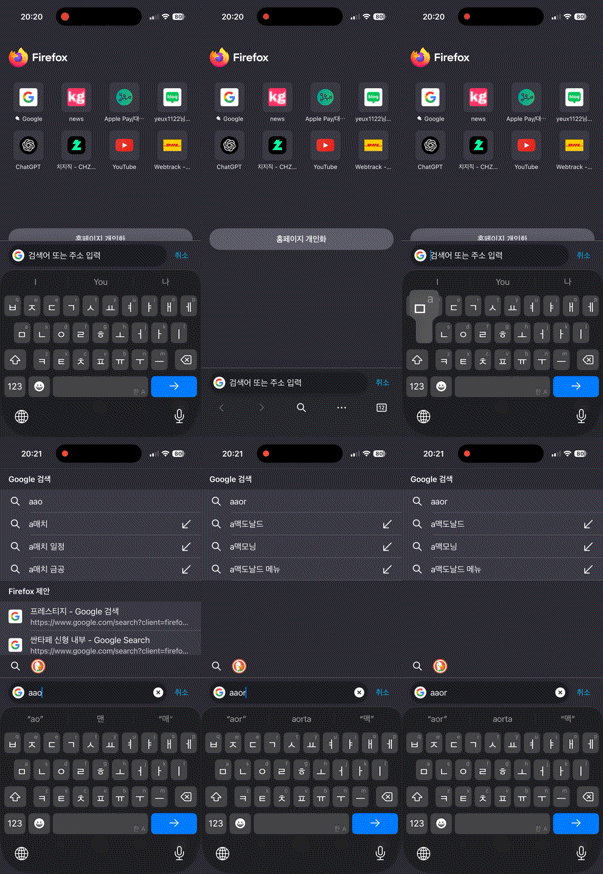
Can’t type Korean in address bar for quick search and characters don’t even match

I don’t remember from when, but after some point of an update of Firefox for iOS, whenever I type something in Korean into address bar for quick search, it automatically changes my inputs to English and extra character appends at the front. This will cause great inconvenience for Korean users. I hope Mozilla team fix this problem soon.
Tất cả các câu trả lời (2)
Hi there,
Thanks for reporting this issue. Have you tried restarting your phone and changing your keyboard setting to see if it may help?
Hi, Kiki. I've tried rebooting my phone several times and got every updates from App Store, but I'm afraid this problem persists. One thing I could specify about this is that it only happens in when the Korean keyboard is in KOR/ENG bilingual mode. When I set my keyboard in Korean only, then this did not happen.