


Windows 10 reached EOS (end of support) on October 14, 2025. If you are on Windows 10, see this article.

Tìm kiếm hỗ trợ

Tránh các lừa đảo về hỗ trợ. Chúng tôi sẽ không bao giờ yêu cầu bạn gọi hoặc nhắn tin đến số điện thoại hoặc chia sẻ thông tin cá nhân. Vui lòng báo cáo hoạt động đáng ngờ bằng cách sử dụng tùy chọn "Báo cáo lạm dụng".

Tìm hiểu thêm
Đã lưu trữ

Firefox ESR - Remove/Delete Extension with GroupPolicy

Mike Kaply đã trả lời
michael.reiter

Hi guys,

I'm trying to uninstall an extension using a GPO, but it's not working.

I've placed a GPO on the user's OU and configured the ID to be removed in the User-Part of that GPO. I previously retrieved the ID using about:debugging.

But nothing happens; the extension isn't removed. (Logoff/Logon/reboot/gpupdate /force .....)

128.11.0esr (64-Bit)

KeePassXC-Browser Extension

The GPOs for Edge and Chrome have the same function. Enter the ID there, and the extension is reliably removed.

Any suggestions? Thanks

Michael
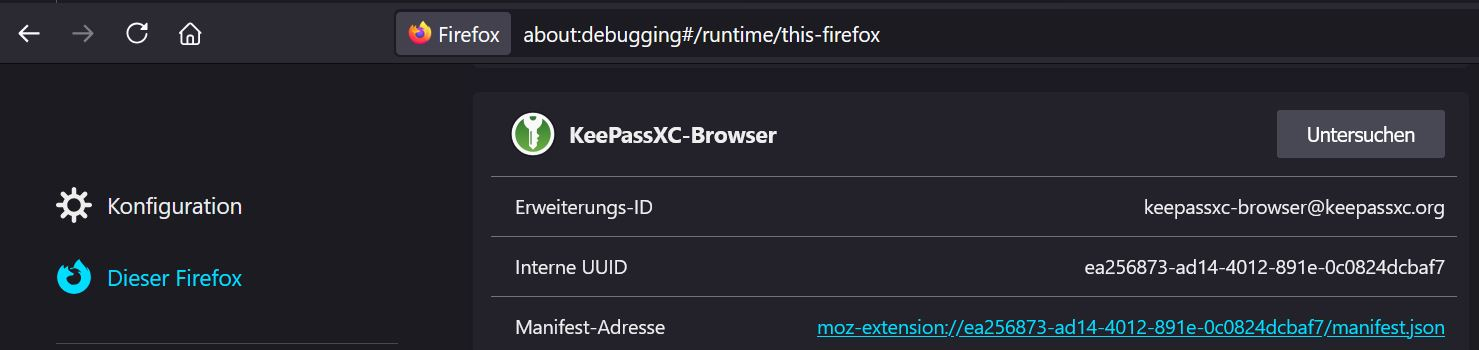
Hi guys, I'm trying to uninstall an extension using a GPO, but it's not working. I've placed a GPO on the user's OU and configured the ID to be removed in the User-Part of that GPO. I previously retrieved the ID using about:debugging. But nothing happens; the extension isn't removed. (Logoff/Logon/reboot/gpupdate /force .....) 128.11.0esr (64-Bit) [https://addons.mozilla.org/de/firefox/addon/keepassxc-browser/?utm_source=addons.mozilla.org&utm_medium=referral&utm_content=search KeePassXC-Browser Extension] The GPOs for Edge and Chrome have the same function. Enter the ID there, and the extension is reliably removed. Any suggestions? Thanks Michael
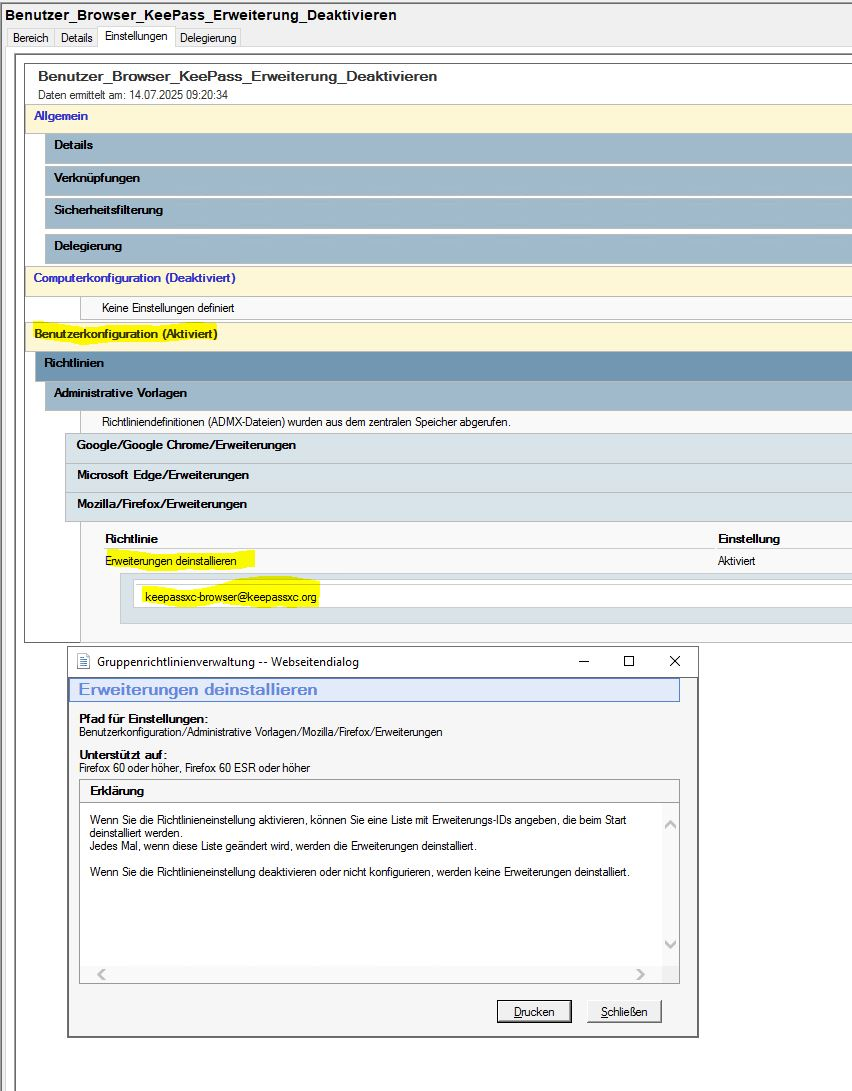
Đính kèm ảnh chụp màn hình

Tất cả các câu trả lời (1)

So that policy can be a little flaky because it uses a preference to store status.

Can you go to about:config and see if you have a preference set called:

browser.policies.runOncePerModification.extensionsUninstall

and if so, what the value is?

The new ExtensionSettings (Extension Management in the GPO) policy would probably work better for your case.

You would set it to this:

{

 "keepassxc-browser@keepassxc.org": {
   "installation_mode": "blocked"
 }

}