


restore tabs does not work

Firefox crashed and I cannot recover my tabs from history. I click on restore all tabs and it does nothing. The tabs I was hoping to recover do not even appear in my history either.
Tất cả các câu trả lời (3)

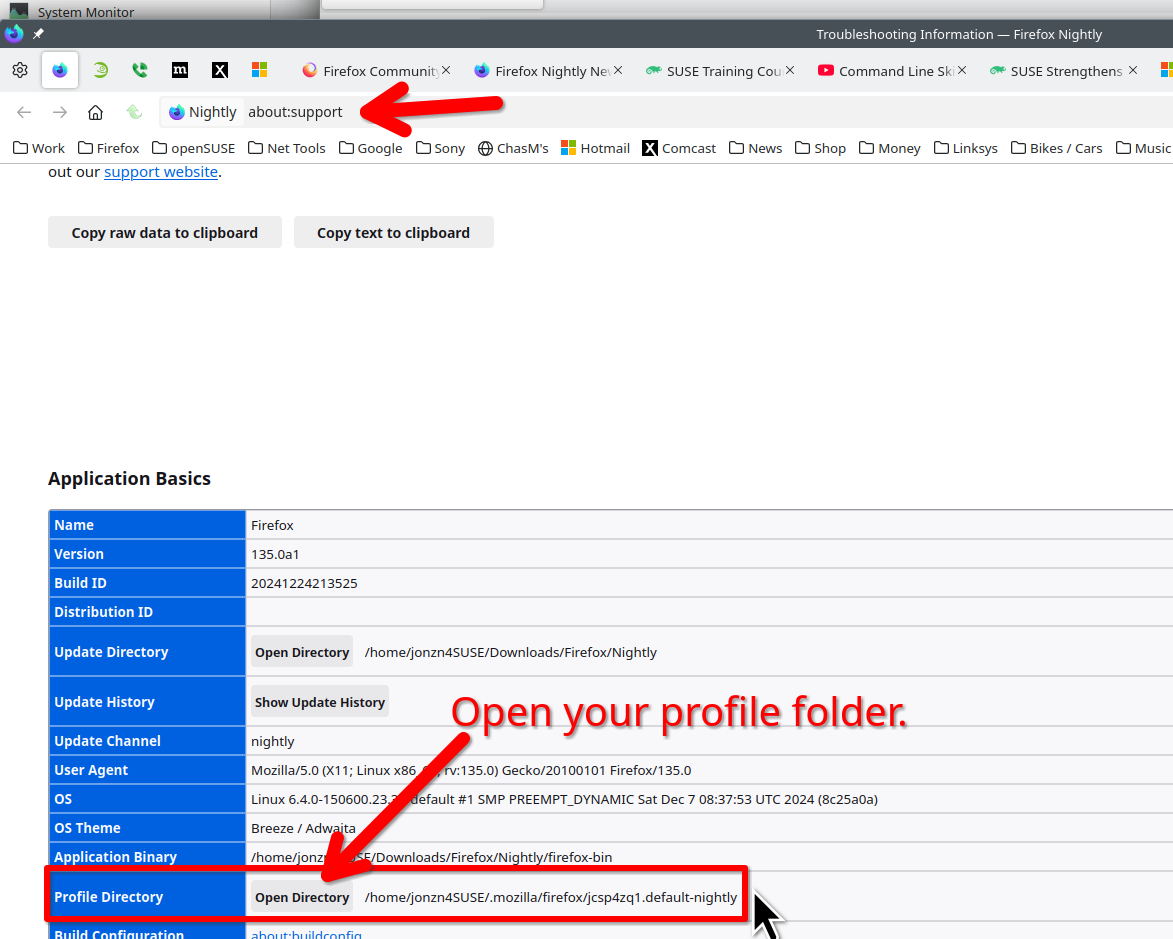
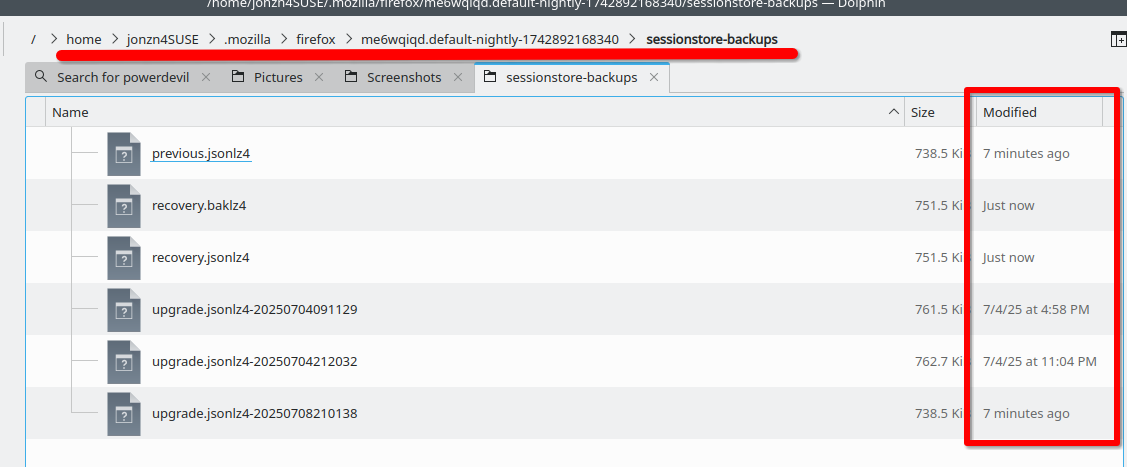
Yes, unfortunately it happens a lot in Firefox. Post a screenshot of the files in the folder sessionstore-backups in your profile folder. See the screenshot of the files in my folder.
Được chỉnh sửa bởi jonzn4SUSE vào

This has just happened to me, too. I do not understand the second paragraph of the response. What does 'Post a pic...' mean? Is that an instruction? I cannot implement it. My about:support page is similar to the one in the screenshot, but Profiles looks different (it says 'Profiles' not 'Profile Directory', and there is no Open Directory, only an about:profiles link (screenshot shows what that page looks like opened up). There is no tab information in there that I can tell. IF that was the intent of the 'Post a pic...' comment.
Please clarify and provide more details. Can I get my ~500 tabs back that have remained reliably restorable through numerous planned and unplanned shutdowns over about 20 years? I have never not been able to Restore Session all that time, so I must have been lucky if the opposite 'happens a lot in Firefox'.

dpri said
This has just happened to me, too. I do not understand the second paragraph of the response. What does 'Post a pic...' mean? Is that an instruction? I cannot implement it. My about:support page is similar to the one in the screenshot, but Profiles looks different (it says 'Profiles' not 'Profile Directory', and there is no Open Directory, only an about:profiles link (screenshot shows what that page looks like opened up). There is no tab information in there that I can tell. IF that was the intent of the 'Post a pic...' comment. Please clarify and provide more details. Can I get my ~500 tabs back that have remained reliably restorable through numerous planned and unplanned shutdowns over about 20 years? I have never not been able to Restore Session all that time, so I must have been lucky if the opposite 'happens a lot in Firefox'.
Where is the screenshot of the files in your sessionstore-backups folder?