


Continued Error Message on Thunderbird

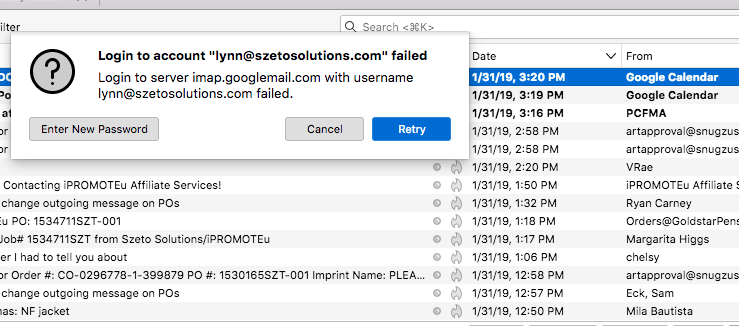
Hi - I keep getting the message: Login to account (my email address) failed Login to server imap.googlemail.com with username (my email address) failed.
Can you please help me fix this problem?
Tất cả các câu trả lời (3)
Perhaps if you can report the whole error message verbatim. I am pretty sure the important information comes after the word failed.
Google have traditionally been pretty good at offering a reason for their actions.

here's the whole of my error message...and no matter what I click, it won't go away. I tried clicking "Enter New Password" and "Retry" and it just keeps coming back...only "Cancel" button works it says, "Login to account "lynn@xxxxxx.com" failed (bold lettering) underneath is unbolded lettering is says, "Login to servier impa.googlemail.com with user name lynn@xxxx.com failed. It won't download any recent emails.

i have this problem too, it just started in april 2025. i have updated to the latest version of thunderbird. google kicked other emails that i used less often out a long time ago because google didn't like the the lack of security or encryption that tb had, but i figured tb probably fixed that a long time ago. any idea on what to do? or is tb just kicked off google in its entirety now? bc