


Force-Pinning Extension doesn't Appear to Work (GPO in Microsoft AD)

I am having the same issue as this other user here: https://www.reddit.com/r/sysadmin/comments/17wvuwh/help_pinning_extension_in_firefox_with_gpo/
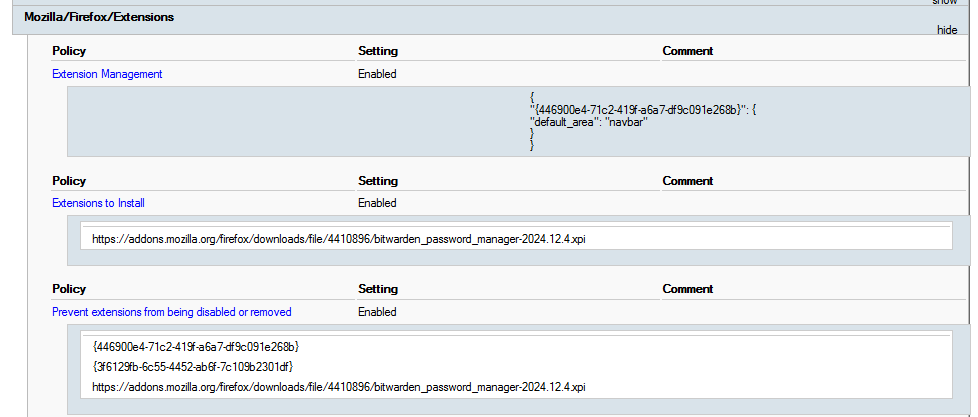
Preliminaries -- Initially (before trying to force-pin), I had these GPOs enabled:
Extensions to Install -> https://addons.mozilla.org/firefox/downloads/file/4410896/bitwarden_password_manager-2024.12.4.xpi
Prevent extensions from being disabled or removed ->
- {446900e4-71c2-419f-a6a7-df9c091e268b}
- {3f6129fb-6c55-4452-ab6f-7c109b2301df}
- https://addons.mozilla.org/firefox/downloads/file/4410896/bitwarden_password_manager-2024.12.4.xpi
(Those GPOs above all work.)
What I'm trying to do: Force-pin Bitwarden.
I believe I've followed the documentation correctly (except for not including a "*" case): https://mozilla.github.io/policy-templates/#extensionsettings
I've enabled this GPO with this value:
Extension Management ->
{
 "{446900e4-71c2-419f-a6a7-df9c091e268b}": {
   "default_area": "navbar"
 }
}
After running various "GPUpdate"s and whatnot, the option to uncheck "Pin to toolbar" is still available to click.
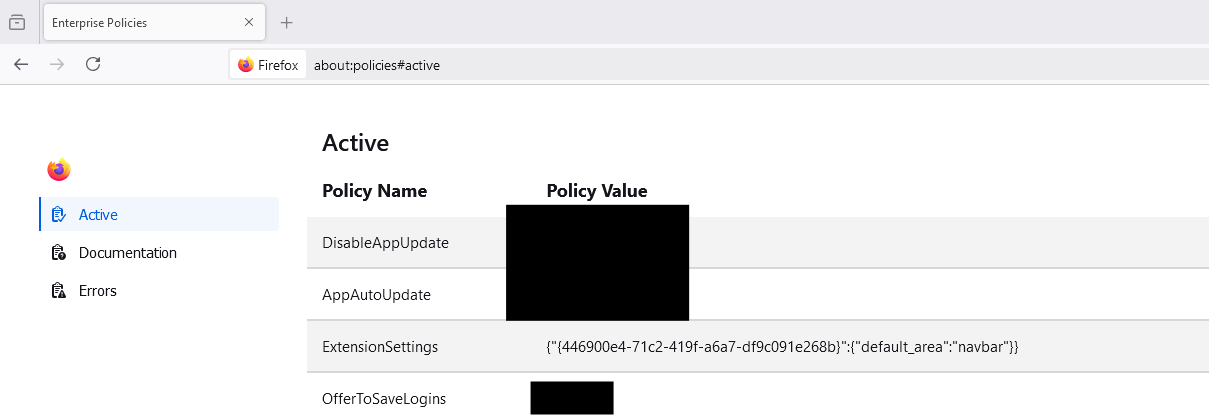
I've verified in "about:policies#active" that the JSON item appears next to "ExtensionSettings" and that there are no errors listed in the "Errors" tab.
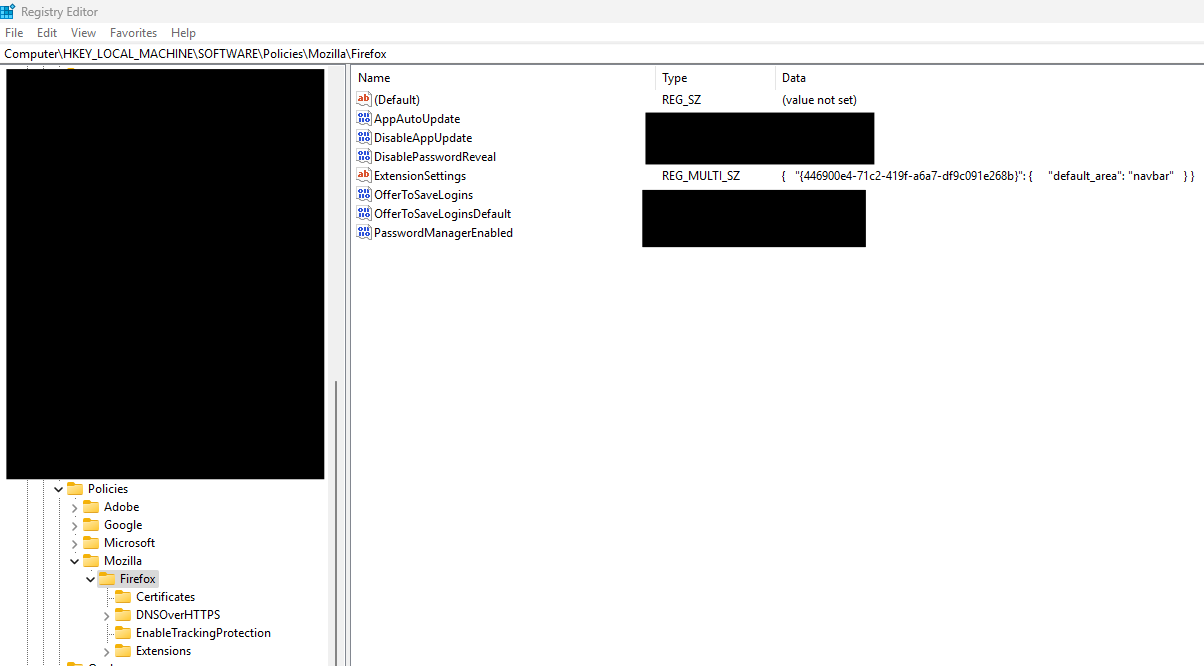
I've also verified that it appears in the correct location in the Registry.
Since another user had the same issue (Reddit link above), I figured it'd be a good idea to check in with y'all to see if we are missing something.
Thanks for your help!

Giải pháp được chọn
When the feature was implemented, there was a debate between user choice and this feature, and the decision was made to still allow the user to remove it if they wanted to. We can revisit that.
We do have a bug to make the pinning work on any new install of the profile.
Tất cả các câu trả lời (4)
Has bitwarden been installed before? Right now, default_area only works the first time an extension is installed.
Does it work on a new profile?
Mike Kaply said
Has bitwarden been installed before? Right now, default_area only works the first time an extension is installed. Does it work on a new profile?
Hello Mike, we tested it on a new profile and Bitwarden does show up in the navbar by default. "Pin to Toolbar" is still able to be unchecked -- are we incorrect in assuming that force-pinning extensions within Firefox is possible through GPO? Maybe we were misunderstanding.
Giải pháp được chọn
When the feature was implemented, there was a debate between user choice and this feature, and the decision was made to still allow the user to remove it if they wanted to. We can revisit that.
We do have a bug to make the pinning work on any new install of the profile.
Okay, that makes sense.
Thank you so much for your help!