


Windows 10 reached EOS (end of support) on October 14, 2025. If you are on Windows 10, see this article.

Tìm kiếm hỗ trợ

Tránh các lừa đảo về hỗ trợ. Chúng tôi sẽ không bao giờ yêu cầu bạn gọi hoặc nhắn tin đến số điện thoại hoặc chia sẻ thông tin cá nhân. Vui lòng báo cáo hoạt động đáng ngờ bằng cách sử dụng tùy chọn "Báo cáo lạm dụng".

Tìm hiểu thêm

Account settings alert message on incoming email

  • 2 trả lời
  • 1 gặp vấn đề này
  • 183 lượt xem
  • Trả lời mới nhất được viết bởi Bob

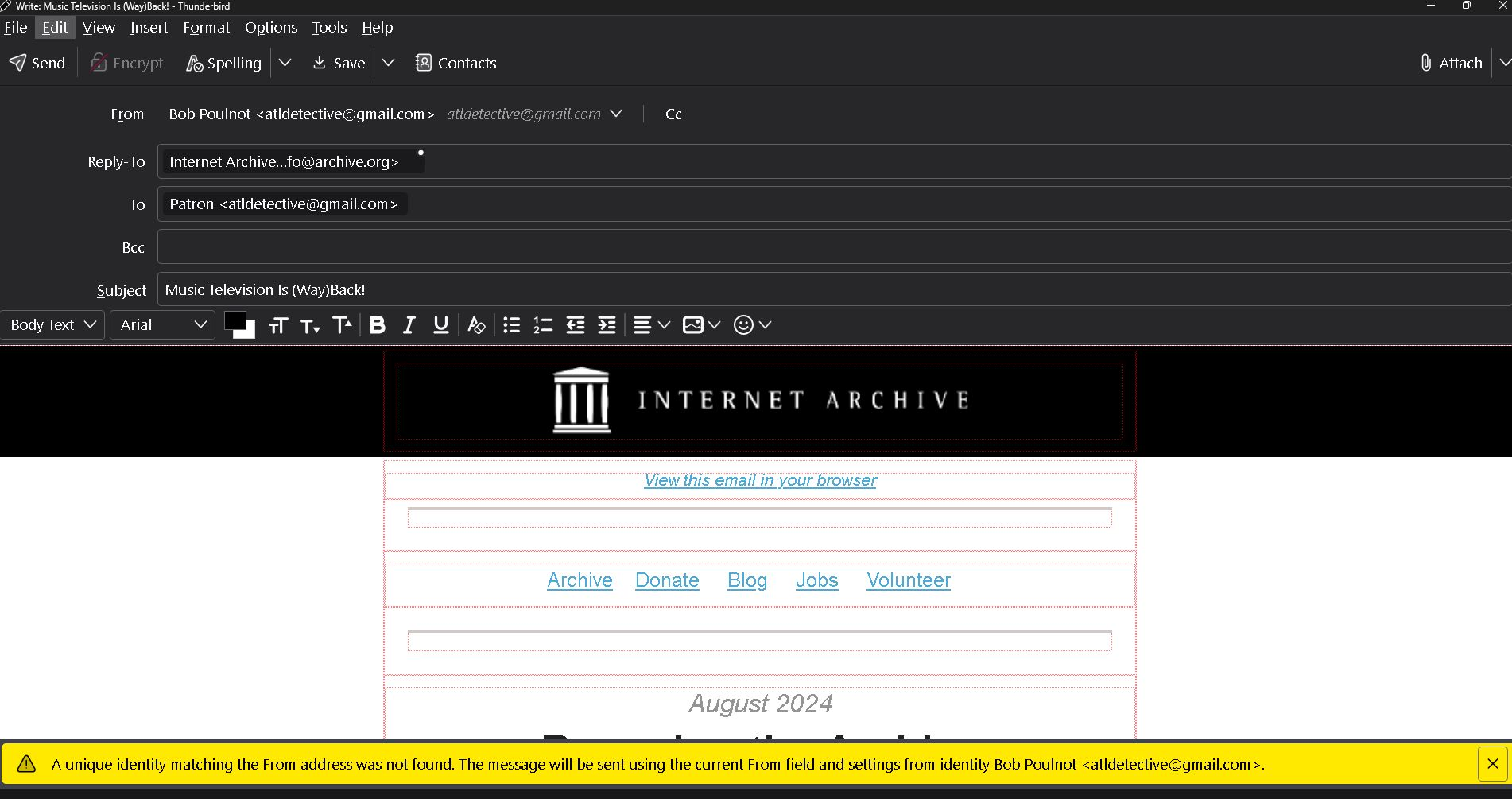
Apparently I have changed the Thunderbird account settings causing an alert message on all incoming emails. As shown in the bottom of the example attachment it reads, " The unique identity matching the prom address was not found. The message will be sent using the current from field and settings from identity Bob Poulnot <atldetective@gmail.com>.

Also by opening this incoming email it is showing at the top that it is "From" Bob Poulnot <atldetective@gmail.com> as a reply. I did not click on reply.

Please help. Thank you
Apparently I have changed the Thunderbird account settings causing an alert message on all incoming emails. As shown in the bottom of the example attachment it reads, " The unique identity matching the prom address was not found. The message will be sent using the current from field and settings from identity Bob Poulnot <atldetective@gmail.com>. Also by opening this incoming email it is showing at the top that it is "From" Bob Poulnot <atldetective@gmail.com> as a reply. I did not click on reply. Please help. Thank you
Đính kèm ảnh chụp màn hình

Tất cả các câu trả lời (2)

Folderflags did not solve the problem. Also, I am having to reply to your email via google gmail instead of Thunderbird. The links in your message won't open.