


Locked into "Unified Folder" mode, with 3pane errors. IDN related?

Hello, I'm running 115.6.0 (64-bit) on Ubuntu Studio 20.04.6 LTS (Xfce, if that's important ?)
Because I have 10 (IMAP) accounts configured I normally run in "Unified Folders" mode and I was therefore in this mode when I upgraded.
If I select View | Folders | "All Folders" I get a tick-mark but if I then click somewhere else on the screen and go back the only tick is against "Unified Folders".
If I select "Recent Folders" , "Unread Folders", or "Favorite Folders" they are displayed and stay displayed.
I have tried deleting the various files in the Mail directory suggested by other solutions but they don't make a difference. I think I don't have a problem getting "Unified Folders" - I have the problem of NOT using "Unified Folders". . .
Any ideas ?
PS: Non of my IMAP accounts allow me to select a folder for "Sent"; "Archives"; "Drafts" or "Templates" in the "Copies & Folders" section. - The field is either "NO available folders" or is empty and has no drop-down list available.
Được chỉnh sửa bởi Wayne Mery vào
Tất cả các câu trả lời (9)
Please check Error Console for errors and warnings at control + shift + J
I do have a lot of e-mails (I rarely delete anything) so it looks like this could be the cause ???
One other symptom is that I cannot add any other accounts to the Unified Folder list (right-click on Inbox --> Properties --> Choose) - The folders for the accounts, that do exist (I can send E-Mail from them), are not listed
Any ideas ? Thanks, -Graham-
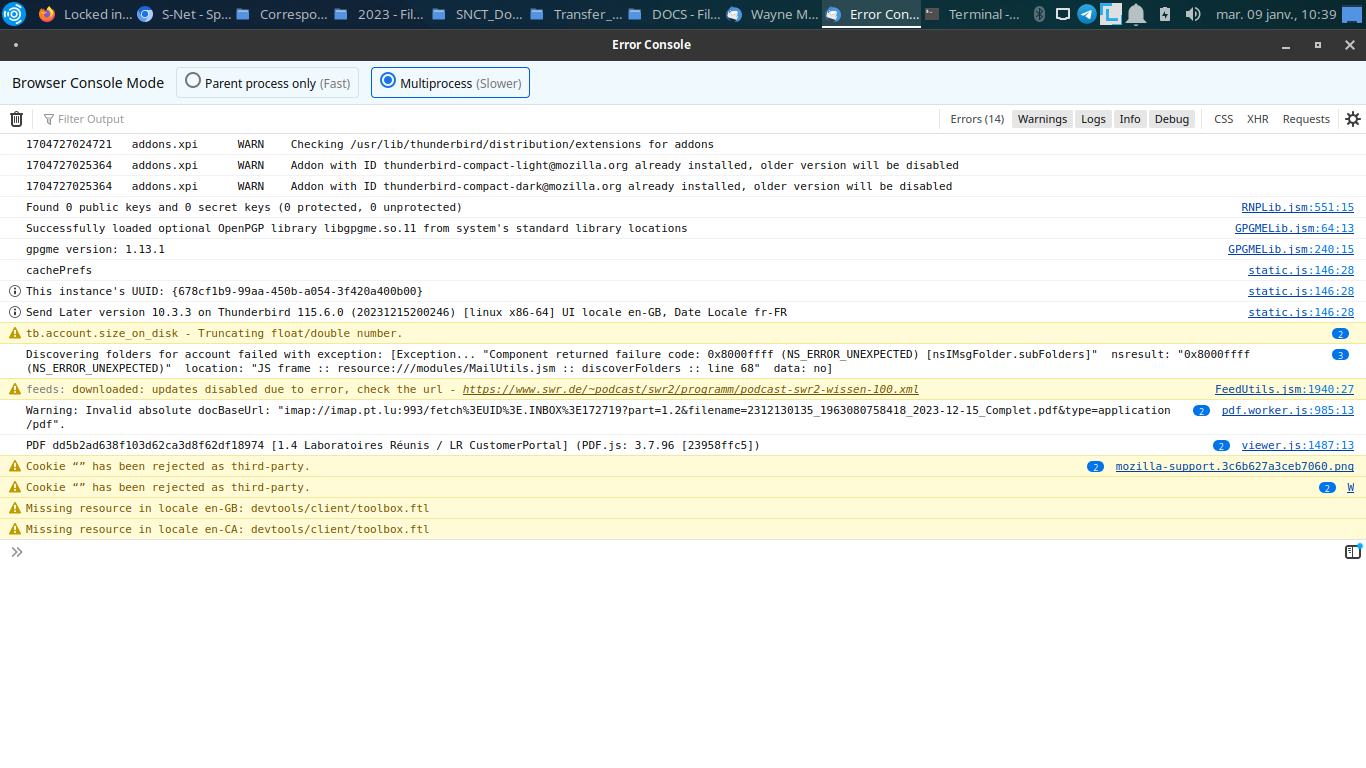
Sorry - here are the errors . . . . .
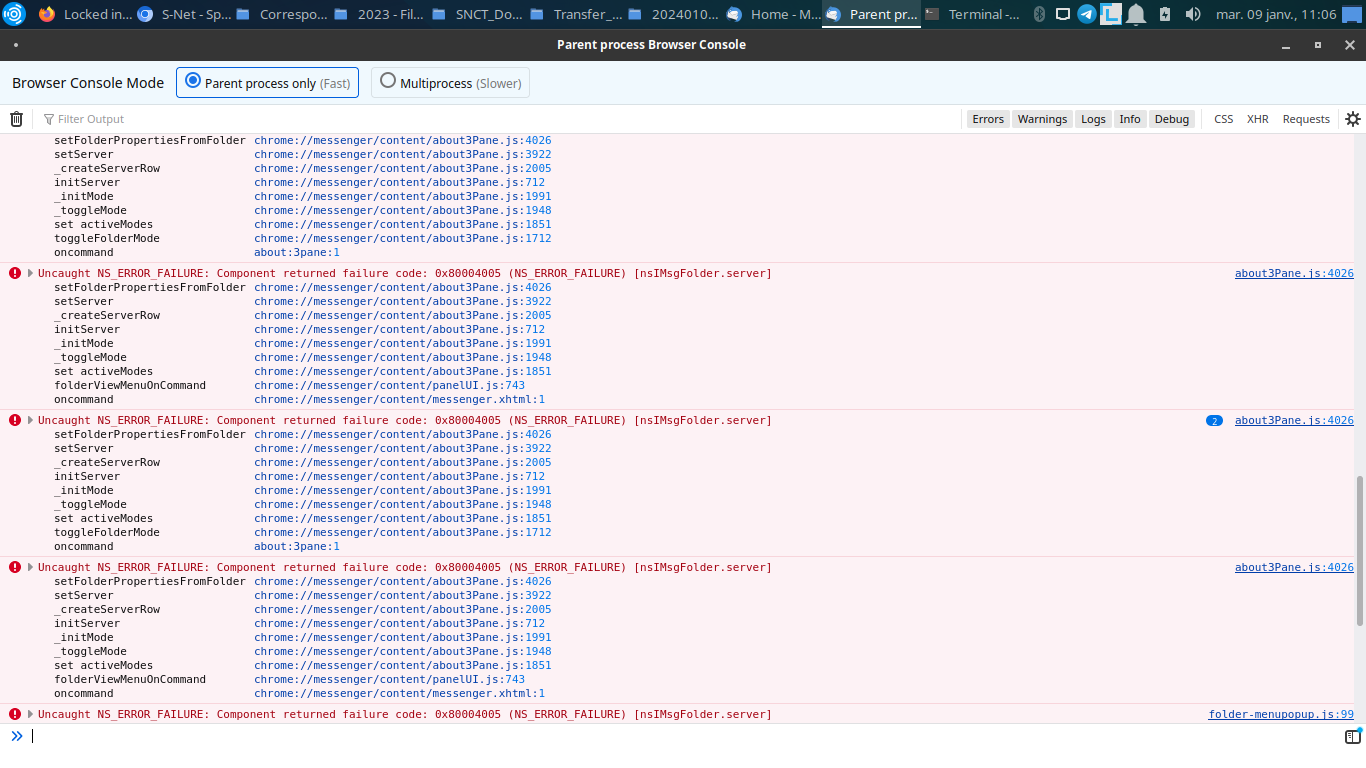
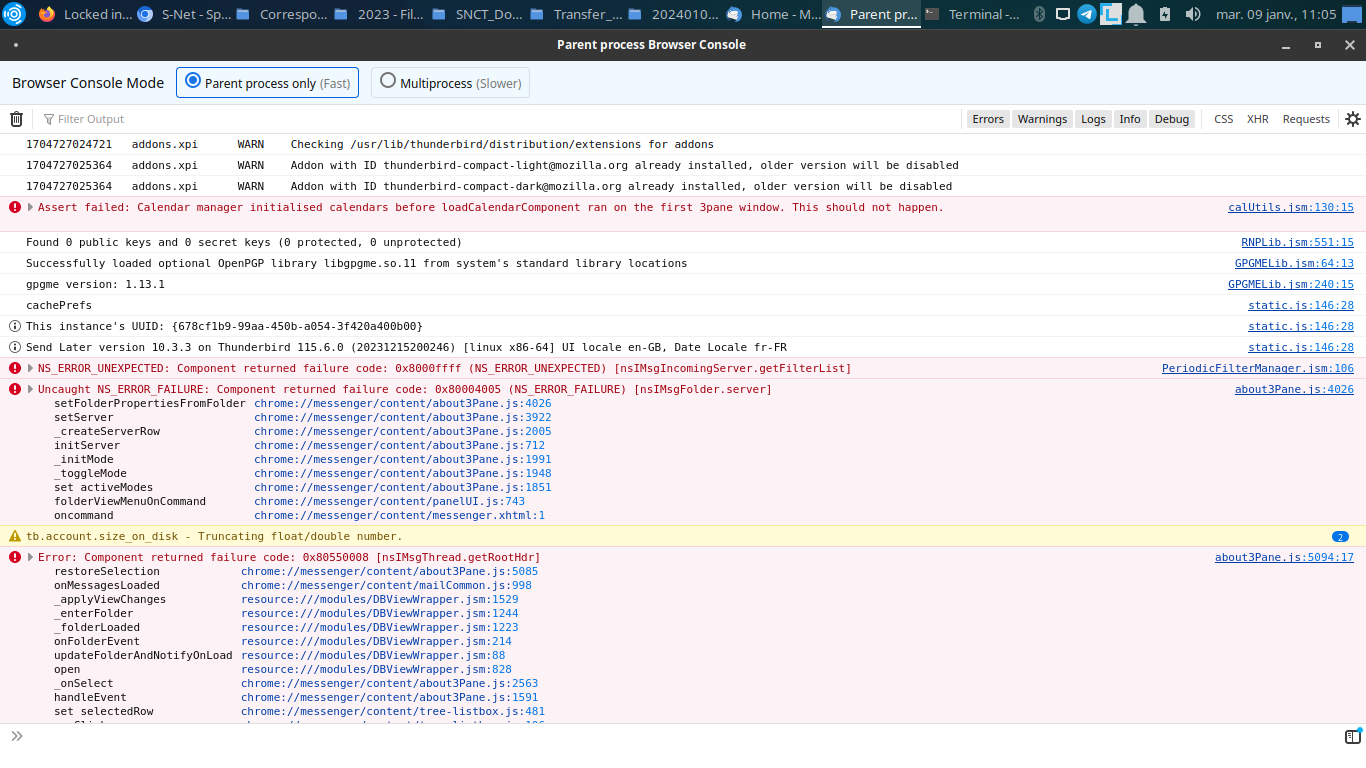
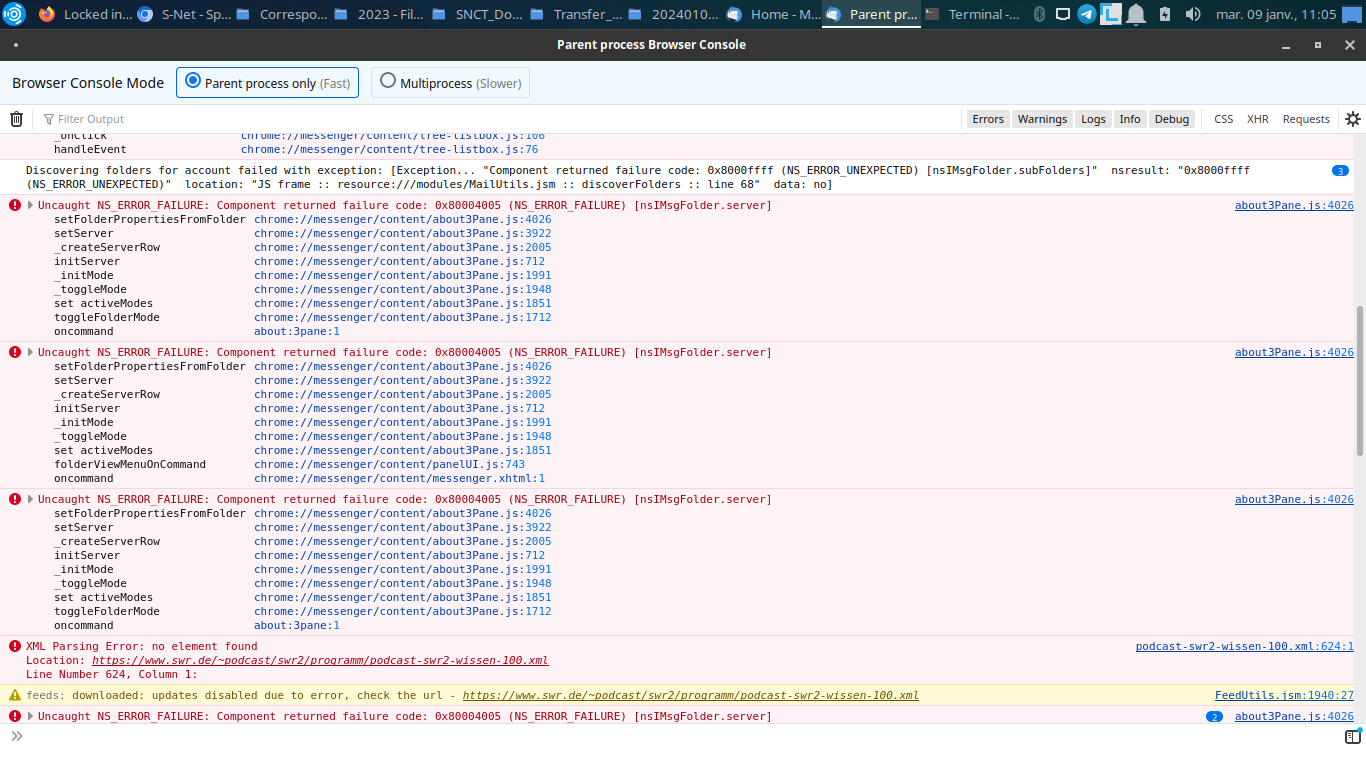
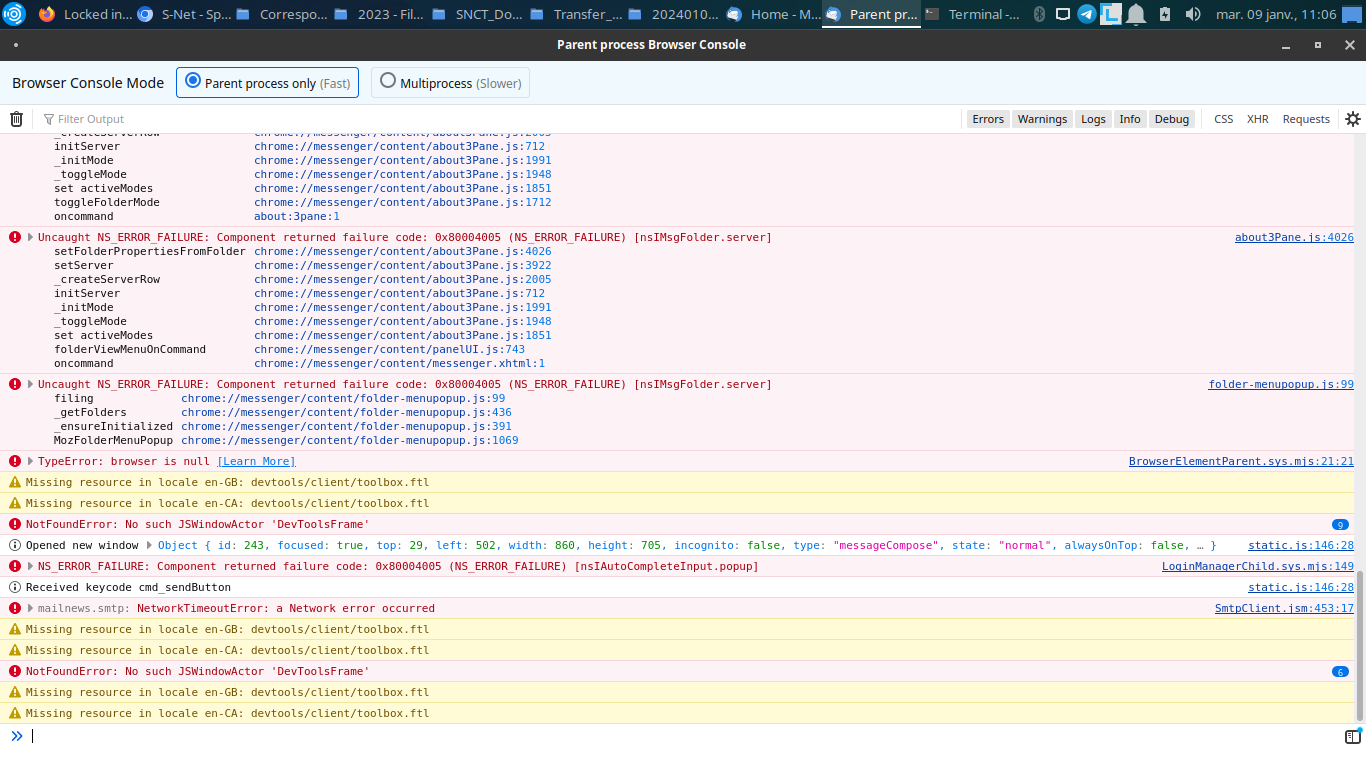
Thanks for the screen shots.
I see numerous 3pane and other errors, so I haven't zeroed in on a precise solution. Can you save the log and email it to me? right click in the error console to show how to save it to a file. I will send you a private message with my email.
console-export-2024-1-9_17-26-20 sent
Thanks !
Hello,
is there any news on this ?
(If I have to reinstall I first need to find out how to correctly save all my various e-mails)
Thanks.
I just found your console log email in my spam folder.
I don't have a solution for you, but you might be seeing https://bugzilla.mozilla.org/show_bug.cgi?id=1869685
What happens if you do Help > Troubleshoot Mode?
Hello Wayne, I think I'm getting closer to finding the source of this problem . . . . .
I de- and re-installed Thunderbird (moving the ~/.thunderbird directory to another disk/partition)
I added the various accounts that I receive E-Mail on, UNTIL I tried to add an account with accented characters (Internationalized Domain Names (IDNs)). When Thunderbird refused to accept the domain name I used the punycode version: - An outgoing SMTP server was added to the list but Thunderbird hung when trying to scan the IMAP login parameters.
AND the result was that I had a blank screen when I exited and I was locked into "Unified Folders" mode again - where all this started. . . . .
When I removed the account everything reappeared as before and I can swap between all the folder views.
I can send you the console export but I lost your PM in the reinstall - could you send it to me again please.
I think that we are getting somewhere . . .
Thanks, -Graham-
I've sent you a new private message.