


Firefox home page screen

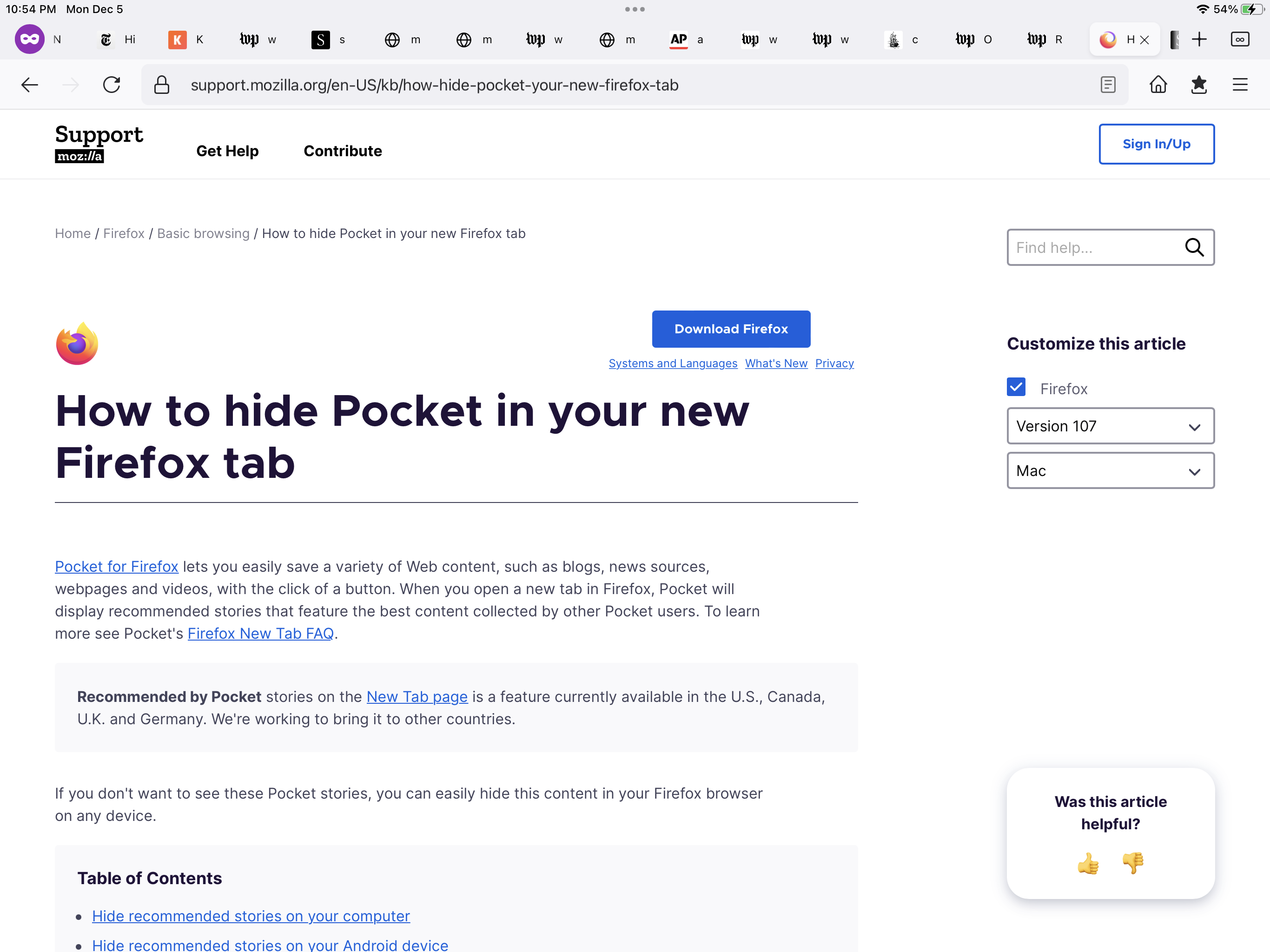
In the attached image there is a row of little icons across r]the top of the browser screen. How can I make them go away?
Thank you
Tất cả các câu trả lời (4)
That is likely the Tab bar that Firefox displays at the top of the page ? Do you run Firefox in Full Screen mode ?
You can try to toggle this pref to see if that has effect.
- about:config => full-screen-api.macos-native-full-screen
- https://support.mozilla.org/en-US/kb/about-config-editor-firefox
I have no idea how to do what you suggest. I have Firefox on several devices this is the only one that has the horizontal line of icons at the top of the Home Screen. This is on an IPad. I’m 80 yrs old, taking care of my wife paralyzed from a stroke, not familiar with this kind of thing. I just want the row of icons to go away. Thank you, Will
Hi Will
If you select each icon in turn and then select the "X" that appears, the icons will be removed as you close the open browser tabs.
I hope that this helps.