


Windows 10 reached EOS (end of support) on October 14, 2025. If you are on Windows 10, see this article.

Tìm kiếm hỗ trợ

Tránh các lừa đảo về hỗ trợ. Chúng tôi sẽ không bao giờ yêu cầu bạn gọi hoặc nhắn tin đến số điện thoại hoặc chia sẻ thông tin cá nhân. Vui lòng báo cáo hoạt động đáng ngờ bằng cách sử dụng tùy chọn "Báo cáo lạm dụng".

Tìm hiểu thêm
Đã lưu trữ

importing contacts from proton mail to thunderbird

Matt đã trả lời
rboelte

proton made a vcf of all but one of my contacts. not sure why one contact was a no go. i had deleted one corrupted contact. may be there is one more. i stored the file on the desk top. i went to thunderbird. clicked on tools, import, address book and vCard file (vcf). thunderbird went through the process and said all files didnt make it. actually none made it. i right clicked the vcf and clicked properties. it said "open with outlook." I changed it to "open with thunderbird." still no contacts. i have exported and imported repeatedly to no avail. may be i picked the wrong thunderbird file?
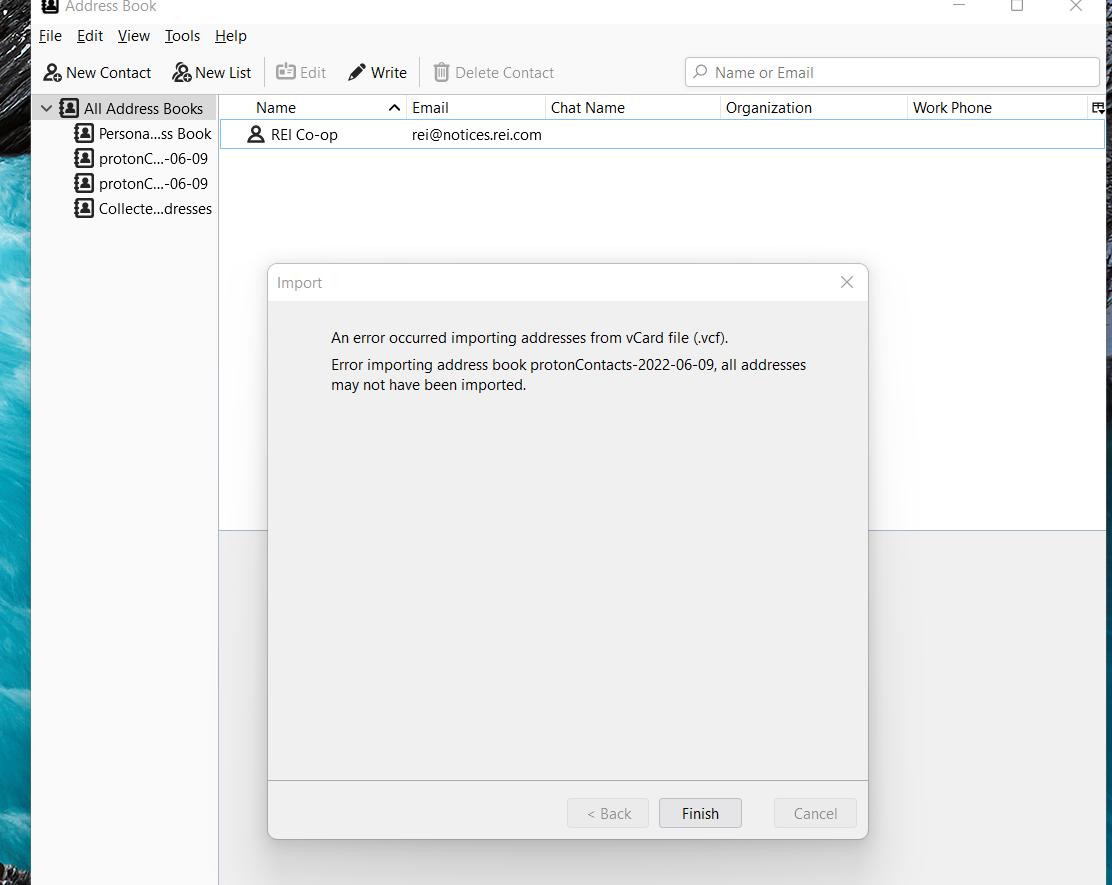
proton made a vcf of all but one of my contacts. not sure why one contact was a no go. i had deleted one corrupted contact. may be there is one more. i stored the file on the desk top. i went to thunderbird. clicked on tools, import, address book and vCard file (vcf). thunderbird went through the process and said all files didnt make it. actually none made it. i right clicked the vcf and clicked properties. it said "open with outlook." I changed it to "open with thunderbird." still no contacts. i have exported and imported repeatedly to no avail. may be i picked the wrong thunderbird file?
Đính kèm ảnh chụp màn hình

Tất cả các câu trả lời (1)

My guess is the version of the vcard is wrong. Open the file in notepad and have a look at the first couple of lines. What vcard format is being used. Thunderbird uses V4 I think.

This addon / replacement address book might offer a successful import https://addons.thunderbird.net/en-us/thunderbird/addon/cardbook/