


Address Book Empty AND Cannot Send Emails

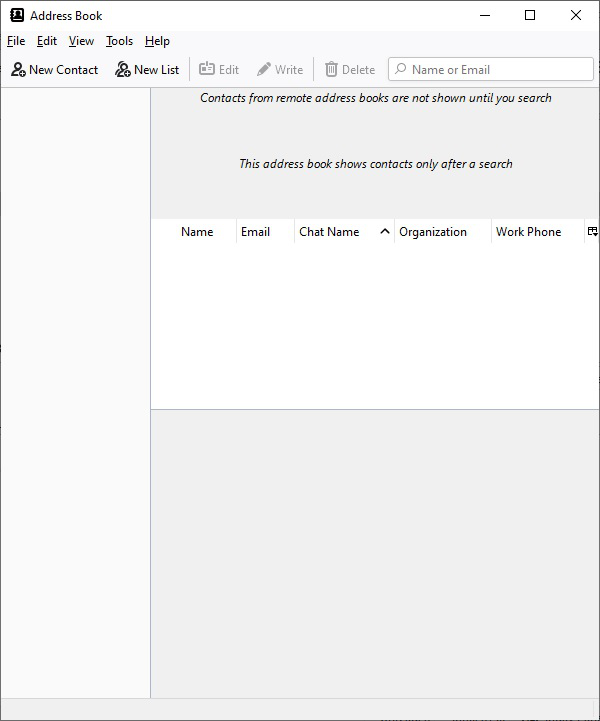
This is an URGENT problem: I have TBird v 91.6.0 (32 bit) and Windows Version 10.0.19044 Build 19044 - updated both a few days ago. I rebooted my computer yesterday. 1) Suddenly, my address book has no entries. (see attached). I cannot even use New Contact. 2) I tried creating an email to send with a good email address. Clicking on Send does absolutely nothing. The very top of the window says: "Write (no subject)"; howver, the email entires are complete. I am receiving emails and can open them. I tried replying to one and have the same problem sending. HELP! I need an answer fast. This is affecting my business!!!!
Tất cả các câu trả lời (2)
When you started TB, did it request that you create your account again? That's very important. If YES, then your 'real' account is still there, but hidden. Within TB, click Help>More troubleshooting information. Scroll down to Profiles in left column and click about:profiles to the right. That window should open with names of what TB thinks are the correct profiles. click 'create new profile' at top and browse to c:\\(yourname)\appdata\roaming\thunderbird\profiles. There may be more than one profile there. Name will be of format 123446.default or similar. The larger, older one is probably yours. Select it and give a name within profile manager and continue to TB. That may resolve it. But all of that presumes you reacted an initial request to recreate your account. Let us know.
Thanks david but that was not the issue. Regardless: I solved the problem. I gave up and restarted my computer - one more time. That is, I shut it down and restarted. The mysterious problems went away. Lesson Learned: Back up your computer early and OFTEN.