


Windows 10 reached EOS (end of support) on October 14, 2025. For more information, see this article.

Tìm kiếm hỗ trợ

Tránh các lừa đảo về hỗ trợ. Chúng tôi sẽ không bao giờ yêu cầu bạn gọi hoặc nhắn tin đến số điện thoại hoặc chia sẻ thông tin cá nhân. Vui lòng báo cáo hoạt động đáng ngờ bằng cách sử dụng tùy chọn "Báo cáo lạm dụng".

Tìm hiểu thêm

Tabs, History and Bookmarks on Android not syncing

  • 3 trả lời
  • 1 gặp vấn đề này
  • 75 lượt xem
  • Trả lời mới nhất được viết bởi Paul

tuỳ chọn khác

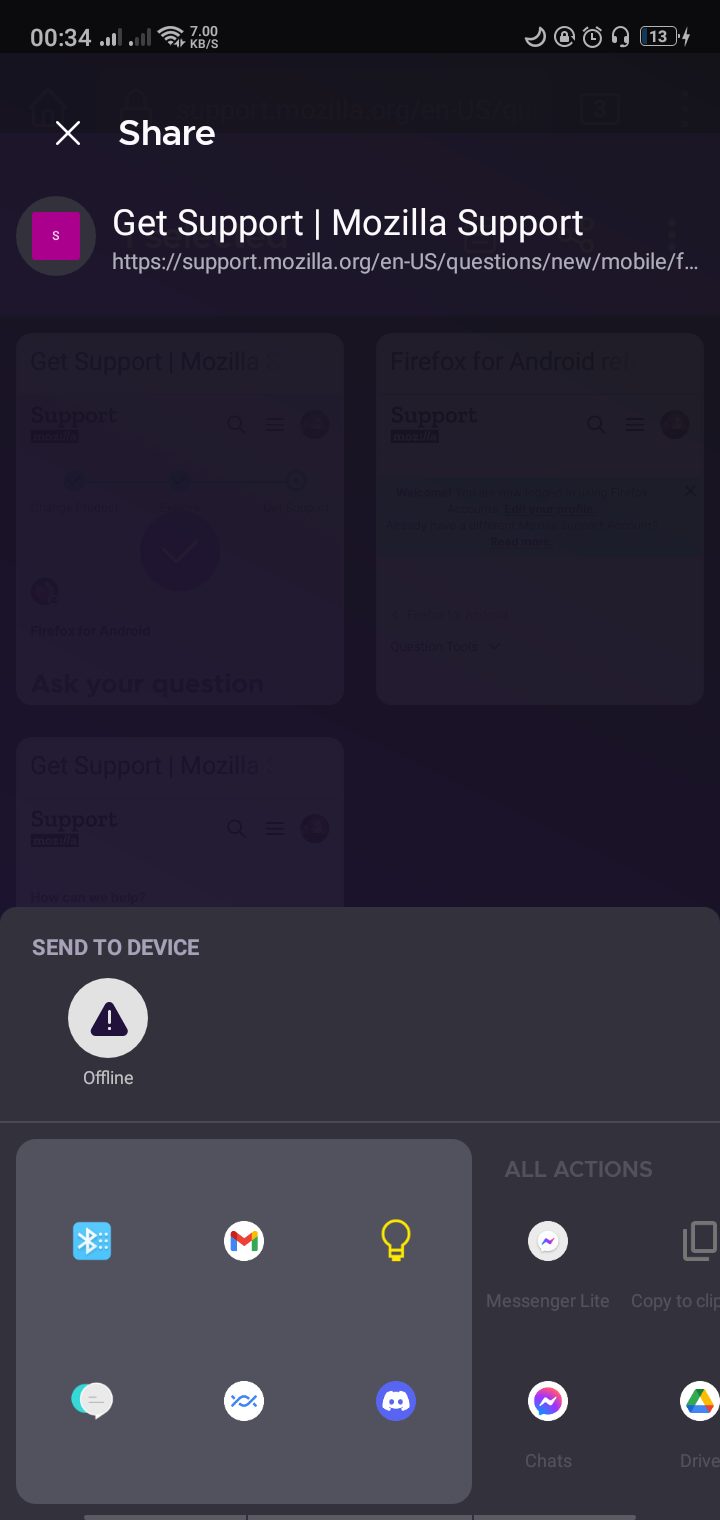
The tabs, history, and bookmarks are not syncing on my Android device. Whenever I try to sync my tabs, it just says "Syncing..." but nothing happens. It also asks me to enable tab syncing but I can't enable it because it's greyed out. When I try to send tabs from my Android to my PC, it says offline even though I have a strong internet connection. When I check my connected devices on my PC, it recognizes that my Android is signed in. It just won't sync.

Things that I've tried: - Signing out then signing in again on the device - Uninstalling then reinstalling firefox on my Android - Switching from mobile data to wifi

None of these have worked. This is a firefox feature that I've been using for a while and I rely on it quite a lot so it would be great if someone could help me with this. Thanks!
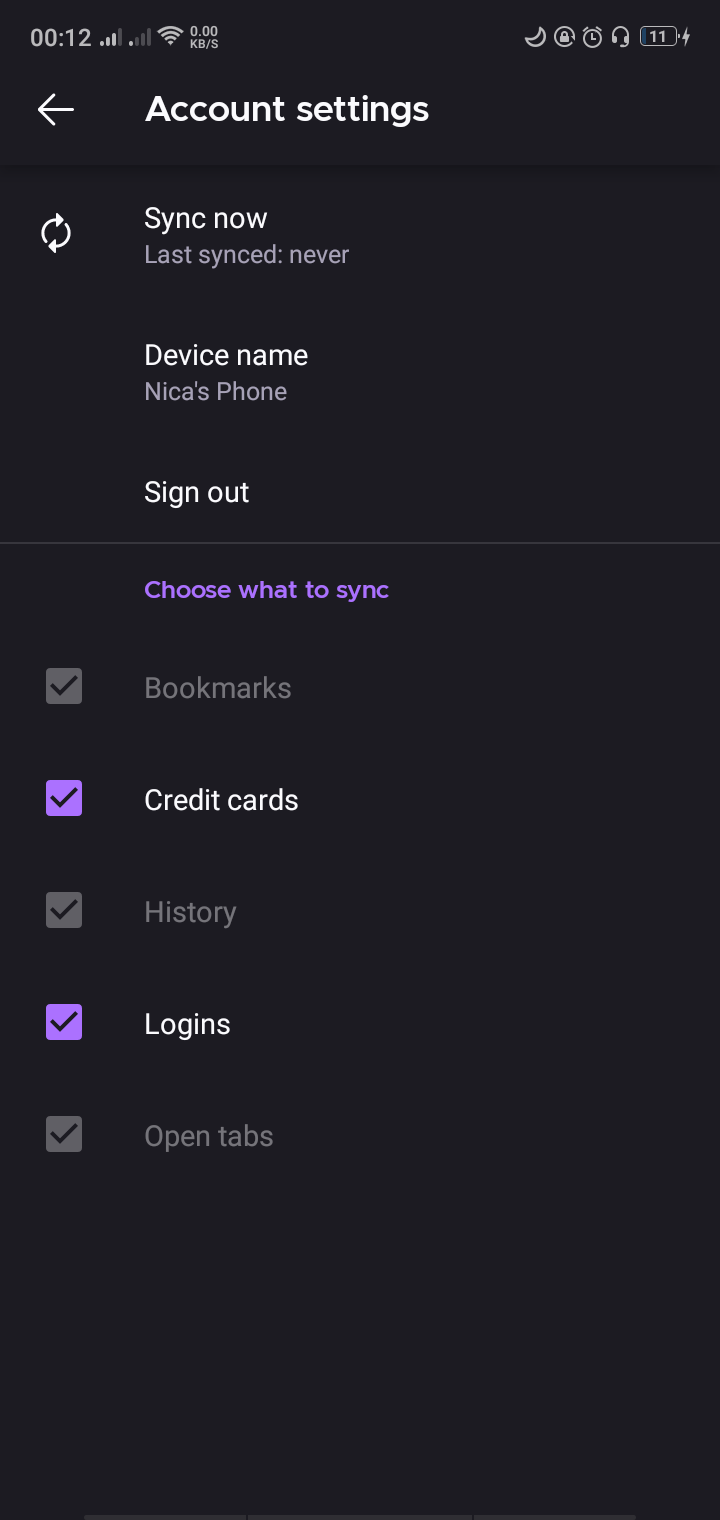
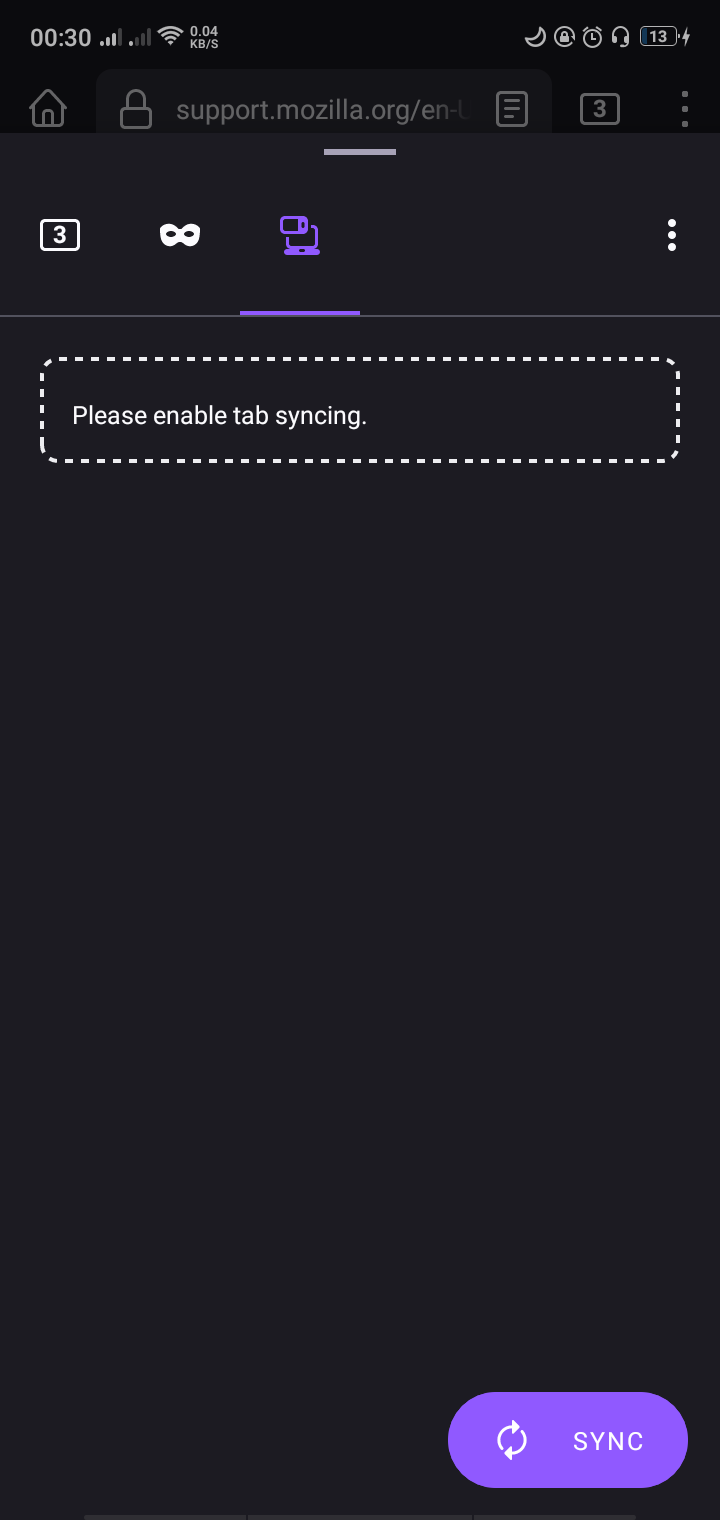
The tabs, history, and bookmarks are not syncing on my Android device. Whenever I try to sync my tabs, it just says "Syncing..." but nothing happens. It also asks me to enable tab syncing but I can't enable it because it's greyed out. When I try to send tabs from my Android to my PC, it says offline even though I have a strong internet connection. When I check my connected devices on my PC, it recognizes that my Android is signed in. It just won't sync. Things that I've tried: - Signing out then signing in again on the device - Uninstalling then reinstalling firefox on my Android - Switching from mobile data to wifi None of these have worked. This is a firefox feature that I've been using for a while and I rely on it quite a lot so it would be great if someone could help me with this. Thanks!
Đính kèm ảnh chụp màn hình

Tất cả các câu trả lời (3)

tuỳ chọn khác

Hi

If you go to https://accounts.firefox.com/signin and sign into your account, under Connected Services, do you see both copies of Firefox listed?

tuỳ chọn khác

Hi. thank you for the reply. I don't know how, but I was able to sync my stuff again earlier today. But yes, when I wasn't able to sync it, I can still see my phone under connected services, so firefox knows i'm signed in.

tuỳ chọn khác

Ok. Just to confirm - it is all okay now?