


TDS emails not downloading to Thunderbird

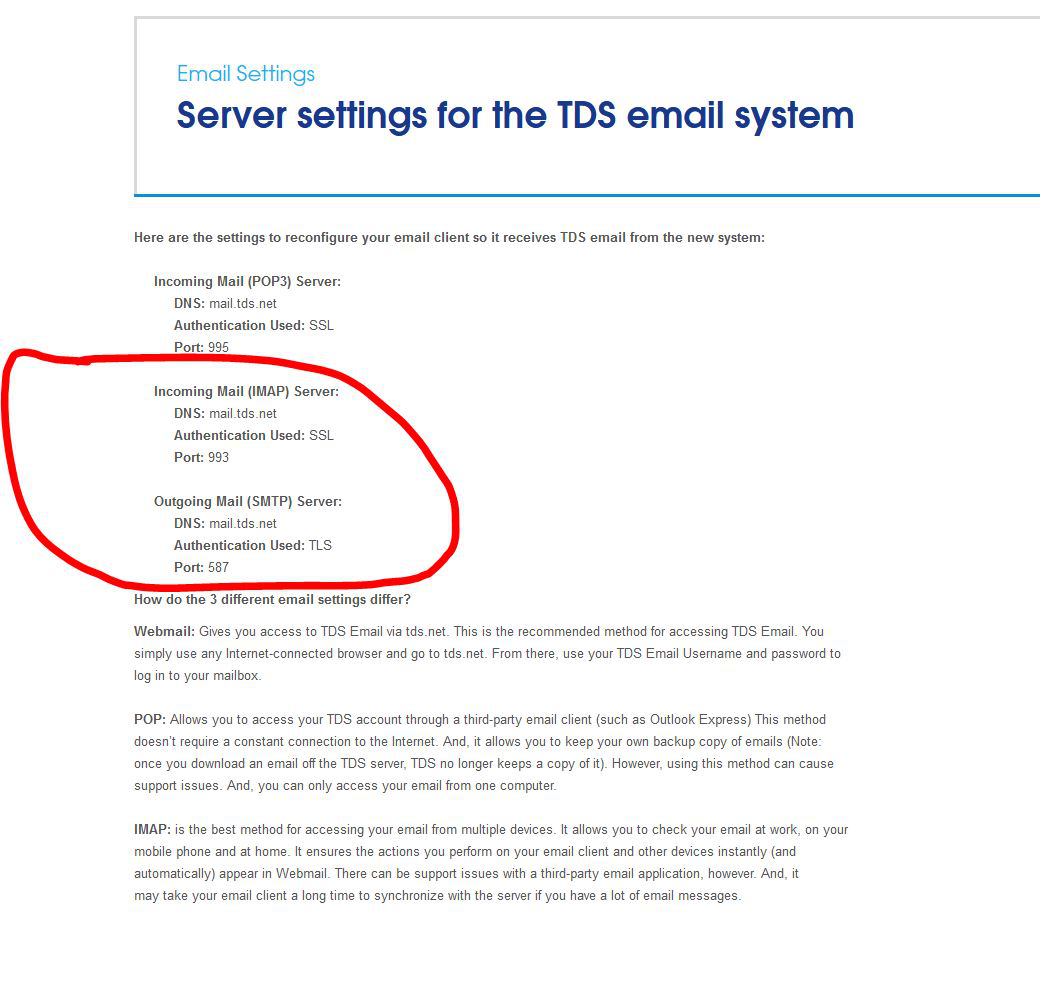
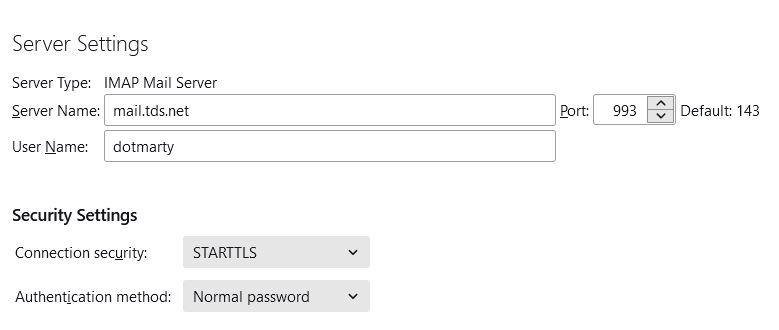
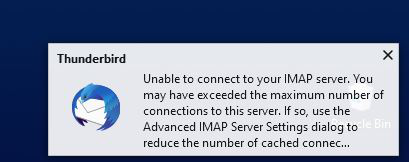
My email is a tds account. I am able to send emails through Thunderbird, but I cannot receive emails from tds.net. I have checked/updated my server settings, which read mail.tds.net, port 993, STARTTLS, normal password. (per tds instructions) I have restarted Thunderbird and my computer. I can logon to tds.net (via Firefox) to see my emails; and I can use my iPad to see my tds emails. Thunderbird is not working correctly. This is a recent problem - starting in the last week or so.
Giải pháp được chọn
I have solved this issue by deleting the account from Thunderbird and re-adding it.
Đọc câu trả lời này trong ngữ cảnh 👍 0Tất cả các câu trả lời (3)
Other symptoms of this Thunderbird issue (1) will not save sent message to my sent folder (2) will not save draft messages to my draft folder
The instructions say to set the incoming security to SSL/TLS, not STARTTLS. Their wording is a bit misleading: the authentication method is 'normal password', and the connection security is SSL/TLS for the incoming and STARTTLS for the outgoing. You might also have to use the full address for the User Name, instead of just the part before @.
Giải pháp được chọn
I have solved this issue by deleting the account from Thunderbird and re-adding it.