


Browser randomly displays characters from a different language
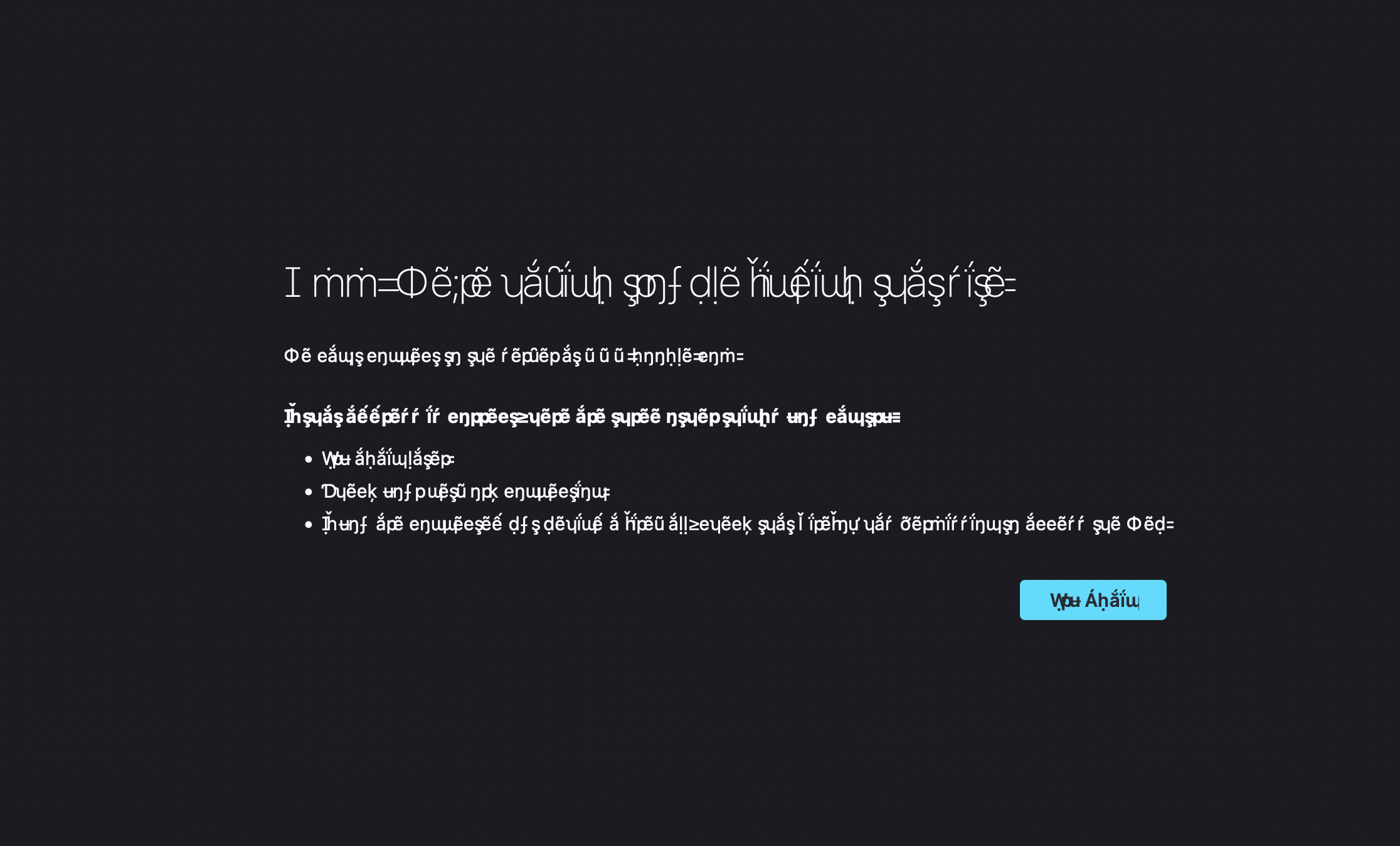
After the latest MacOS update (Monterey) when my laptop started back up I saw everything in Firefox in a different language. This didn't happen in Chrome or Safari. Not it seems to happen if I can't connect to wifi and then reconnect. It's always on an error page and *sometimes* on other pages too (like the login to this forum just now).
I've tried:
- Reinstalling Firefox
- Clearing all of my cache and browsing history
- Using the Firefox repair tool
Nothing seems to help and Apple support just says its a Firefox issue. Any help would be greatly appreciated!
(for what ever reason I can't upload images to this question so here are two examples):
Được chỉnh sửa bởi Eric Niemi vào
Tất cả các câu trả lời (11)
I should note that my language IS set to 'English (United States)' in the browser...
Here is an example of what I am describing...
We have seen reports that this can be caused by a problem with fonts like Helvetica that you have installed locally and that might be corrupted or are missing variants. You will have to identify and remove corrupted font(s).
You can right-click and select "Inspect Element" to open the built-in Inspector with this element selected.
You can check in the Rules tab in the right panel in the Inspector what font-family is used for selected text. You can check in the Font tab in the right panel in the Inspector what font is actually used because Firefox might be using a different font than specified by the website.
Ok I just finally saw it again, screen shot attached.
So it looks like maybe its the Apple system font causing the issue, if I am looking at this right? If I edit the CSS and remove that as the first font it then loads fine.
But what doesn't make sense to me though is that this isn't an issue on Chrome or Safari on the same computer...so I would assume that means the font file isn't corrupt?
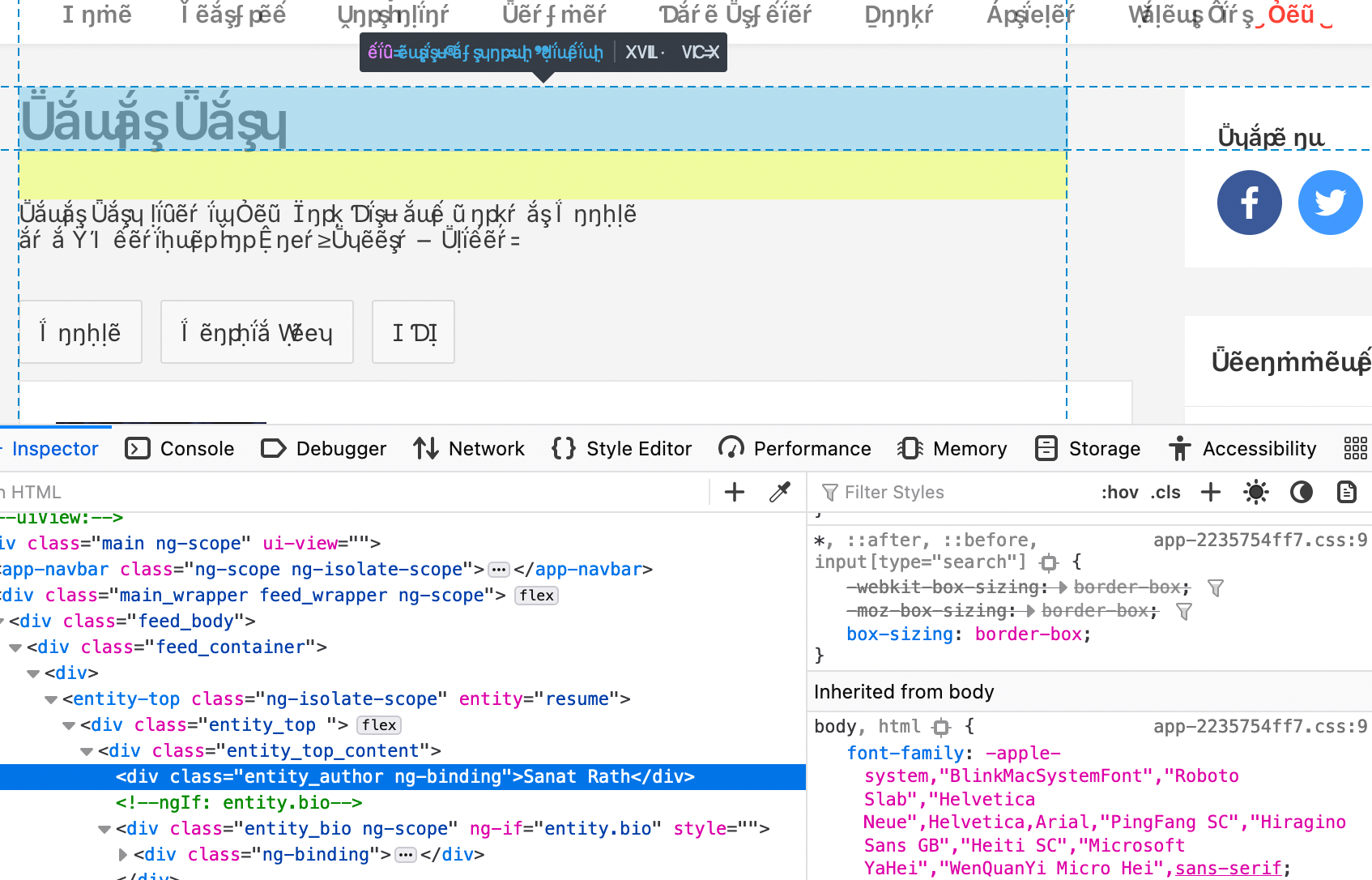
It is more likely a problem with the Helvetica font as that font has been reported to cause this issue.
Did you check what font is used by opening the Font tabs in the right panel in the Inspector like I wrote above ? https://developer.mozilla.org/en-US/docs/Tools/Page_Inspector/How_to/Edit_fonts
Right - that's essentially what I did. And I just went back and did it exactly the way you described and again, from what I see its the Apple System Font that causes the issue, but I don't know what that font is or how to proceed.
Again again, this is ONLY happening in Firefox...
Just on with Apple Support and they're stumped too - reinstalled the SF fonts (Apple system font) just to see but the issue remains...
Can you attach a screenshot that shows the Font tab ?
The Rules tab with the font-family rule merely specifies some possible fonts. It is up to Firefox to decide what font to use.
- /questions/1325619 Weird font on some website's
- /questions/1330670 Render letters
Yup, here's the Fonts tab showing:
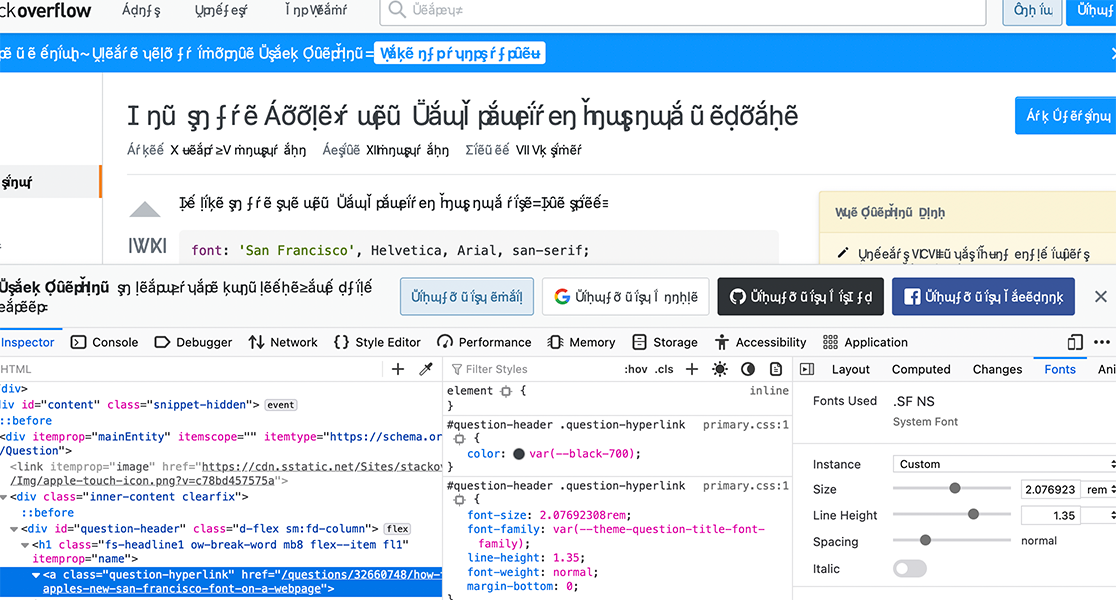
It really does appear to be the Apple system font, unless I'm missing something...?
I see a line with this content in the screenshot:
- font: 'San Francisco', Helvetica, Arial, sans-serif;
You can check in Font Book for font issues like corrupted and duplicate fonts.