


Update Thunderbird to 78.4.0 (32-bit)
Folks
Current environment: Windows 10 Professional 2004 build 19041.572, Firefox 64 bit version 82
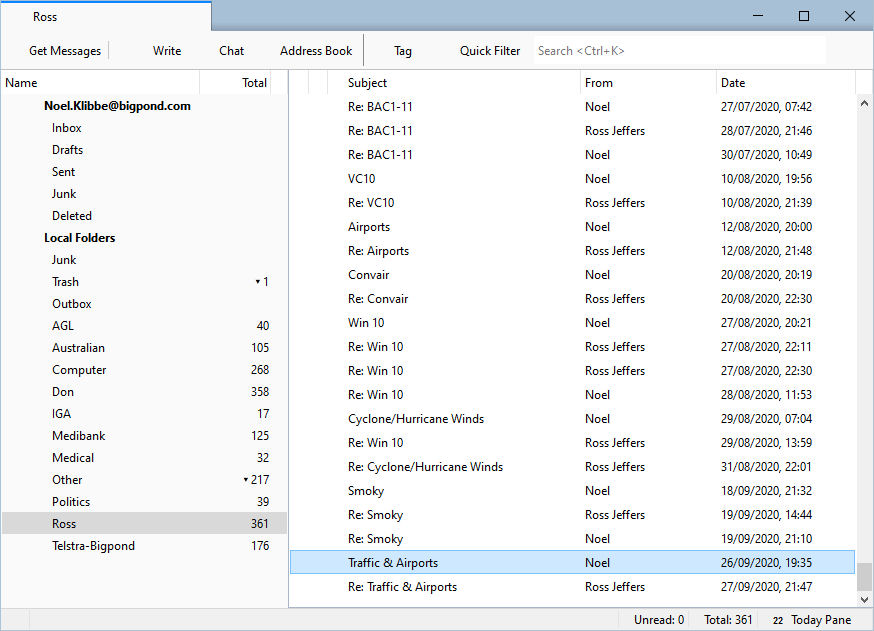
After the update all status icons are missing. Such as :-
Status icons in folder pane\ Status icons in message pane Calendar etc at top of screen Online/Offline status in status bar
I have attached a screen shot of the application.
Noel Klibbe
Giải pháp được chọn
In normal mode, is the box for hardware acceleration checked, in Options/General/Indexing (at the bottom)? If it is, uncheck it and restart TB.
Đọc câu trả lời này trong ngữ cảnh 👍 0Tất cả các câu trả lời (11)
same thing after help > restart with add-ons disabled?
I do not have any add-ons in Thunderbird. However, if I start in safe mode is seems to half work, see screen.
Noel
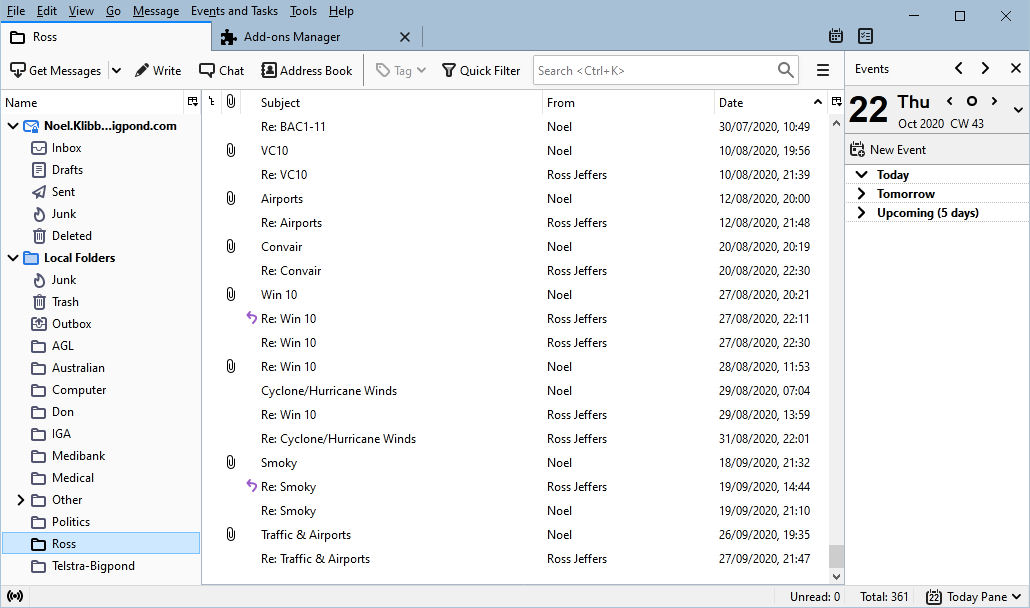
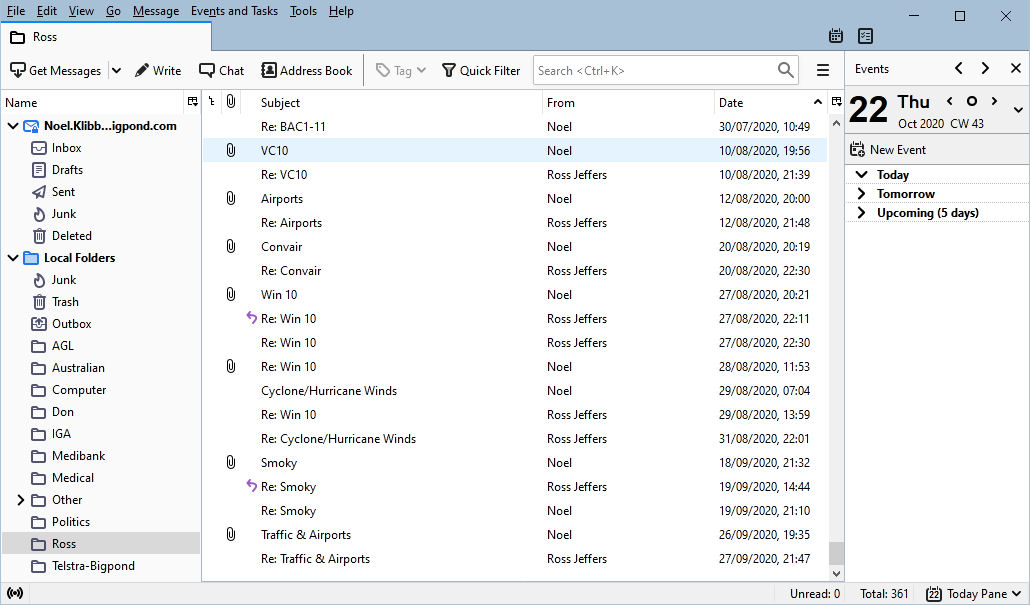
Launch again in safe mode, check 'Reset toolbars and controls', click 'Make changes and restart'. Does is still look correct as in your last picture?
Restart after resetting toolbars and controls did not fix. If I restart in safe mode it works, so Thunderbird will only work in safe mode after update to 78.4. Problem surfaced after the latest update was applied. Also tried to re-install by downloading and installing direct but did not work either.
Noel
Giải pháp được chọn
In normal mode, is the box for hardware acceleration checked, in Options/General/Indexing (at the bottom)? If it is, uncheck it and restart TB.
Prior to 78.4.0, had you been running version 78.3.3 ?
Wayne
I presumed I was running 78.3.3 as I have auto updates enabled and that was the version before 78.4. It ran OK and the problem surfaced immediately after the update earlier today.
A solution offered to turn off hardware acceleration has worked and all the status icons are again visible.
However, it is strange as I went through a similar experience with Firefox with software playing up after a Firefox update a short while ago and the solution there was to turn off hardware acceleration. Has there been a change in the Mozilla graphics engine lately?
Noel
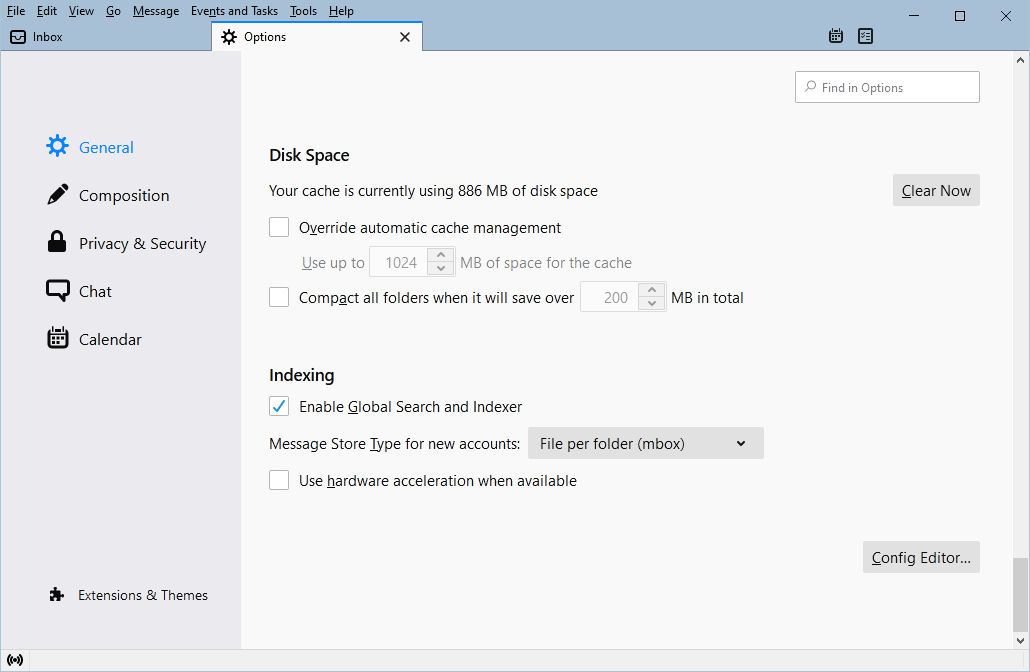
I applied the update to 78.4.2 but alas hardware acceleration must still be turned off to retain full functionality.
I don't think you're missing anything with acceleration disabled, as far as TB's performance is concerned. It's only enabled when necessary to avoid display errors.
I am OK with the current situation with acceleration turned off. However it is passing strange that the same problem (loss of functionality with acceleration on) also turned up with a Firefox update just before the Thunderbird issue as I mentioned above. Could there be a commonality in their graphics engines?
Yes, TB and Firefox share a common code base, so it's no coincidence that basic features like graphics evolve in sync. The release schedules are loosely connected: https://wiki.mozilla.org/Releases