


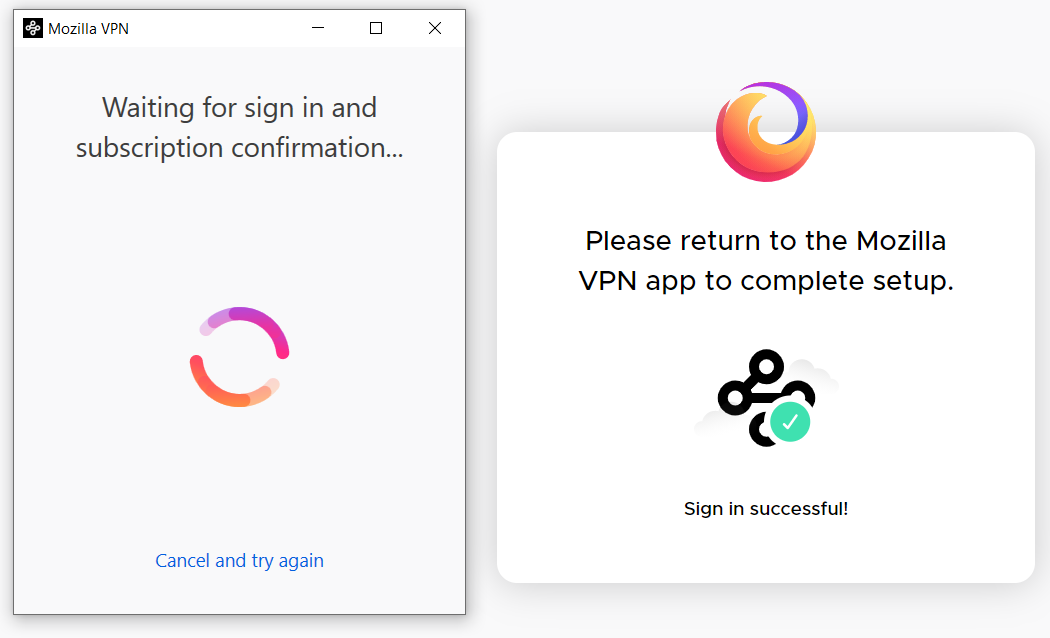
Mozilla VPN stuck on "waiting for sign in and subscription confirmation" on initial install
Installed Mozilla VPN on Thinkpad E590, Win10 Pro x64. Went on to the website and set up an active user account and paid for the service. when i start the app, I have never been able to login to it, it just keeps circling at "Waiting for sign in and subscription confirmation". It open a browser window (have tried both firefox and edge and default) and has me sign in to the mozilla website. I do. I receive a "Please return to the Mozilla VPN app to complete setup" so I do exactly that. and I am right back where I started at ""Waiting for sign in..." etc. If i click "Cancel and try again"...it just does the same thing every time.
No adblockers, no popup blockers, no antivirus installed.
Ideas?
Giải pháp được chọn
Please connect with the Mozilla VPN team directly.
If you have an active subscription:
Log into your account at https://accounts.firefox.com, click manage next to Subscriptions, and click support.
Đọc câu trả lời này trong ngữ cảnh 👍 0Tất cả các câu trả lời (2)

Giải pháp được chọn
Please connect with the Mozilla VPN team directly.
If you have an active subscription:
Log into your account at https://accounts.firefox.com, click manage next to Subscriptions, and click support.
Just an update... after contacting the vpn support directly, they were able to solve the loop with a simple emailed set of instructions to follow. Perfect!
Thank you Andrew! :)