

Chủ đề này đã được lưu trữ.
Vui lòng hỏi một câu hỏi mới nếu bạn cần giúp đỡ.

Đã lưu trữ
I adjusted the settings in UserContent.css to make Quote Colors more compatible with dark mode but when I reply to a message the original blue overrides it. Why
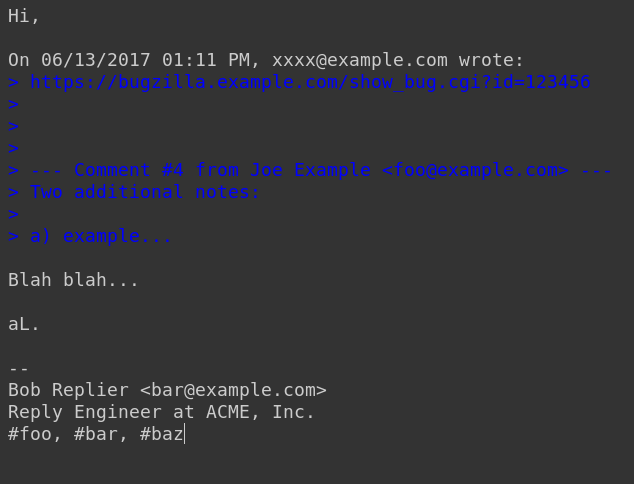
I adjusted the settings in UserContent.css to make Quote Colors more compatible with dark mode and my OLED background on Thunderbird. However, when I reply to a message, the original text which is quoted in dark blue reappears (as seen below) and overrides my settings making it unreadable. Are there any fixes for this?
I adjusted the settings in UserContent.css to make Quote Colors more compatible with dark mode and my OLED background on Thunderbird. However, when I reply to a message, the original text which is quoted in dark blue reappears (as seen below) and overrides my settings making it unreadable. Are there any fixes for this?
Tất cả các câu trả lời (1)
I have a section in my userContent.css for changing the displayed color of the text and background for quoted plain text, in addition for quoted html content:
/* Quoted text colour for plain text */
span[_moz_quote="true"] {
  color: navy !important;
  background-color: mistyrose !important;
}
pre[_moz_quote="true"] {
  color: navy !important;
  background-color: mistyrose !important;
}
https://unix.stackexchange.com/questions/562721/thunderbird-68-css-to-change-quote-colours
See if you can choose colors that are compatible with dark mode.